Plastic SCM vs. Perforce P4
Version control is the foundation for your development pipeline. When it works, teams get the files and feedback they need quickly. They can collaborate without overriding work. When it doesn’t, velocity slows, and developers and artists are left waiting.
Plastic SCM can work for smaller teams and repos. But overtime, performance declines causing major issues. Whether you are a current Plastic SCM customer, or you are going through a proof of concept, start here to find the right version control system for your team.
In this guide you will:
- Compare version control systems — similarities and differences .
- Discover critical workflow capabilities and features that can help your team.
- Explore development processes that adapt to how you work.
- Learn how to migrate Plastic SCM repositories into P4 depots.
Fill out this form to get your free migration checklist to compare and seamlessly switch to Perforce P4 (formerly Helix Core).
"In working with Unreal Engine, Perforce was the obvious choice for us over other solutions like Plastic SCM. We rely heavily on Perforce's file locking ability for team collaboration with binary files, integration with our Jetbrains Rider CI/CD pipeline, and use with Unreal Game Sync to make compiled custom engine builds available to all team members, especially artists and other less technical roles.”
Build Something Amazing
We've helped top studios. Now you can join the club.







What P4 Does For Your Team
P4 gives your team the foundation to accelerate innovation. It provides one secure place to store everything, enables global teams to collaborate better, and versions in the background so you can focus on your work, not your tools.
Save Time When Every Digital Asset is in One Place
P4 gives the entire team, from designers to devs, quick access to the latest version of the file they need — and it versions more than just source code. Get to market faster with higher quality products when your team isn’t overwriting each other’s work.
- Access a complete history of every digital asset, not just source code. P4 versions video, large binary files, IPs, and more. And it lets you visualize your assets' evolution over time.
- See when files are checked out, or automatically lock them, so you don’t waste time editing binary files that can’t be merged.
- Start working right away. There is no need for team members to download entire projects to their local drives to begin working.
Get a Foundation You Will Never Outgrow
P4 scales endlessly while continuing to perform at lightning speed. It won’t slow down as your teams and projects grow.
- Never outgrow your version control system. P4 was built to handle tens of thousands of developers and creatives, tens of millions of daily transactions, and petabytes of data.
- Develop at high velocity. Your P4 server can handle 10,000+ concurrent commits without slowing down.
- Eliminate WAN wait. Transfer large amounts of data and enormous assets quickly to teams across the globe.
- Start creating in the cloud. P4 has quick and pre-configured deployment options for Microsoft Azure and AWS.
Collaborate Securely with Anyone
Stop sharing valuable IP via unsecured channels. Keep it safe while still enabling efficient collaboration within teams and with external partners.
- Set permissions all the way down to a single file and IP address.
- Allow outside contributors to access only the files they need.
- Provide your users Single Sign On when integrated with your organization's IdP.
- Review your full audit history to see what was accessed, what was changed, when, and by whom.
Version Without Reinventing Your Workflows
Keep your team focused on their deliverables. P4 versions your assets in the background and fits into your existing workflow and toolchain.
- Keep developing with Git, but with the power of P4. Your developers are probably more familiar with Git, and they don’t need to stop using it. P4 and Git work well together.
- Easily integrate it with the tools your team already uses – like Unreal Engine, Jenkins, Photoshop, and Maya. Check out our vast inventory of free integrations.
- One of your tools not on this list? We offer APIs, so you can integrate and automate with any tools we don’t currently have an integration or plugin for.
What Sets Perforce Version Control Apart?
P4 provides a single source of truth across teams. You can store code, large binary files, IP, and digital assets (including media files) in one central location. And it can handle both hardware and software assets.
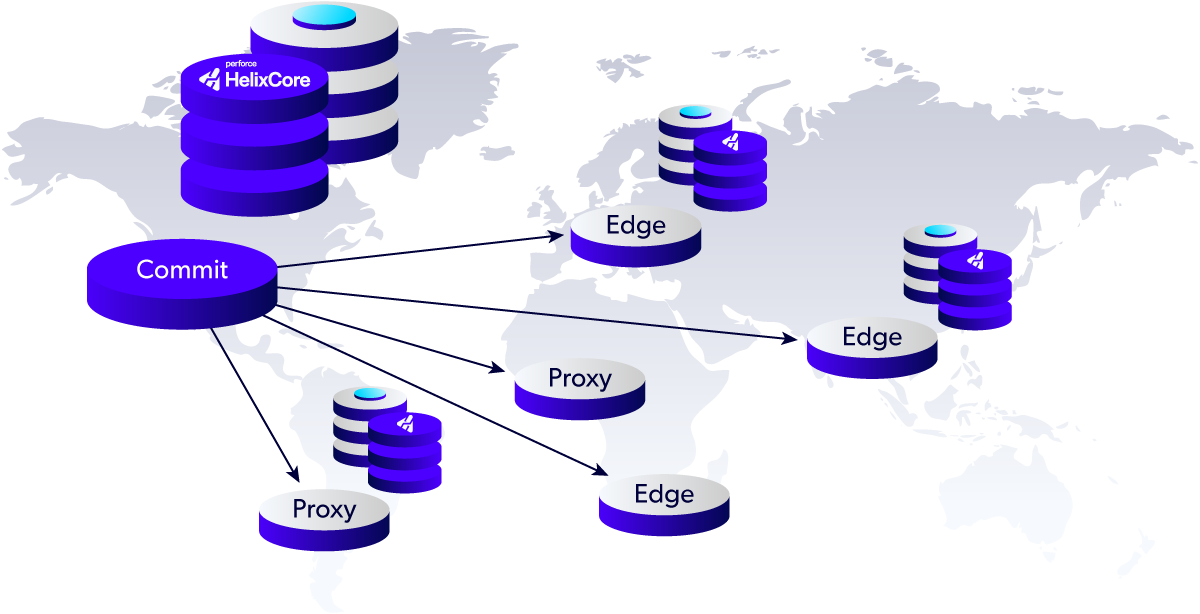
Distributed, global development chooses P4 for that very reason. It handles 10,000+ concurrent commits and intelligently syncs across locations. Remote contributors always have the latest version — no matter where they’re located.
P4 includes an unrivaled scalable architecture. This technology provides replication for high performance development and builds.
Remote teams get faster access via edge and replica servers. And all your files synchronized with a central server. Large files. Large numbers of projects and files. High volume automation (millions of transactions a day). Your global teams get it all fast at LAN speed — without compromising security.
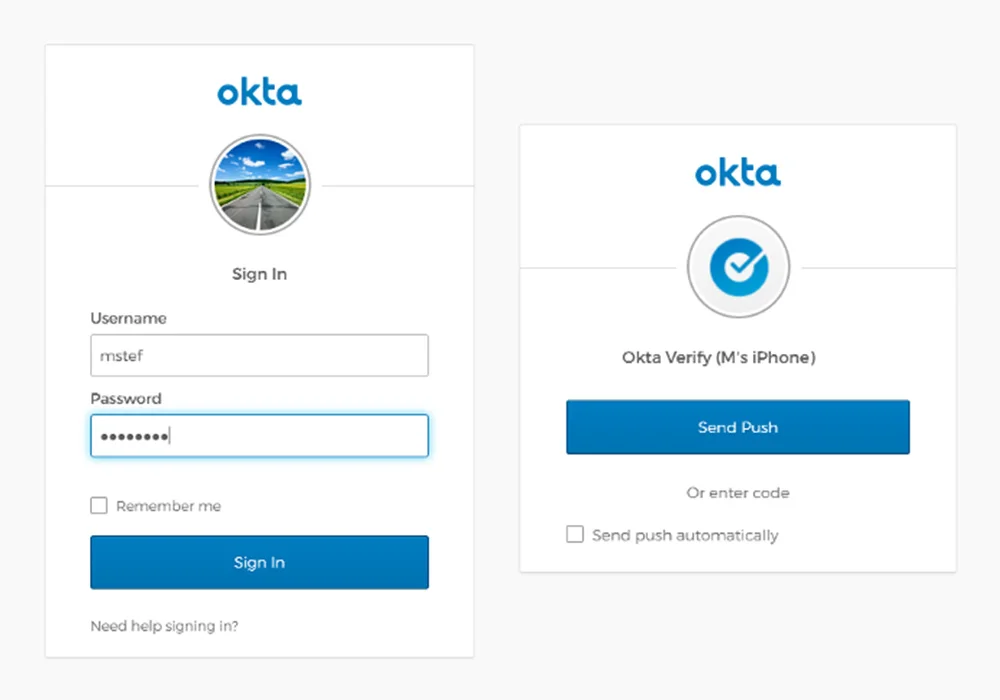
P4 offers enterprise-grade security for your most valuable digital assets. You get granular access control — down to the individual file level— giving team members, contractors, and third-party teams only access to only the files they need.
You can use enterprise identity and access management (IAM) infrastructure with SSO, with AD/LDAP and SAML.
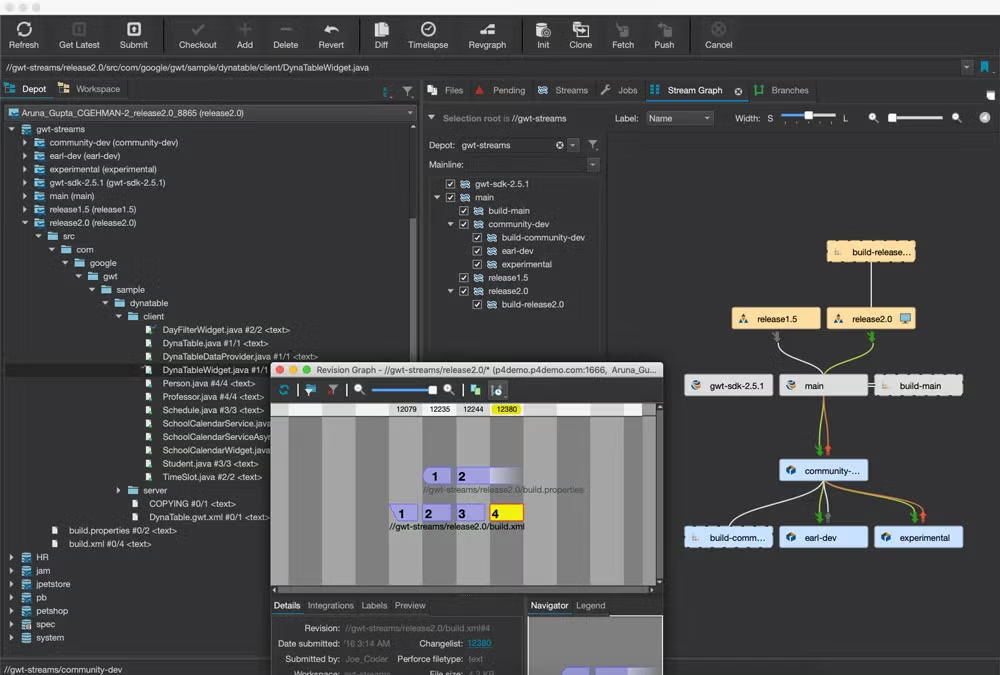
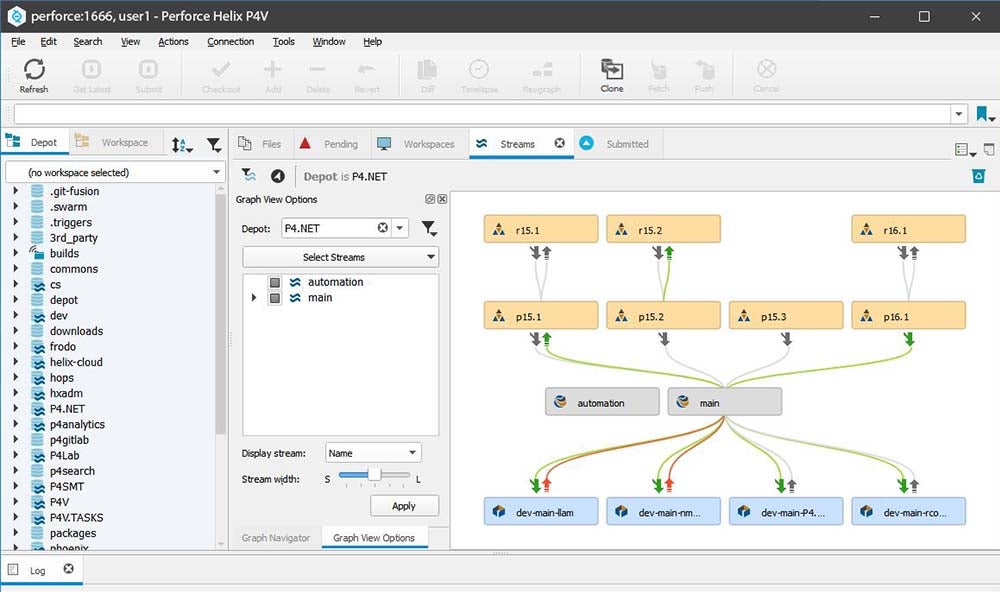
P4 delivers customizable, automated workflows through Perforce Streams, extensions, and code review tools.
For dev teams, you can set up pre-defined, controlled branch/merge patterns, and other customizable workflows in Perforce Streams. You can also customize workflows and extend server functionally through extensions. And if you’re using P4 Code Review (formerly Helix Swarm), you can customize workflows for code review.
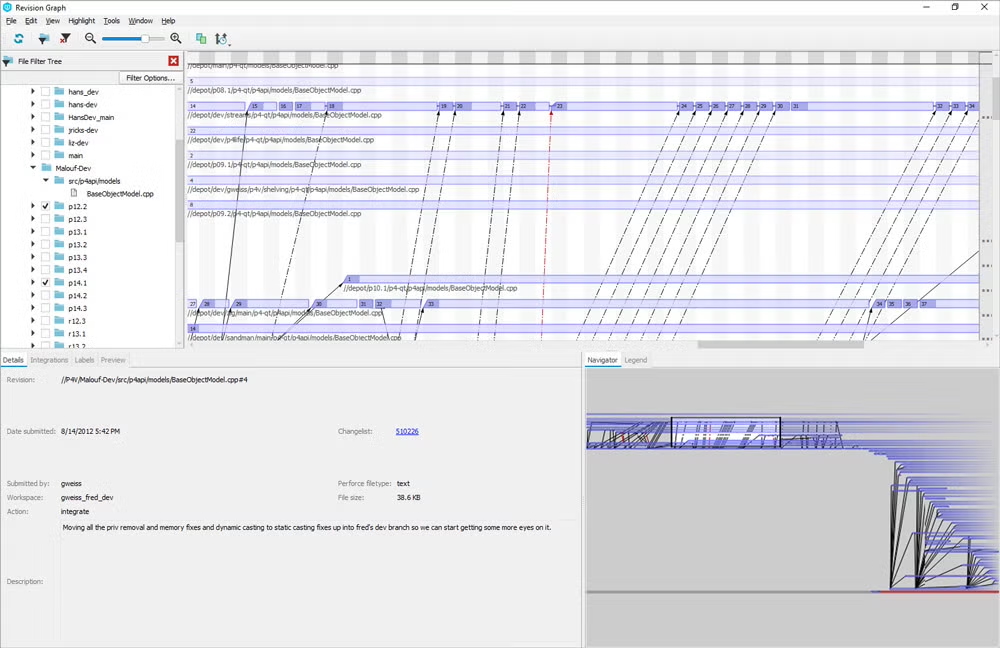
P4 maintains an immutable history for every change ever made. This includes what the change was, who made it, and why.
You can use P4’s version history and log features to satisfy audits. You can also search through files to reuse them across teams and projects.
If you need help, we’re here. Our global support team is filled with experts ready to help your team.
You can utilize our expert experience, tools, and processes for migrating from existing systems (such as SVN or ClearCase) to Perforce P4. And you can leverage our consultants, who have vast experience in the industry, for tricky projects. Learn more about your support options with P4.