
Streamline Branching and Merging
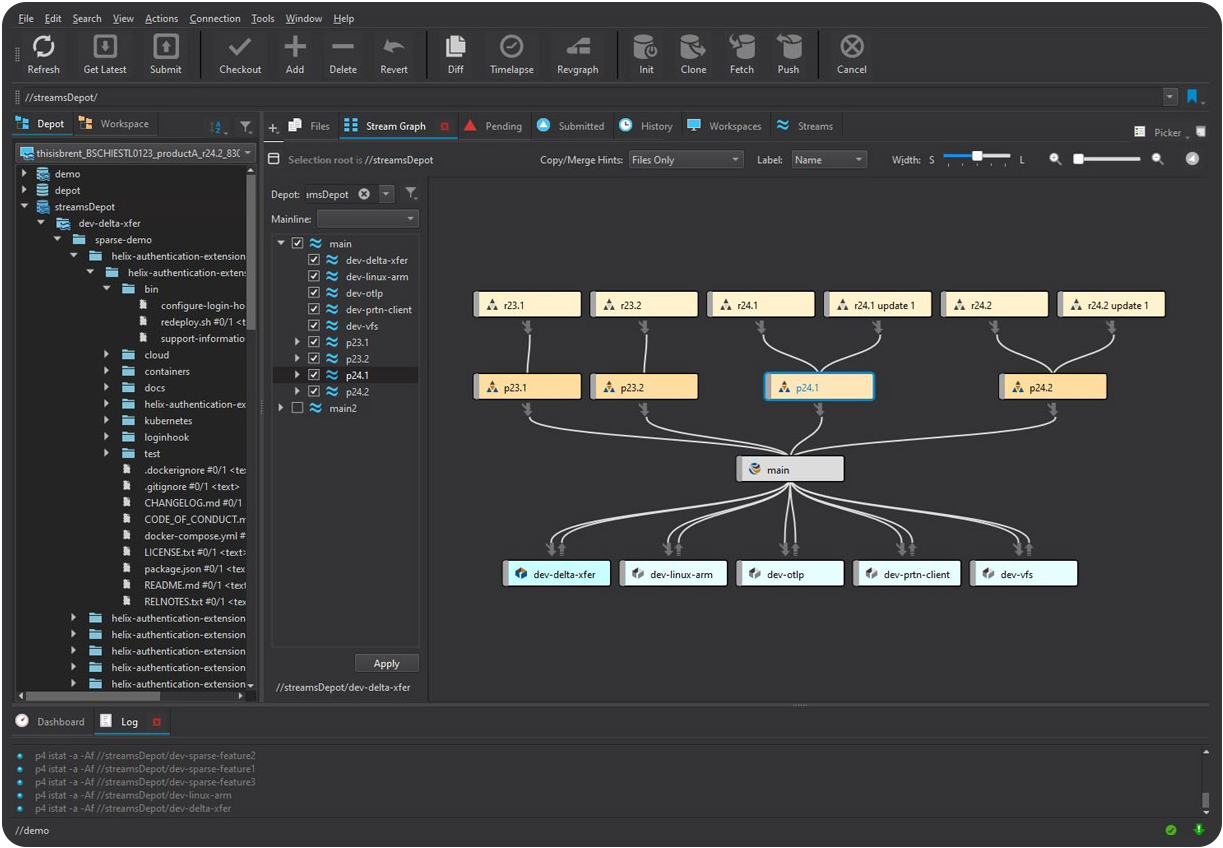
Create, edit, and manage your branches with Perforce Streams. Within P4V, users can design and automate development and release processes with the following capabilities:
- Support for ‘branch per bug’ and ‘branch per feature’ workflows. Implement common branching methodologies and instantaneously create new lightweight branches with Sparse Streams.
- Support `configuration as code` workflows. Manage the stream configuration (stream specification) with source code management best-practices such as checking out, diffing, shelving, and even assigning protections to establish who can manage these configurations.
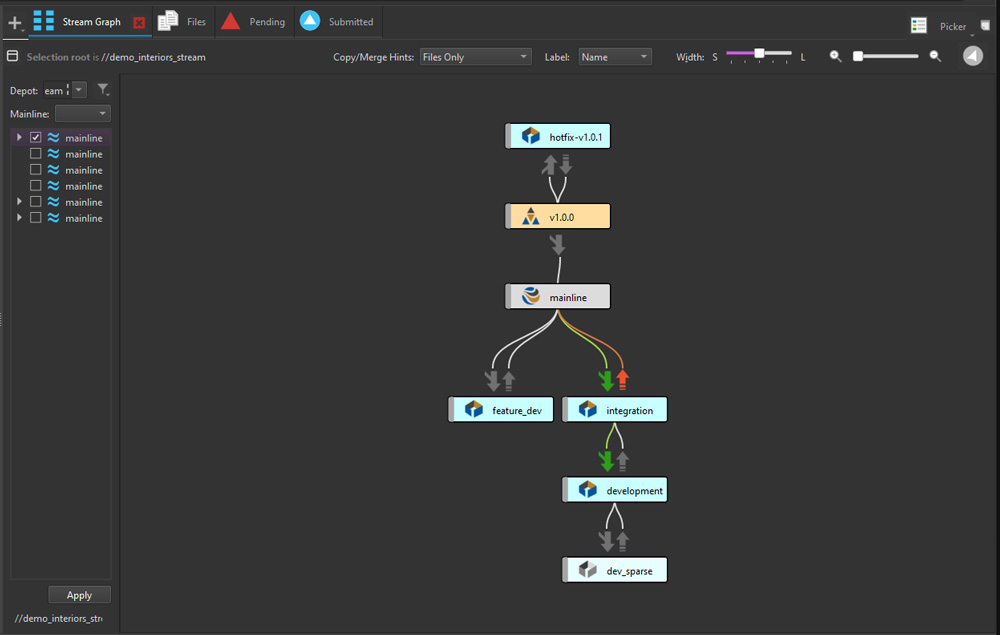
- View branches and define dependencies. See a graphical representation of the relationships between parent and child streams in a selected depot.
Gain a Unified View of Your Branch and Revision History
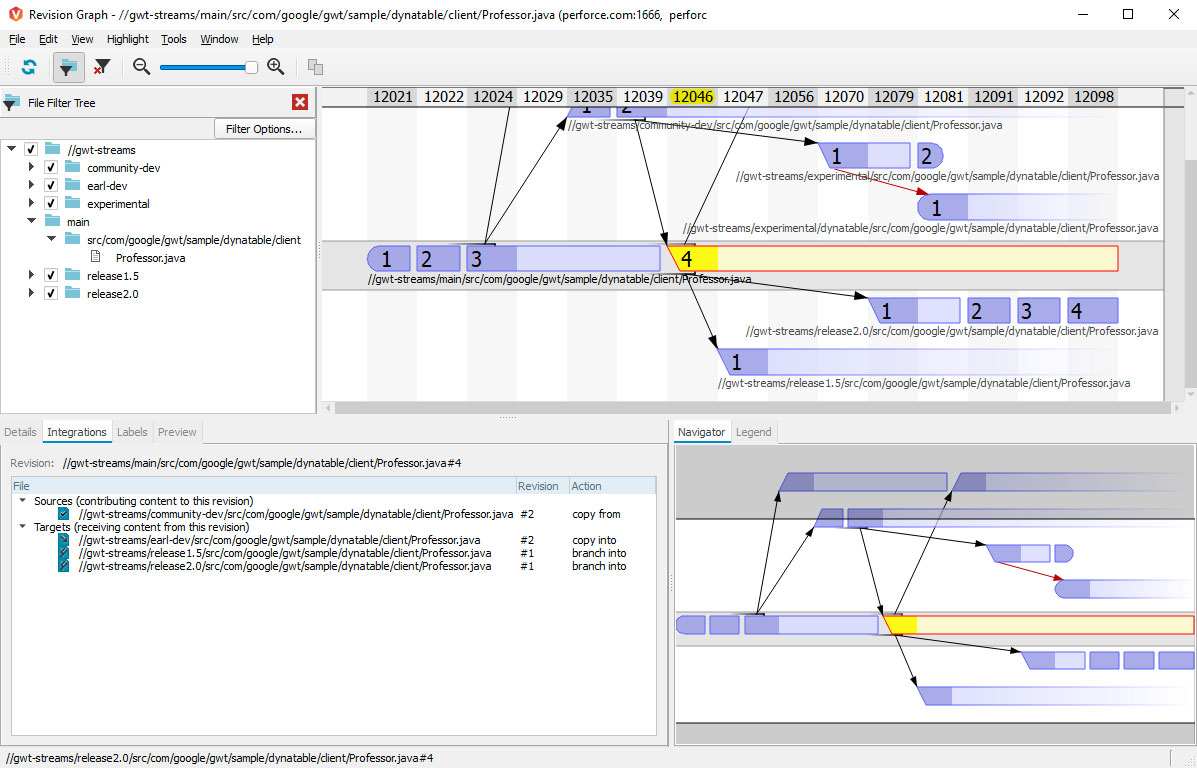
Trace integration points across all your files and branches to understand how your code evolved. P4V offers powerful visualization tools that help you explore the history of your code, enabling your team to:
- Visualize branches and integrations with the Revision Graph. View your file integration history displayed as a tree. Learn when a file was added, branched, edited, merged, copied, or deleted, or when a revision of the file was undone.
- See and contrast all versions of a single file in the Time-lapse View. Scroll through a file’s history to identify when lines were added, changed, and deleted, who made the changes, and when the changes were made.

Customize Workflows
Streamline your team's version control workflow with P4V's powerful extensibility features, enabling you to:
- Create Custom HTML Actions/Tabs/Windows. Extend (or even fully replace) the standard Submit action or create custom HTML tabs and HTML windows using P4VJS.
- Configure custom tools. Create custom tools to extend P4V and launch these tools via existing context menus for additional ease of use.
- Launch P4V components from the command-line. Send certain p4 command-line commands to P4V without the need for opening a full P4V instance. For example, launch the Revision Graph for a specific file.

Unlock Efficiency — Everywhere, for Everyone
Speed up production, end file sharing chaos, and give your team the power to do their best work—no matter how big the project or how tight the deadline.
Explore P4
Version Within Your Existing Tools and Workflows
P4 is specialized for your industry, with out-of-the-box integrations that let your developers, artists, and designers version in the background of their core workflows.
See Popular Integrations





Get Started with P4
To start using P4V, first you need P4. Get started free for up to 5 users and 20 workspaces.
Get Started with P4 Cloud
P4 Cloud is Perforce-managed and hosted version control. Get a secure, expertly pre-configured turnkey deployment of P4 for teams under 100.