
Become LIMITLESS
Take a behind‑the‑scenes look at the biggest P4 updates from our product experts. Whether you’re already working in P4 or just starting to explore it, our team will walk you through live demos, real use cases, and practical tips you can use right away.
 Back to top
Intelligently Automated Workflows
P4 delivers the performance and resilience needed to tackle the most demanding production challenges. Our newest updates take efficiency to the next level, giving you clearer visibility and smarter automation across every project. Here’s what’s driving the improvements:
Designed for teams under 100, P4 Cloud is our managed and hosted offering of Perforce P4, with single tenant instances available across the globe. P4 Cloud is available now through a flexible monthly subscription ($39 per user) directly through the AWS Marketplace.
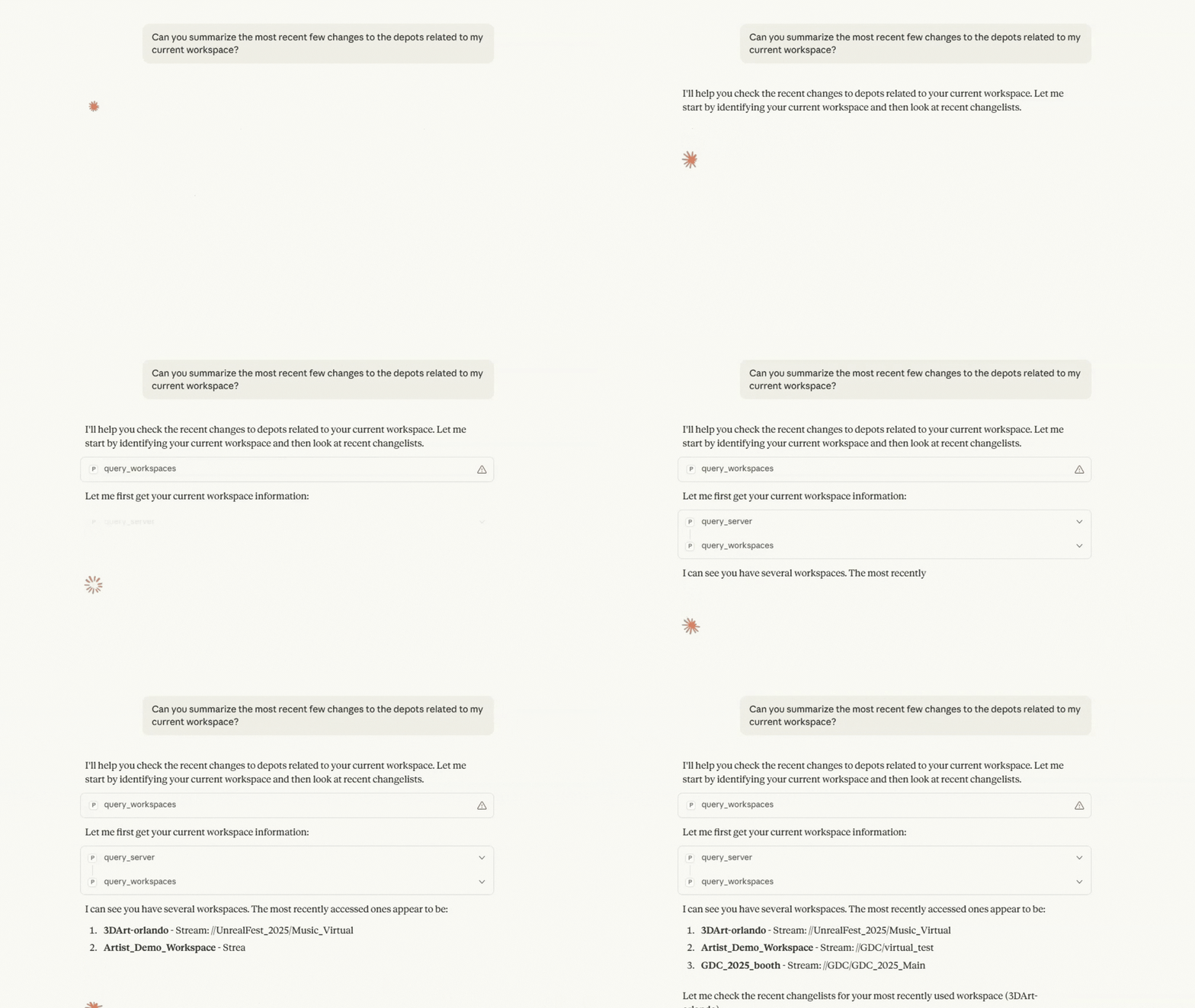
The P4 MCP now supports a full suite of stream operations—listing and switching streams, creating streams from a parent, and propagating changes between streams with preview support—all with built-in safety checks so AI and human workflows stay on guardrails.
The new P4 REST API Server keeps getting faster, with performance improvements like the ability to return content from multiple files with the file/contents endpoint, and more.
Sparse Streams in P4 let you create lightweight branches almost instantly. The latest release only creates the branch on the backend at submit time, so you can check out and revert files freely without waiting.
The latest P4 for Visual Studio Code plugin brings the capabilities of P4 directly into your development workflow—without ever leaving Visual Studio Code.
A new Sentry integration connects P4 directly to your error monitoring.
 Back to top
Experience Creative Freedom
Today's creative projects require seamless collaboration between developers and artists. That’s why we built P4 One—our latest version control client tailored for art teams who don't need all the controls of P4V. P4 One lets you enjoy single-person, local versioning without a P4 server. Easily plug into any P4 environment or connect to a P4 server whenever you want.
Explore the latest features crafted to empower your creative team:
A full view of which files are synced and not synced to your P4 instance, so you always know exactly where your local work stands.
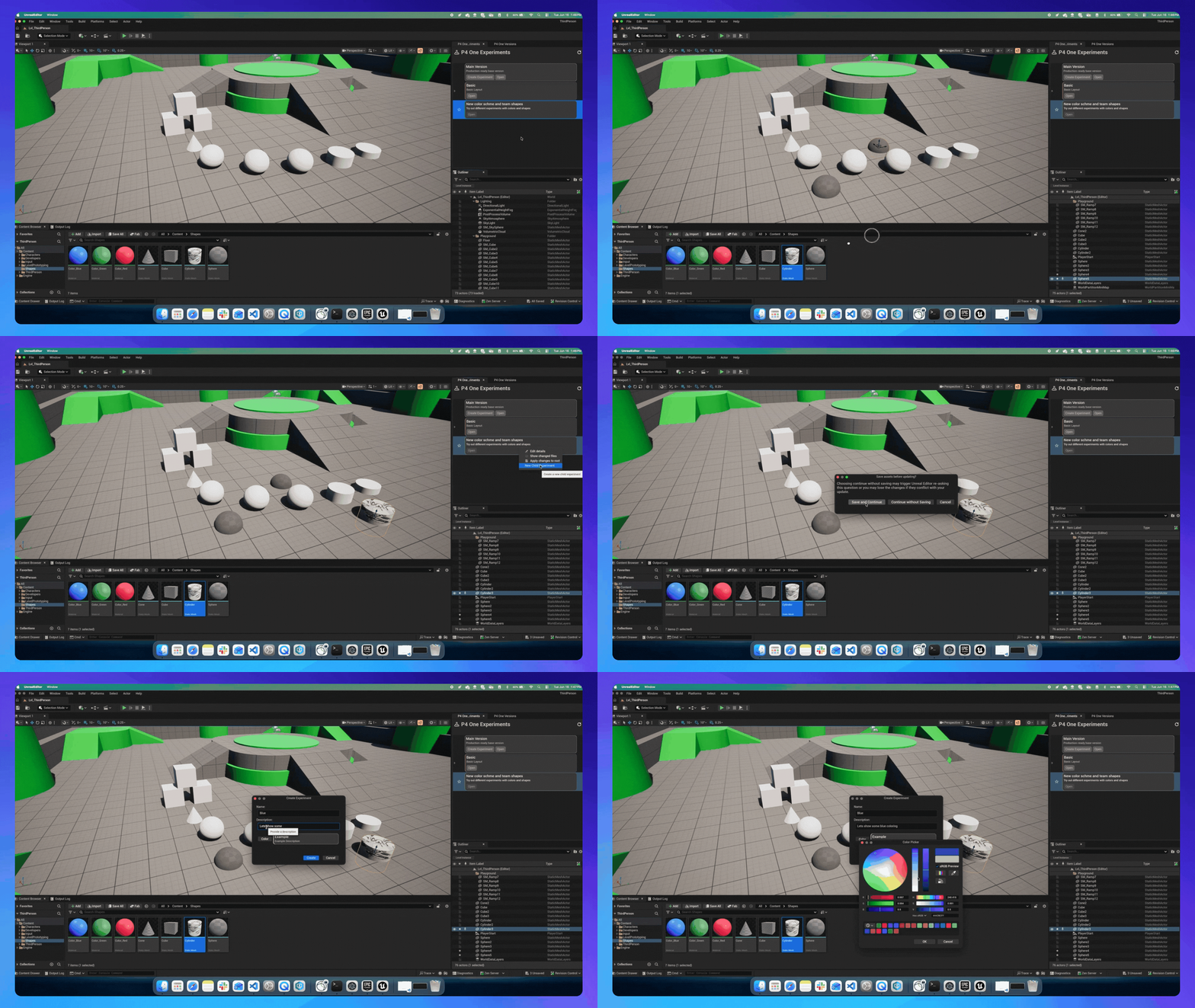
- Create and compare creative experiments directly inside Unreal Engine with P4 One Experiments.
- The new command-line interface (CLI) lets you create workspaces, track files, and create local versions from a terminal instead of the P4 One desktop app.
 Back to top
Smarter Asset Management
Managing digital assets isn't just about storage anymore. You need tools that visualize, organize, and collaborate effectively. P4 DAM elevates asset management with new capabilities that make creative workflows more intuitive and connected.
Here’s what’s making asset oversight easier than ever:
Step through videos one second at a time or frame by frame for constant-frame-rate footage, to catch exactly what you’re looking for.
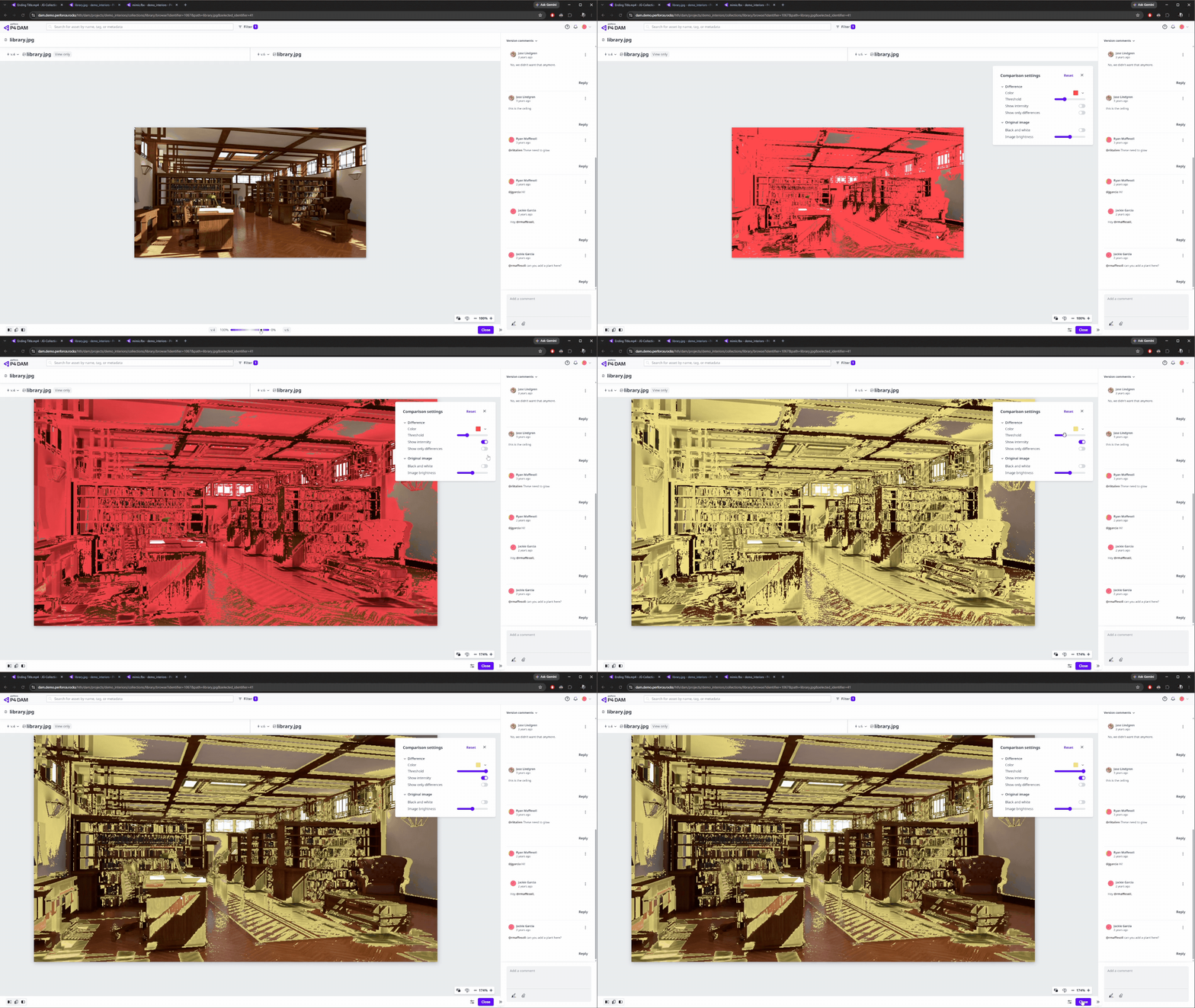
Overlay and difference tools allow you to compare image versions side by side and pinpoint exactly what's changed.
For 3D assets, adjustable background and grid settings give you full control over how a model is framed and displayed.
 Back to top
Next-Level Code Review, Now with AI-Powered Insights
P4 Code Review helps your team collaborate faster, smarter, and always in sync with the assets you store in P4. Our newest enhancements introduce AI-powered insights that elevate the entire review experience.
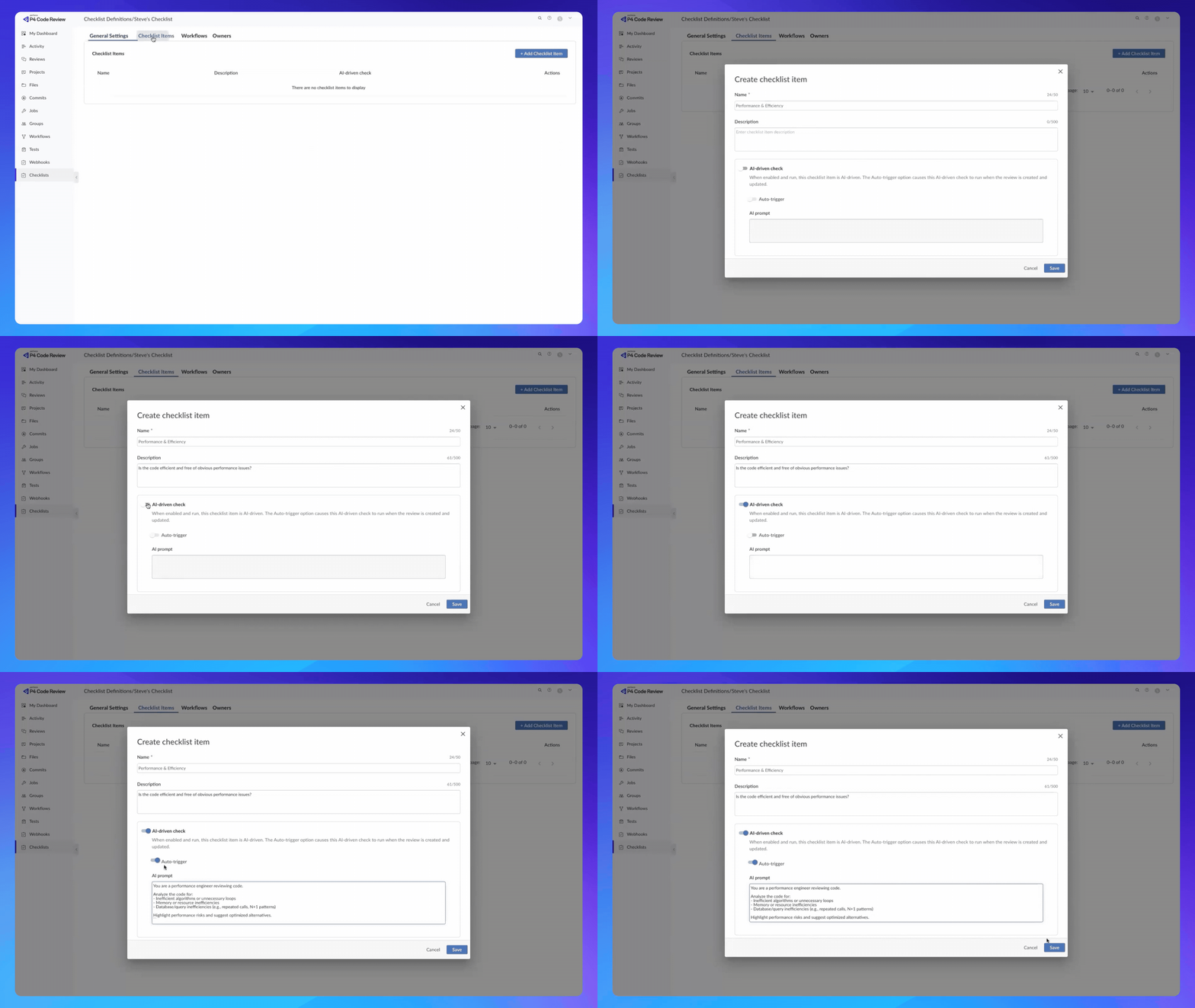
- New checklists let you build your team’s standards right into the review itself, helping enforce your process across standard and AI-driven workflows.
 Back to top
Plan at Scale
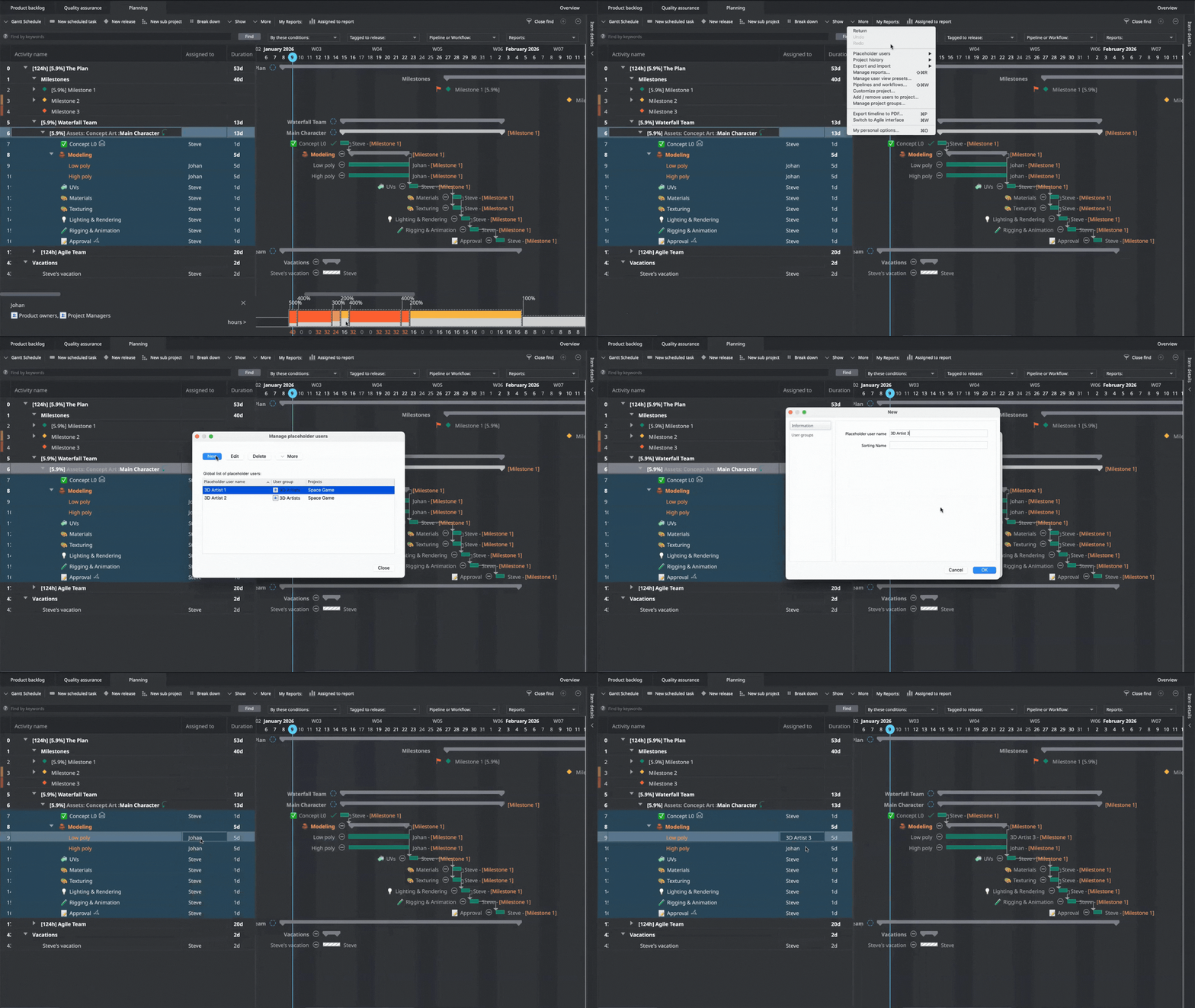
P4 Plan redefines project management by bridging the gap between production tracking and content creation. Our latest updates continue to push performance forward with a focus on speed, clarity, and responsiveness.
Here’s what’s new
- The newly released MCP for P4 Plan lets you check where a project stands or move work forward through your preferred assistant—like Claude or VS Code Copilot—without ever leaving the tools you already use.
Get Started with Perforce P4
You can get started with P4 for free for up to 5 users and 20 workspaces.
We’re Here to Help
Get in touch with our experts. They’ll walk through solutions that work best for you and your team.