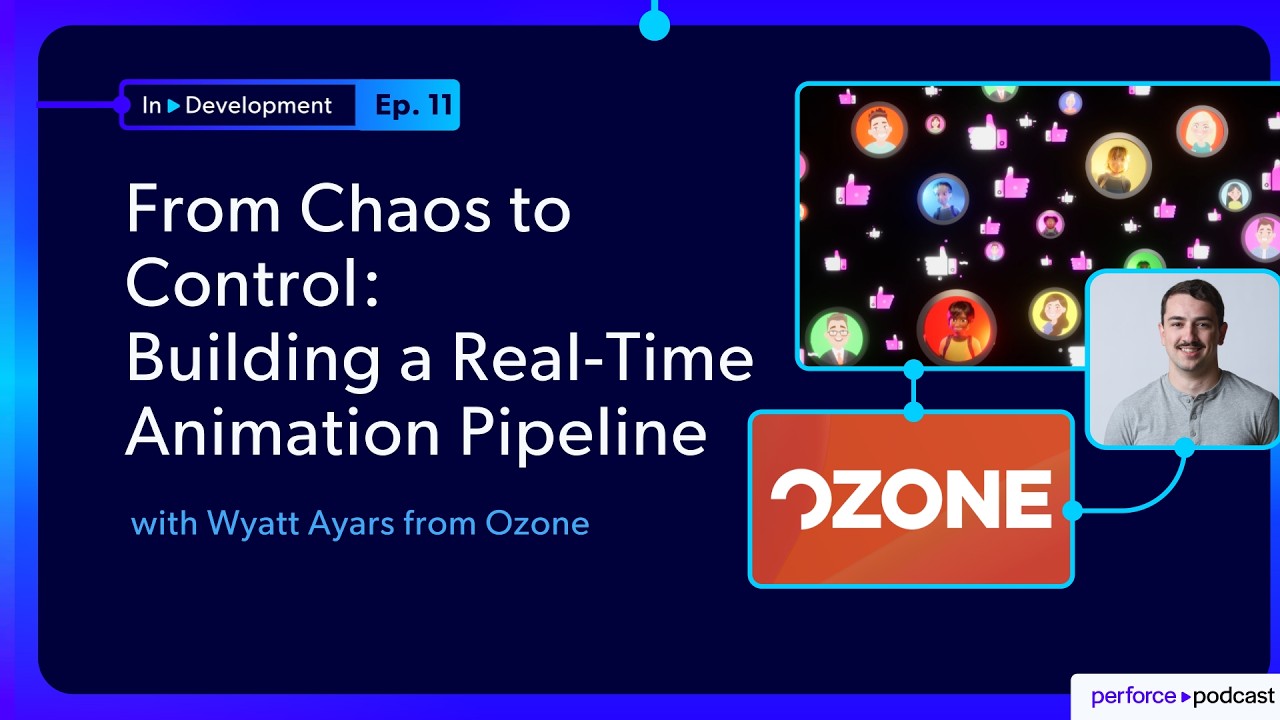
About the Episode
In this episode, Jase Lindgren talks with Wyatt Ayars about Ozone Story Tech's journey creating the interactive short film Like while simultaneously developing the tools behind it. Starting with a small team, shared file storage, and manual processes, the project eventually grew into a production pipeline built around Unreal Engine, ShotGrid, automation, and Perforce P4. Along the way, Wyatt shares practical lessons about scaling teams, simplifying artist workflows, and using AI as a force multiplier for technical development.
Here's what you'll learn:
- How Ozone used a film project to validate its rigging technology
- The challenges of scaling production with Unreal Engine
- Why version control became essential as the team grew
- How AI accelerated pipeline development and automation
- Lessons learned reducing technical overhead for artists
- Career advice for technical artists, developers, and animators
FEATURING
Jase Lindgren
Senior P4 User Advocate
linkedin.com/in/jaselindgren
Wyatt Ayars
Senior Technical Director & Digital Avatars Product Manager, Ozone 3D
linkedin.com/in/wyatt-ayars-018770146/




Check Out More Episodes...
Ready or Not, Here Comes CI/CD: Build Systems for an Indie Sensation
Stephen Post, Technical Director
VOID Interactive
From Maya to Unreal: The Story Behind Nickelodeon's Max and the Midknights
Sica von Medicus, CG Supervisor
Nickelodeon Animation Studios
Fail Fast, Fix Faster: Pipeline Wisdom from Halo Infinite to Virtual Production
Luis Placid, Engineering Director
ICVR & Shiftstorm Entertainment

Full Transcription
"That's not my job" should not be in your vocabulary. To all the young people, it's pick up anything you can, learn it, jump in. I mean, my start of my career was web dev to QA to TD to AI tool. Like, it's just being able to to adapt and learn new tools is gonna be valuable and and not being stuck in, hey, that's not my job. Why why why am I being asked to do that? Most times, saying yes and and putting a good effort out there and prove with results opens more doors than it does close them.
Welcome to In Development, the show where we talk about the real world challenges of building games, films, and digital experiences. I'm your host, Jace Lindgren. And today, I'm joined by Wyatt Iyers, Unreal TV at Ozone to talk about building the pipeline behind their interactive short film, Like. What's interesting about this one is that they were essentially spinning up a mini animation studio just for this experimental project.
So they were not working with an existing pipeline. They didn't have anything set up in advance, but the people working on the team were all industry veterans who had a lot of experience and were used to the way that pipelines work. So it was this interesting situation where they had the disadvantage of starting with nothing, but they also had the advantage of not having any legacy setup that they had to support or any existing systems that they had to work around. So it's an interesting exploration of how they went from starting off very simple to realizing that they needed a more in-depth pipeline, that they needed to start using more professional tools even though they were a pretty small team.
So in this conversation, we get to talk about how they developed that, what went into those decisions along the way, as well as some interesting unexpected edge cases where artists and version control and production realities collide with each other. So if you're trying to scale a project without a massive pipeline team to help you out, I think there are some cool practical lessons here. So with that, let's get into the interview.
Wyatt, thank you so much for joining me to talk about this project.
Of course. Yeah. Thank you for, having me on. I'm excited to to dig in.
Yeah. I love this. So give us a little bit of the background of how did this project even come to be? Because Ozone is not an animation studio exactly. So how did this happen?
Yeah. So Ozone started as really a training company. It was known as KiteString. And then kind of grew into, okay, if we're training people on how to think through these rigging ideas, these really complex rigging ideas, we need to provide a software to actually implement those ideas.
And so the Ozone rigging software was born. And through that, it's kinda one of those situations where it's like, you need to eat your own dog food and and test it out and see how it works in production. So the short film, Like, was born. And this was something that had kind of been brewing since the beginning of the company.
Was kind of doing this game or short film. It's kind of an interactive short film. So it was both a a game and a a final frame product. So Nice.
We started on that. It ended up getting funding, and that ended up rolling into a a kind of larger full team production that was working on this short film.
Right. So so tell me at the beginning, you know, who is on the team? Who's working on this? How did that start?
Yeah. So at the very beginning, it really was just a group of rigging artists, all Okay. Veteran rigging artists. I was the new guy on the team just doing QA.
There was the guy's building the actual software. But aside from that, it was three to four really veteran rigging artists who had come from Pixar. So they knew how to build great characters, but we didn't have anyone on the team to do pipeline or put a production together. So from the start, it was kinda just me working in Unreal, with a few other guys just trying to figure out how to how do we make this work using our rigs and getting these into Unreal and and just trying things out.
Yeah. So actually, that's a good segue to talking about the tools that you're using. So Ozone itself is its own format that does rigging and deformation and stuff. Kinda like, tell me if I'm summarizing this correctly. It's trying to get that quality and nuance that you could get from a full Alembic, but in a much lighter footprint that can be read more easily in real time. Is that a good summary?
Yes. That's yeah. That's a perfect summary.
It's Okay.
Exactly that. It's keeping it's a, order of operations based deformation system, and you can use those rigs anywhere. So start in Maya, can bring those rigs right into Unreal. The deformers are live in Unreal, you don't have to cash out a bunch of points. And so you can use that interchange between the two really lightweight files, and that's really the the value prop of of Ozone.
Okay. So then if I'm thinking about your tool set and your pipeline for this project then, you're doing the character design and the initial rigging all in Maya. Is that correct?
Yep.
Okay. So they're working in Maya, and then you're just going straight from there into Unreal for the rendering? Or were you also doing any, like, Arnold based traditional rendering?
Yeah. So all of the rendering was done in Unreal. So we did a few playblast, you know, just blocking kind of previs type stuff in Maya. But then even as we progressed down the story of this pipeline as it grew, that started to happen actually in Unreal as well. And and Maya was just strictly the the rigging and animation software.
Got it. So you still did the animation and everything in Maya?
Yep.
Yeah. Okay. And then tell me what else was part of the tool set then just so we have a sense.
Yeah.
So in the very beginning, it was strictly Maya and Unreal and no other real software's like sending each other Slack messages or or what?
Slack messages. And and at that time, I think we were on Box. So just a shared file space.
And Got it.
So as you can imagine, that was not an optimal setup. And and that was really, you know, preproduction phase. We're kinda just scrapping this thing together.
Right. So yeah. So okay. We've got that going on. So you're not really doing any shot tracking yet.
No version control yet. Tell me that part of the story then. What how did we go from here to the pipeline you built?
Yeah. So as funding came in and, you know, more team members joined, we started getting, a more senior crew who had worked, you know, with ShotGrid and version control. And so within the first few months of having more team members on board, we we moved over to, actually, we stuck on on Box. Okay.
But we spun up a subversion server, and had a little bit of just shared file tracking that way. That we still ran into a bunch of issues there, but we at least had some sort of version control. We we had no shot tracking still, but we at least had version control. And and as more team members joined, we were able to at least have some sort of tracking on who was changing what and and where, you know, where files were getting checked in.
And so when you had these multiple artists working on things, were you running into issues inbox because someone might be editing the same file at the same time? Would you get those sorts of conflicts, or was the team still small enough that hadn't really hit yet?
Yeah. That was, I I'd say, the main conflict.
Oh, really? Even at a small team?
Yeah. Yeah. Even with a small team. I mean, working in Unreal without version control is just it it's not set up that way. It's everything is binary files. And in that time, this was, like, right before level instancing came out. So the idea of multiple people being able to collaborate in one level was, like, beta.
So Right.
If one person opened up the level to start working on lighting and the and another person, it just it always created conflict. So we pretty quickly had to move Unreal out of box into subversion, which that only lasted a a short period of time itself.
Yes. Okay. So tell us about that part of the story. What's the team size we've grown to at this point, and how much are we tied into ShotGrid yet?
So at this point, there's still no ShotGrid, integration happening. I believe we had maybe two or three animators on the team, myself working in Unreal. I pretty much through this project was pretty close to the only Unreal TD. We had some people doing sets and stuff, but they weren't really managing shots or anything. And and so at this time, there's maybe half dozen people on the team working between Maya and Unreal.
Okay. So, like, six to eight people or so around then?
And still no no shot tracking software. No shot tracking. Just Okay. Spreadsheet and and Slack notes at this point in time.
Right. Okay. So I'm imagining this. You've got this, you know, six ish person team. You're moving along.
You've got some version control now. So I guess what people might be wondering out there if they're thinking about doing an indie film or something like that is, well, that's good enough then. Right? We're we're probably fine?
Yeah.
But I know when you and I talked earlier, you said like, yeah, we just kept hitting different problems. Like, we'd solve one problem and create a new problem. So what what was happening at that point?
Yeah. And you don't it's, you know, it's a progressive it's it's a snowball rolling down the hill. You don't realize how crucial these tools are until you get there. And so as soon as we hit that, even three animators working on something that are churning out changes every day.
And it's like, hey, wanna see this in context because you can only go so far with the play blast. So as soon as you have animators asking, hey, I wanna see my work in context. I wanna see it in context. I wanna see it with lighting, with the set dress.
Like, all of that kind of started getting really overwhelming with, okay. Well, if we need to have some sort of movement of files from Maya into Unreal, one, that's a manual process.
So that was there's no pipeline for that yet. It's all still just export your file, open up Unreal, import it, that whole thing.
Yeah. And without proper shot tracking, you'd have an animator maybe say, hey, I wanna see this in lighting. I go do the work, move it over, and then they're like, oh, that's not the latest work. And then, you know, it's like local on their system or that file never got checked in or there's always these types of or the the Yeah. You know, some reference file didn't get moved over. So that's we we started having those issues, which, you know, great. Now we have version control, but without shot tracking, you now start running into these separate issues.
Got it. Okay. So then shot tracking and then I'm imagining the pipeline automation is where you started to come in and then move into more of a TD role of writing those automations so that they can kinda publish straight into from Maya to Unreal. Tell me about that part of the pipeline.
Yeah. So it kind of from the process of subversion, we moved once we implemented shot tracking, that's where the pipeline started becoming real because we actually had a shot grid running, and then we moved to Lucid Link, which didn't really pan out because that was going backwards from a version control.
So you switched from SVN to Lucid Lucid.
Yeah. And then Okay. Wait. Hold on.
You gotta back up then.
Tell me how that happened. How did we end up there?
That was just one one of the producers had kind of played around with it, wanted to try it out. Subversion was not working out for us. It was just too complicated, hard to get animators or anyone really to check-in files and understand how that worked.
Yeah.
So it was an alternative to go, okay. This isn't working. What's the next alternative?
So that's where LucidLink came into the picture for maybe a week or two, maybe a Okay.
Yeah. Short short.
Very, very short lived. And then that's where Perforce kind of enters the picture right at the same time as the shot tracking. So we now have shot tracking. We go, okay. We're we're we're kinda getting too quick to just fly by the seat of our pants. So it was getting shot grid in place, getting perforce in place, and then now tying those two together with the pipeline is kind of the next step there.
Right. Okay. So so that that makes sense. Like, you kinda hit that point of now we're taking this seriously.
Let's get these tools set up. Tell me then, how did the pipeline part go? Because what's really interesting to me coming from a background in VFX for ten years before I worked at Perforce is, you know, every place I worked had a pipeline set up already or it was so indie that they had nothing. And I I would usually have to come in as the VFX artist to be like, I need at least a semblance of a pipeline.
Let me try to get something in place here so that we're organized. What's interesting to me for you is that you have a team with professional backgrounds who are used to working in a more professional way. But then you're also kinda completely greenfield in terms of what you build both for good and bad. Right?
You had to build everything from scratch. You didn't have anything yet, but also you got to build it however you wanted to.
Yeah. Yeah. And it it's a really unique place we're in because we're doing this short film to test out our tools, We're also not a production house. So, you know, whatever pipe we're not gonna invest time and a ton of resources to build this robust pipeline because after the short, we're going back to to building our tools.
And so Right. Yeah. It was this really kind of unique experience for me kind of coming in being the the unreal TD on this project to go, okay. We kinda need to get something in place here because this isn't working.
My hours between testing our our actual rigging tool and and working on the short was just too much.
So Right. Okay.
This was right around the time, like, ChatGPT really started getting good at understanding APIs and coding and being able to write even just my Python scripts.
And so For sure.
I leaned heavily on LLM tooling to kind of thin up this pipeline really quickly. And even, like, the the Perforce API, the Python API was just its ability to index that and give usable code, took it to where you'd have a team of people working on these types of tools internally to okay. One person can kind of cobble something together that at least gets us to the finish line. It's not something that could ever be delivered, but a tool that could be delivered, but it gets us to the finish line.
Right. Well, yeah, that is something that I I really like about that AI workflow for pipeline tools specifically where you just need to glue together existing pieces that those existing pieces are more solid pieces of software that need to be trustworthy and needs to be, you know, something that, you know you can rely on. But then the glue pieces, you can be a little more fast and loose there. At least like you said, to just get something working so that we could see like, is this even how we wanna do it? And you haven't had to spend a ton of time building this custom thing only to learn, oh, actually no one wants to work this way.
Yeah.
Right? I've definitely run into that problem before working in pipeline where you'll spend all this time building something and everyone's like, no, actually, I didn't want it to work that way.
And so Or or they just don't wanna click the button and so you're stuck with, wow, I've got this great pipeline, but Yep.
Nobody's nobody's touching it.
Yeah. Yeah. For sure. So I think that that really quickly prototyping pipeline is is a huge win for for those of us that do this kind of TD pipeline integration type stuff. So so what what were the examples of some things that you were having it do then?
Yeah. So really our, our ozone workflow, because this is kind of crucial to the the whole pipeline is because we're not baking out Alembix, there's no, like, twenty minute bake time or wait time. It's hit export, the rig and the the clip, which is just sparse animation data. It's just curves. It because it's just driving the deformers. All that gets exported out in under a minute, sometimes even a few seconds.
And is that a single file or is that frames like a It's so it it uses our ozone clip format.
So it's just a single file that all of the animation data for that shot.
And that's like a few megs of data versus sometimes the Alembic can run up to like Oh, yeah. A gig.
Especially Yeah. If you pretty smooth it, which Ozone also that's kind of it handles subdivision in engine. So with those kind of factors, we could get a shot out of Maya into Unreal in a minute. But for someone to open up the Maya file, you know, click all the steps, do that. It's like we're we're wasting time here having someone manually do it. So the goal was to get all of those that baking the clip to an Ozone format, moving that Ozone clip into Unreal, and then applying that to the character in Unreal, and then committing that all or syncing that all to to Perforce was kind of the initial goal for this pipeline.
So when your artists were working in Maya, were they also versioning those files? Or was that still kinda Wild West on their local machines and it's only the Unreal part that you're versioning?
So we made them version their Perforce files. Yeah. Good for you. Yeah. And and that was really the key piece of this pipeline that I really wanted to implement was have a remote machine that doesn't have any concept of artists moving files over or having to to to wrangle files.
It was just gonna pull it was gonna sync Perforce and pull the latest directly from that machine. So we really needed to have artists have both Maya and Unreal because it was gonna do the whole round trip. So machine, that remote machine had Maya and Unreal on it. It would do the whole round trip.
The the end goal was to render out the shot and then check it or sync it back to to the Perforce project.
Yeah. So I think this this might be a good time to talk a little bit about this pipeline in a little more detail. Because like I said, I think it's cool that you got to develop something from scratch based around this. And what's interesting to me about it is that I've kinda seen a version of this already play out with a few people I've talked to on this show when they move their render pipeline from Arnold or RenderMan or something into Unreal, where suddenly rather than needing to spin up a whole farm of machines, you can render out a shot on a single machine fitting it all on a GPU.
Maybe you still distribute it, but you can kinda move a lot faster and it feels a little bit lighter weight in terms of being able to to churn out renders really quick. So you can get more of that. Maybe I submit a shot and twenty minutes later, I can see it instead of eight hours later or or whatever. Right?
Yeah. Yeah. And it totally is that way with Unreal. Like, it's yeah.
Right. And so what I think is interesting is that in your pipeline because of what Ozone does, you're kinda trimming a similar thing off the front end in terms of baking out your Alembic. That now it it's more like the speed of exporting an FBX, but, you know, with all the detail and deformation and everything.
So I think it's interesting just seeing like, okay, once you change a little factor like that, you can architect your pipeline a little differently. So so talk me through this. An artist is working in Maya. They're doing their animation in Maya, and they're working on, you know, a particular shot. So I'm assuming that in Maya, they've got some kind of a block out of the level that's to the same scale as the one in Unreal.
Did you have to do anything there to keep those in sync with each other?
So so we had a a team go in, a blocking team Okay. Who went in and they set up the files, know, referenced all the correct characters, made sure it aligned with the Unreal scene, make sure the camera's all lined up, and then those were handed off to the animators to to work on. So the animator was able to just open up their file. They've got everything ready to go to start on that shot.
Got it. Okay. So then they're doing the actual animation primarily. Like, even the camera's already been decided in the storyboarding process?
Camera's already been decided.
Okay.
They'll still touch it, and it will have to get reverted back. But the the camera essentially has been locked unless it goes back to the the block, you know, previous team make that decision or director. The camera's kind of set and already in Unreal at this point through some some scripted actions to kind of get everything set up in in Unreal.
Okay. And so then tell me what's the point when they say, you know, I wanna publish this? Like, what are the steps that they had to take?
So early stages, they would send me a message, and I'd go to go to my terminal and and run a Python script to go commit that or go submit that ID off to our little glue of a pipeline. And then that eventually, like, that in itself became a quick, like, okay. I I can't be doing this. So just guessing.
So we I ended up building a integration to ShotGrid that just used, like, a custom property and a webhook. So they'd go drop down that property. You know, lot of people build, submit to render or submit to farm. I had, like, a submit animation button.
Essentially, they'd go Okay.
Change the property to that. And then we had a a web hook that would go fire that shot ID off to Amazon Simple Queue service, which was essentially just our bin of, okay, what shots are waiting to be built on this on this build farm.
Got it. And so then those Maya files, you just made sure that those were named with the same shot numbers and that was kind of the the ID that you would match on for those?
Yeah. We had a little bit of enforcement on, you know, shot ID file naming. So Okay. Yeah. Yeah. That that would get picked from our build farm. It would check, okay, what's the shot grid shot ID?
Go find the latest Maya file that was just published, and then they So that would be like a sync from Perforce and then look for that file to find the latest one?
Exactly. Yeah.
Okay. Got it. I wonder if you would have run into this on a relatively small team, but something that I know I've I've worked with studios on before is the idea that someone, you know, submits their animation, like in this example, and that ID gets stamped, but then say, you know, that file gets changed before the render happens. I know it's less likely here because the time span there is so short. But were you doing anything to, like, stamp which change list that happened at in Perforce so that if you ever had to go back and, like, rerender an older one, it would have the ability to sync back to an older revision and then render that? Or did that never really come up for you?
Yeah. We didn't really run into that so much. I'm sure we would have.
Not sure Maybe a longer term project that happens more often.
Yeah.
And in fact, I'm sure thinking back to it, I'm sure that did happen or the You just had to manually name something wrong.
It just that became one of the buckets of, oh, this pipeline failed. Let's do it manually. Okay. It fell into that that bucket.
And that probably makes sense for a shorter term project like this, like you were saying. You can't can't plan for every single contingency.
Yeah.
Okay. So this simple queue service basically has the list of what needs to get done still. Your render machine would then sync Perforce, look for the matching Maya file, and then what?
Yeah. So it would pull down the Maya file, simple queue service. We'd have a little manifest attached to that simple queue service. It's ID, a little bit of a a build manifest with, like, what characters were in there, just so we knew once Maya was exported if we could validate. Okay. We're expecting three characters to be in this shot. I see.
Did three characters actually get Right.
Do they live in the file?
So Yeah. Yeah.
We did a little bit of validation there, but the build machine would then sync to Perforce. It would take that Maya file, open it up, it run a few Python scripts to export all of the Ozone clips, and then it would move right into booting up Unreal.
So that's, I think, what's a little unique is a lot of farms kinda have a dual approach of Right.
You know, maybe this is just Maya baking and then we have unreal. But because the process is so fast, put up Maya.
You just had one machine do both parts.
Yep. Right into unreal. Spin it up. It would then go in and import the character, import the animation, and then boot that machine down.
Got it. So it spit out that render and then shut down.
Yeah.
For your renders for this, were they basically rendering in real time? Or were you doing a lot of ray traced path tracing and stuff so it was a little bit slower than real time?
Yeah. Most of these were just in fact, the rendering portion came later. Most of this was just building, just actually assembling the shots. And then later down the road, we we threw in a quick like it was essentially just a base unreal renders, you know, seven twenty p.
Yeah.
Okay. Treating it like a play blast.
Yeah.
Yeah. Just so they could visualize. We threw a few lights on the camera so that no matter where the camera was, it was kind of illuminating the scene. Because this was even before we had lighting come in and and do a pass at things.
I see. Okay. This is still pretty early on in the process there. Yeah. Okay. So you're having this automation come through and build all of the shots in sequencer in Unreal.
And were those all in one Unreal project using, like, sub level sequences for each of the shots within the edit? So kind of the whole edit is strung out directly in that one Unreal project?
Yep. So that yeah. That's exactly how it worked. And it was a little different than than standard productions I've been a part of where it's pretty standard practice to use spawnables inside of the level sequences. So you're you're spawning the character per sequence.
Right.
But because this was an interactive that the characters you could kind of toggle around the three d scene and look around. We needed those characters to not despawn and respawn.
So Right.
Instead of using spawnables, we use possessables which just meant that the sequence would go attach to a preexisting actor in a level. And and so that's that's how we would run it. But essentially, what you're saying is the same. It's it's a bunch of level sequences that all come together to form the final cut.
Right. Okay. Yeah. So then you have you could kinda watch or I guess play if it's interactive. Like, play through the whole thing from that one Unreal project.
Yep. We had a master track that you could go to and or even just hit play in editor. It would go walk through the entire Okay. Game or short film, whatever you wanna call it.
Yeah. Yeah. Cool. So that that pipeline makes sense. And I think thinking about this from the artist, from the animator's point of view, for them, it's pretty easy, it seems like.
All they do is they have to submit what they're working on to Perforce to p four and then go in ShotGrid and just say, like, submit. Right? And you you probably could have baked that all into, like, a tab within Maya or something. But sure.
For a short term, you just, like, whatever. You can go to you can go to a website and click a button.
Yeah.
And I think we we had another technical animator on the team, and he ended up rolling a a shelf button for the animators that kind of He did.
Okay.
Did did all of those in in one click.
Okay.
That's what I was saying.
Yeah. You could easily automate all those steps. So it all sounds great. Sounds super easy. I'm sure there were no problems at all. But like we mentioned earlier, what about these edge cases where something goes wrong? Tell us a little bit about, like, what were some common things that happened there, some struggles?
Yeah. I take the most common issue was animators adding things to the scene that weren't tracked. So a lot of times, you know, blocking would set up a scene and maybe it called for a prop or a character that was often negative something z space or or is that origin? And so when the animator would open up their scene, they would just look at what is in front of them and start animating. If something wasn't there, sometimes they'd go search in the the outliner and, okay, we see this is in the scene out far. Let's go bring it back.
Other times, they would just add it to the I see.
The level, like and that doesn't really work in a production where you have very, you know, set up pipelines that are meant to go look at manifests and and props. And so that was a pretty common occurrence and and then file naming. Versioning that wasn't we didn't have a an actual set. Like, a lot of people build pipelines around shot grid and custom UIs. We didn't have that. So it's kind of, you know, nanometer dragged in their file that they named v zero zero one instead of dot zero zero one. That kind of would throw things in.
Oh, I see. I see. And I'm actually interested there because, you know, working in VFX, you know, normally we would use ShotGrid and we would just manually rename our files to be v zero zero one, v zero zero two, or you know dot zero zero one whatever. And when you move to version control and you're trying to teach artists about that, and I know because I that's my background.
That's where I came from as well. Even as a technical artist, you're like, you want me to what? Save over my file and then submit that to version control? But how will I know what it is?
It's kind of this like mind trip to think about it differently. Yeah. But so you mentioned that o o one thing. I'm curious what's is that you were using both renaming files and version control?
Yeah. So we ended up opting to create still like a and this this is all because animators are very used to working. We'd already spun them up. They were already named version naming. So we're like, well, we'll let them keep their system. They're already on v d r twenty six because a lot of times, they would pull, for whatever reason, pull the file local. Instead of just working out of Perforce, they just pull it local.
Interesting.
Pull it out of Perforce for whatever reason and and animate and then drop it back into Perforce. And so that was just causing a lot of odd churn and and, you know, they're reconciling offline work. There's extra steps you have to do to make sure Right. Perforce can understand that that file was changed and needs to be submitted. So we opted to just drop in a new file and we're good to go there.
Okay. So then they would just drop that in and look just like mark for add add that one when they're doing it. Yeah. That's fascinating.
Yeah. It's something I've pondered about different solutions for those kind of workflows. And it's interesting. I haven't thought about it on that end of the file creation piece, but I've thought about it in terms of the artifacts that you create.
So, like, whether that's the the Ozone files coming out or, like, scene files or even renders that, you know, from a version control point of view, those wouldn't have version numbers on them. But in a in a film setting, often when we're reviewing, we want to see all of our past versions at the same time.
And so I actually did some interesting playing with what you can do in Perforce with import ampersand commands where you can import one file multiple times and you can rename it. And so essentially what I was doing was importing the same file or the same folder of files multiple times, but at different past revisions and then renaming them. So, like, when you're creating them, you're not renaming them, but you're able to kinda, like, virtualize them as those old version numbers.
Yeah. That's that's a really cool workflow because and and in feature film, like, especially with character rigs, that happens a lot too where you've got one animation, but it looked good at some point in time. But now something's funky. And so Yeah. Usually, that's a rig change. And so to be able to, like, pull in, you know, five, ten, fifteen different rigs and then quickly go, okay, which one which one looked right? Which version of the rig looked right would be a that would be a pretty cool workflow.
Yeah. So it's something I just kinda did as a as a little experiment. So maybe maybe we can talk about that more on your next project to kinda see what's there. Or if anyone's listening to this, you know, reach out. I'd love to have someone actually put it through its paces and kinda see how that could work.
But it does still require the artists working on it to get their head around not renaming things. And I think that's hard. Right? It's Yeah.
It's scary. It feels like, oh, but I've been told for years never to do that. Always to remember to rename my file. So, yeah, it makes me wonder about even having some kind of automation tool like that one click button that your technical artist made, but that it would also like rename it back to take off the version number or something like that.
I wonder. Yeah. Oh, boy. This is just reminding me of so many fights that we had at the VFX studios about versioning of, like, when you have your internal in house versions and then when you're turning it over to a client, you're like, we showed them version seven and now we're showing them version twenty three.
Do we need to like rename that for them to see a version one and a version two? Or do we keep our internal? And then if we have a contractor, do we keep their version numbers, or do we use ours? And it's a whole Yeah.
That complicated thing.
That world is it is difficult on on any production that I've interfaced with. There's always that issue because Yeah. Especially if you're working in collaboration with the studio because Right. You might be on version you might hand them version twenty Then they're working on it.
And now you're on version twenty four, but then they come back and they're like, alright, here's version twenty one. And you're like, oh, no. This is just. Yeah.
This is a nightmare now. Like, the reconciling those files, it is it's always a pain to to try to figure out.
Yeah. Yeah. For sure. Not not to mention all of the different metadata that people want baked into stuff now too. It's you're like so that that's where you kinda reconcile it all where they're like, okay, put our version number in the metadata, your version number in the file name and in the metadata, and then, you know.
Yeah. And you can imagine when when we were on Lucid Link, the fact that you can't go back in time was just like that that type of being able to roll back and say, okay, whatever happens, Nanometer can rename everything bad or or mess up a file completely. Just be able to roll back quickly and get them back to working Yeah. Is crucial.
Oh, for sure. Yeah. There there are so many times that at the VFX studio looking back, I'm like, if we'd actually had version control instead of working in that kinda I don't even wanna say old fashioned because it's still so common, but that kinda older school way of thinking about everything on a network store. Like there's so many problems we could have solved by just having some actual version control. So that was one of the things I was fighting for toward the end of my time there and that's when I got hired by Perforce. So here I am helping everybody to do Yeah.
At least that's my goal. Nice. Any other interesting edge cases that came up or anything that you learned about trying to get artists into this workflow?
Yeah. I'm trying to think of specific scenarios I ran into. A lot of them were just, you know, animators are just great at what they do, but you don't wanna have them do technical stuff because Sure. Don't want them spending time in that world.
They do what they're amazing at. The goal is like a pipeline TD, you know, is to take that effort off of their plate. And so oftentimes, it was always about optimizing how we could make less clicks for the the artist because that's where most of the mistakes or edge cases came up was getting those files checked in and clean to us. I'd say that was the the number one issue we we ran into.
So as the project went on, it was just whittling away at what the artist had to handle.
Yeah.
Even at the end, we were exporting almost everything out of Maya, even stuff that wasn't Ozone related. We're exporting FBXs, cameras, even some positions for lights that an animator might have put in there and thought, oh, we want this in here. So we we kind of slowly started to eliminate those artists built edge cases.
Right. Okay.
Yeah. And then just so I can understand the pipeline. So your render farm or your render machine or whatever it is that's looking at the shots that are submitted, it then syncs Perforce, looks at the shot ID, and then just finds what's the highest version number of this for the Maya version of it. Yeah. Creates the Ozone. But then in Unreal, it's all just overwriting files because manually renaming stuff with that many files would be insane.
Yeah. As soon as it left Maya, even the Ozone clips, those were not set in their own Maya version. Like, those were just overridden because we had source control. It was really only Maya that was left in that, legacy Right. Version naming. But once the Ozone clips were exported, they were put in there pretty much output directory for that shot. And so every time, it was overriding that same file.
So you're actually just using the version control for what it's supposed to do.
Yes. Exactly. So after we left Maya, everything from that point on was was how you'd expect normal version control to work.
Got it. Yeah. I'm I'm thinking back a little bit about the renaming old versions so you can see them at the same time. And I'm realizing that you could also have an automation that kinda goes the other way.
If you had to have version numbers, that you could have one that basically looks and says whichever of these is the latest, rename that to be the name without a version number in your view. Right? So you're still submitting it as that number. Anyway, these are some interesting ideas off to play See see if there's anything here.
The thing I ran into before and it sounds like this wasn't really part of your pipeline, but for example in Blender, if you're doing a scene in there, you can then reference other Blender files for other assets. And so they can kinda nest within each other. And you can even do this with like USD files as well. Right?
That that the scene description can reference other scenes that reference other scenes that reference other scenes. And that's where you get into that mess of I've I've got a model. I heard there's a new version of it. So I update my reference to be version seven instead of version six.
But I'm also importing a scene that contains some of my background and it also references that same model as version six. And I didn't know that, so I didn't go update those ones. Whereas if things keep their same names and version control handles what they are, you don't have that extra mental overhead of having to, like, dig through and find every reference to it.
Yeah. Yeah. And and I mean, even Maya, it's similar. It, you know, it has this reference system. And I'd say, yeah, that also thinking about it now, we we definitely ran into those cases.
Or like textures is another one I find. Yeah. Like a texture mismatch it's like, oh, I updated this one, but I didn't realize this other one also referenced that same texture and now I'm out of date on that or something. Yeah.
This is such an interesting time right now, I think, of seeing more animation studios, more VFX studios moving to Unreal and also starting to use version control. But it's still a little bit like you described, where it's sort of a it's like halfway to thinking fully about version control. Like either way you get the safety net and that part's awesome. But it's like halfway to fully embracing all the power that it brings.
Yeah. Yeah. And I I think because it's so new to virtual production and companies figuring out, okay, Perforce has been integral in games and productions for many years, but that blend of doing this now with Unreal is what's new.
Yeah.
And, like, Unreal and Perforce for games, that's just like they're synonymous. They're they're it just that's what you do to build a game in Unreal Engine.
Right.
And but that is not necessarily there's no clear cut blueprint for, hey, how do you build a virtual production in Unreal or with Maya in Unreal or Blender in Unreal? Like, it's all so new. So, yeah, you see a lot of these companies just especially with AI now being able to kinda cobble these pipelines together and just figure it out as they go.
Yeah. Well, and it's also interesting because in the media and entertainment world, even more so than gaming, I find pipelines tend to be very bespoke from studio to studio that, you know, you'll have ShotGrid that tries to present, like, here's ShotGrid desktop. You can do whatever you want with it, but everyone I know doesn't really use that as it is or is, like, completely overhauled it to to work their own special way. And so I think that's interesting too that there's not, like, an easy example of how to do it. It kinda feels like you have to build it from scratch.
Yeah. It it's like Maya for studios. There's not a studio out there that operates off of Maya twenty twenty five. It's all they treat it like an operating system.
It's got twenty years of tooling stacked on top of it. And so you can't just go say, hey, do it this way because nobody uses Maya the same way. It's yeah. So it's the same all over the studio.
Feel like everyone is taking these decade old tools and just wrapped so much tooling around them that one, it's impossible for them to move off, but also really hard to integrate into more modern solutions.
Yeah. And I think that'll be the interesting piece to see. And that's what I'm hoping to work with people on as well is how do we start to think forward and, like, think about what's next, think about what's possible.
And I do think AI helps with that.
Because like you said, it makes the cost of iterating and trying things lower. Obviously, if it breaks your whole production mid production, that's a problem.
But Yeah.
For smaller scale projects or when you're starting up a new one, you can kinda more quickly get there, which I think will be interesting to see what happens with that.
Because there's just Yeah. So many cool possibilities with what you can do with version control APIs and things like that that could solve so many problems I used to run into when I was doing pipeline for VFX that Yeah.
I'm just like, oh, the solution's been here all along. I didn't know it.
Like Yeah.
It it it is an amazing time to be alive. And Yeah. And, you know, I think that that situation of like, oh, AI broke the whole pipeline. It's like, it gets a bad rap because it's AI.
But how many times have I been in that situation where I'm like, oh, I broke the whole pipeline. Oh, yeah. I put in that bad code. It's like, yeah.
I I it's like the one situation that happens. It gets blown up because it's AI, but it's like For sure. I if I would have done that, I would have blown up the pipeline five times by myself. So it's like Sure.
Sure.
I I that's my take on on AI and and it destroying the pipeline. But yeah. Yeah. I think it gets better and better too. You know, there'll be less less mistakes that happen, but it's it's amazing to be able to innovate it at the speed we're we're able to now.
And but I do think it requires someone who has a good enough understanding of what they want to do and a sense of what some edge cases might be or, you know, where we do and don't have flexibility. Like I was just talking with one of my coworkers about this this idea of not just is your product mission critical or not, but is this part of the product mission critical? Like if this has a little vulnerability or a little error that goes missed for a while, is this a catastrophe? Or is it like a button doesn't render on my UI? Will live. Right? It's kinda like those two change the way you need to supervise your AI and the way you need to approach it.
And and it's it really it's a force multiplier. It enables people who can think about these systems to develop them faster. It doesn't Right. Doesn't innovate itself. It a non technical person might be able to put together a pipeline.
But the same issues that we're talking about that we know have been in existence since Yeah. You know, being in the actual pipeline, those will come up.
And the AI has not thought through those things thoroughly or or at all.
So Yeah.
Yeah. But I love that it gives us that do think that way the flexibility to to try stuff and to see how things work. Totally. And I think, yeah, with with productions, it'll be interesting to see where it goes because because it's a little easier to move, but I think it's still scary and people still wanna just stick with what they're used to.
And so that's why I've I've been excited to see more and more studios for one reason or another. Sometimes it's just like logistical. They have to make one change like switching their rendering to unreal. And they're like, well, we're making this change.
Why not also use this as an opportunity to change some of these other old fashioned ways of doing things or these older ways that we track our shots or manage our tasks or, you know, any number of things that maybe we've been stuck in for the past twenty years and we don't feel like we can move. But now maybe there's enough reason to.
Yeah. And and the bottlenecks will shift from old, you know, pipeline processes or rendering, which we already see that shifting and and new bottlenecks appear.
And Yeah.
And really, like, that's where at Ozone, we're trying to get ahead of, like, for character rigging. That's a big bottleneck because it hasn't changed in so many years. So enabling artists to use, like, AI and have an MCP to actually start to assemble some of the more mundane parts of rigging. And I feel like a lot of tools will start shifting in that area as well to to become more focused on enabling artists and maybe nontechnical people to use AI to be a force multiplier the same way developers do.
Yeah. I I love that. I feel like for years when it comes to AI for three d modeling, for example, everyone's been very focused on this like, oh, turn an image into a three d model. And I'm like, sure.
If you want terrible topology that doesn't deform well, all this stuff. But I'm like, but if you had the equivalent of code autocomplete, but where it's like I'm building out, you know, this part of the model and it's like, oh, did you wanna build the rest of the hand like this based on good topology? Be like, yes. Oh my gosh.
That would save me so much time. Right? Instead of instead of this, like, try to do it all for me at once. So there's a lot of opportunity for that.
In that case, very excited to share Ozone two point o when it's Nice. When it's closer to being finished because there's a lot of lot of cool stuff coming.
Very cool. Awesome. Well, as we're coming to the end here, I have my couple last questions I wanna ask you. So the first is for this project on, like, if you could travel back in time to give a message to yourself at the beginning of this, what would that be?
Yeah.
Well, other than get these pipeline pieces in place right away Okay.
I think it would have to be ask questions. I think at the beginning, I had so many we're talking people have been at Pixar for twenty years. Yeah. They were rigging artists, but they know these pipelines.
They know they've they've worked in them. And so being able to go ask and say, hey, how did this work? How how did you check-in shots? How did you check-in characters?
You know, I think I a lot of the when I say we're flying by the seat of our pants, it was me. It was me flying by the seat of my pants, not knowing what I was doing because I was so new to the industry. Right. So being will more willing to go ask people questions.
And as I started asking more questions, people, especially veterans in the industry, are more than willing to impart their wisdom and knowledge to the to the younger generation. So I'd say that would those would be my my big two things. Start the pipeline and ask questions.
Nice. And then speaking of passing on knowledge to future generations, what would be your advice to someone who's just starting out in the industry? And I'll let you be a little open on what industry we're talking about. Right? Is this Okay. Software tooling industry or is this more film production animation, whichever part of that?
Well, then I'll give an answer that will apply to both, which will be that's not my job should not be in your vocabulary. To all the young people, it's Yeah. Okay. Pick up anything you can, learn it, jump in.
I mean, my start of my career was web dev to QA to TD to AI tool. Like, it's just being able to to adapt and learn new tools is gonna be valuable and and not being stuck in, hey, that's not my job. Why why why am I being asked to do that? Most times, saying yes and and putting a good effort out there and prove with results opens more doors than it does close them.
So that would be my one piece of advice.
I love that. That's great. And I've definitely found that mirrored in my own journey kinda like you of jumping between lots of different things. Like, I started with a degree in music and ended up where I am now.
Right? Because I'm I'm curious about all these things and have learned them along the way. But also looking at people that I hired that were the ones who like when I came over to Perforce at the VFX studio, the guy who I was like, you're my replacement. Like you you you're awesome.
You know what you're doing. He was that same thing of like, he made films. He makes games. He does pipeline coding.
He does three d modeling. He just was curious about all these things. And I just think, yeah, that's such a valuable skill to have.
Yeah.
Constant learning is Yeah.
Is, something I love. And and I wish I could say it's a discipline, but it's just something I like. So I can't really take too much credit for it.
Sure. That's fair. Awesome. Well, thank you so much for joining me and for sharing all this, Wyatt.
Yeah. Thank thank you for having me. This was a great talk.
If you enjoy this kind of in-depth conversation with leaders in the media, gaming, and visualization world, be sure to subscribe so that you get new episodes as soon as they come out. Subscribing and giving a review or rating is the only way that we know you enjoy this content so that we can keep making more of it. Reach out to me via email or LinkedIn with feedback, guest suggestions, or to connect if you'd like to be a guest yourself. I'm always looking for great stories, and I love learning about the many ways that game and real time technologies are being used today. Links for that are in the episode description.
Be sure to check out Perforce dot com for information about our full p four platform based on the industry standard Perforce p four version control. Special thanks to our production team, Ella Reiswig, Emily Matlak, Kaylee Torres, Luisa Puchala, and Chris Perez. I'm Jace Lindgren, and I will see you next time on In Development.