
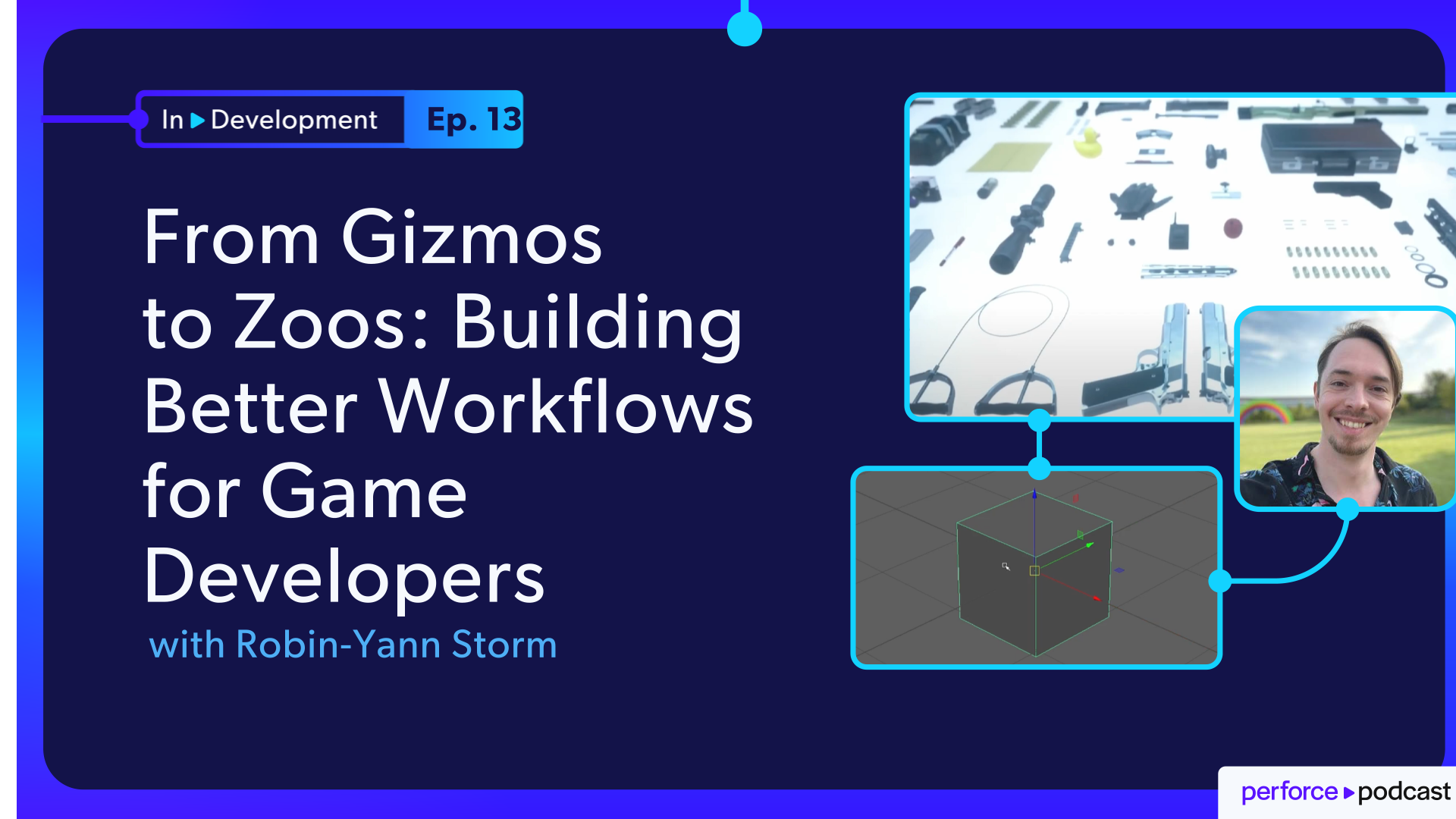
About the Episode
How do you solve problems that nobody reports? In this episode, Robin-Yann Storm, tool design director and former developer at IO Interactive, Guerrilla Games, and Apple, shares how a small usability issue with a 3D transform gizmo led to a workflow improvement that developers still use years later, saving thousands of hours. The discussion looks beyond the solution itself to examine the process of discovering the problem, understanding its root cause, and exploring how to solve it. Robin-Yann explains why observing users is often more valuable than collecting feature requests and how small UX improvements can deliver outsized returns.
The conversation also explores practical tool design principles, including how to validate assumptions, uncover root causes with the "five whys," and build systems that support creativity instead of slowing it down. Robin-Yann also introduces the concepts of gyms, zoos, and museums, frameworks that help teams test mechanics, organize assets, and make game development workflows more discoverable and efficient.
In this episode:
- Why observing users reveals problems they never report
- The transform gizmo redesign that improved workflows for years
- Lessons from Unity, Unreal Engine, Maya, and CryEngine tool design
- How to validate ideas before investing engineering time
- The "five whys" framework for finding root causes
- What gyms, zoos, and museums are and why studios use them
- Career advice for aspiring tools and pipeline developers
FEATURING
Jase Lindgren
Senior P4 User Advocate
linkedin.com/in/jaselindgren
Robin-Yann Storm
Lead Release Engineer, Gearbox Entertainment
linkedin.com/in/robin-yann-storm/




Check Out More Episodes...
Ready or Not, Here Comes CI/CD: Build Systems for an Indie Sensation
Stephen Post, Technical Director
VOID Interactive
From Maya to Unreal: The Story Behind Nickelodeon's Max and the Midknights
Sica von Medicus, CG Supervisor
Nickelodeon Animation Studios
Fail Fast, Fix Faster: Pipeline Wisdom from Halo Infinite to Virtual Production
Luis Placid, Engineering Director
ICVR & Shiftstorm Entertainment

Full Transcription
So is this necessary, and how is this necessary? The the framework that I usually use in these things is I ask users why five times. Like, if they ask for something directly themselves, I go, why do you need that? Oh, you need it because of this.
Oh, why do you need that? Oh, because of that. And you kind of go through that process with them. And what you'll often find out is that like the actual issue is much deeper, touching way more people and something that we should absolutely fix because it's a much larger problem.
Other times you go through the whys a couple of times and you reach something you're like, oh, who asked you to do this and why?
It's It's of a workflow problem.
Yeah. It's just like, it's more of like, sometimes it's like a production problem of like, why were you asked to do this? Was there a miscommunication here? Why are you trying to do it in this way? And really often is you go through the whys and you end up with like, oh, did you know that this tool existed that does that already?
And they go, And you're like, here you go.
Welcome to In Development, the show where we explore the real engineering challenges behind building and shipping digital experiences, games, films, VFX, anything that involves real time three d. I'm your host, Jase Lindgren. What if there was something slowing down everyone on your team? Every day, maybe tens or hundreds or even thousands of times a day, there's some little thing, some little annoyance that's costing them time and is frustrating, but no one's asking you to fix it because everyone's gotten so used to it, they don't even notice it as a problem.
I would bet, actually, there's been something in your day today, some little annoyance that you've just adapted to. I know that I've done it, and we're not even aware of it. And that's the problem that our guest today, Robin Jan Storm, a freelance tool designer, discovered while working at IO Interactive on Hitman. In this episode, we're gonna follow how he spotted this issue and why some seemingly obvious solutions were not the right way to go about it, and then how he eventually worked his way to a solution that seems very small, but ended up improving the quality of life and removing frustrations for so many developers in their engine that he still gets developers thanking him about it eight years or more after he implemented that feature.
And then from there, we're going to zoom out and look at how you can apply these improvements in more areas in your tools and how you can streamline the process of documenting without having to write documentation all of the assets that go into your games. There's so much to get into. Robin Jan is an awesome guest. So let's just jump right into it.
Robin Jan, thank you so much for joining me today.
Thank you so much for having me, Jace.
So your intro is a difficult one to give succinctly, so I'm gonna put that challenge on you. Can you tell our listeners a little bit about who you are, what you've done, and how you've gotten to this point in your career?
Sure. So hi, I'm Robert Young Storm. Maybe it's good to start chronologically. So back in the day, I was like a modern indie developer. So like, I would make like mods or like levels for like Team Fortress two or for Skyrim or even Red Alert way back in the nineties.
Oh, nice. Yeah.
Long time ago. And from there, I worked at Indie Studios. So I worked there as like a level designer, a three d artist, two d artist, descriptor, you know. As in the indie space, many hats, whatever is necessary to ship the game, that's what you gotta do.
So I did a lot of those things, but most of that was level design. I really enjoyed level design the most. And in doing a lot of that work and all those roles, I kinda noticed like, hey, some of these tools are not that great to use. Like, had to use so many different tools and some of them were not that great.
I was like, someone should do something about this. And then nothing happened. And I was like, I'll start doing it myself. So I started doing UX design for tools, specifically the user experience for tools.
I then did a GDC talk about that back in 2016.
And at that point, it was IO Interactive in Copenhagen, makers of Hitman, who knocked on my door, but like, hey, we're hearing that you're doing this, like, in a consultancy capacity. Would you like to do this full time, like, in Copenhagen? Would like would you like to move to Copenhagen from The Netherlands and would do that work full time. And I was like, that sounds crazy.
Let's do it. So worked there for a bit. That was great. Then after a little bit, moved to Guerrilla Games in Amsterdam, working on the Decim engine and editor on Horizon of the Frozen Wilds and a little bit of Forbidden West.
And after that, Apple knocked on my door and Apple was like, hey, do you wanna make a, you know, a three d editor with us? Do you wanna do three d editor design? I was like, that sounds crazy. Let's do it again.
So... For for Apple. I realized that was part of... So why were they making a three d editor?
So they were working on the Vision Pro, the Vision Pro headsets. And part of that, they made an editor called Reality Composer and also one called Reality Converter, which is one that I worked on a bunch. And now they also have Reality Composer Pro released. And so basically, when they worked on those things, it was like, hey, we need, know, a tool designer, someone who has a lot of experience with making and designing three d editors.
And hey, I designed three d editors for a living. So they came to me, they approached me like, hey, do wanna do that? And I was like, that sounds crazy. So did that, worked remotely from Amsterdam for a bit.
And I moved to California, worked there for a bit, but sadly I moved there in February 2020, worst possible timing.
Stuck in my apartment for twenty months. That was not so great. So eventually I moved back to Amsterdam and now I'm working freelance. So now basically I'm a tool design director working freelance as my own company, helping all kinds of studios who are doing tools and pipelines, and I wanna make sure that their tools and workflows are easy and nice to use and also efficient to use. I help them out with that and make sure that happens.
Awesome. Yeah. I I love that. And it's interesting that you're not the first guest on this show whose entry point into this industry was working on mods, was working in the modding community.
We had we had someone else who was on the show as well, and that was his path in. And he ended up on the media and entertainment, like VFX side of things. But it's just so interesting that that is definitely a clear pathway in because you're getting experience. And I could see even the fact that you're working on modifying something that is an actual professional studio game and not just an indie game.
So you're kinda getting a sense of how things are done, how they organize things, how they think about things, but just with generally much worse tools than what they actually get to use at the studio, which I guess is what helps motivate you.
Yeah. Exactly. It's definitely sometimes you get some tooling like the the public version is not quite as featured as you would like it to be as the internal tools are. But also, I do have to say sometimes the tools you get to use like outside of the studio, the public gets to use are really not that much different from what internally gets used.
Sometimes you really use something and you're like, oh, so like this is what you folks use to make this? Wow. I can't. That's has to have been tough.
And it's like, yeah, that was tough for everyone involved the whole way through. And now it's also tough for the the modders outside. But over the years, we've seen so many studios are really putting more love and care into those toolings, not just for their internal pipelines, but also for the public usage because that really helps when people want to make, you know, user generated content UGC huge platform, you know, adds millions of users and a lot of content that people make, just for fun. And sometimes they even get to sell it and to make entire studios out of UGC.
So it has become more and more important over time.
Yeah. Yeah. That's great. I mean, my...
Still my favorite game right now is RimWorld and that's, you know, indie development, but huge modding community. And that definitely adds to that sense of the game doesn't get old because everyone's contributing new stuff to it. I've contributed some stuff to it. Like, it's it's just really cool to see that happen with games.
So I love that.
Especially...
And I especially love that with Skyrim where I think it was recently IKEA released a Kallax mod, like, which was just I haven't seen incredible to see.
Like, let's be let's be honest. It's an ancient game by video game standards. Right? It's like really, really quite old. And still, you know, IKEA, you know, working with a modding team to make that happen and to release something like that. It's just... It's incredible. It's so awesome to see.
That's really cool. So for today, what we wanted to talk about was a challenge that you ran into with this tool design once you were actually at one of these studios. And so this was when you were working on Hitman. Right?
Yes. I was at at IO Interactive working on Hitman, the tail end of Hitman season one at the time and working towards season two. And one of the things you have to do as a tool designer is you cannot just ask people or do surveys all the time. You have to actually watch what people are doing, like literally sitting behind them.
Or if they're working remote, literally looking at them screen share and looking at what kind of work they're doing and how they're doing it. Because it's very, very easy for people to not realize anymore what's going on. And one of those things that I bumped into was that when artists is like moving assets...
So basically imagine we have a Gizmo. So we have a Gizmo. And in that case, if you're looking at the Gizmo straight like this, you can easily see every arrow and then grab it and touch it and move the asset. Yeah.
Great.
Think we're all familiar with that kind of navigator. Yeah.
Exactly. So... If you're moving... But if then move... You're moving to the other side of the asset, how he now move the green arrow, in this case, the y axis, towards me or away from me?
I run into that all the time, actually. Still still today. So this hasn't been solved worldwide. I still run into this issue where I have to like, wait, I can't see... I can't... Like, maybe there's like one pixel of that axis available, but I can't quite get my mouse on it to to move it.
That's exactly it. And it's really frustrating where you're like, oh, I think I have it. Then you move it and it starts moving upwards. You're like, no. No. No.
If Yeah.
Exactly. Right.
It happens a lot. And the thing is if you have 10,000 assets to place over, like, even just a week of building a level, that's a lot of frustration. And so what happens instead is you have to switch to the orbit cam or like the fly cam, move around, then look at the asset and then drag it.
Yep.
I do that all frustrating to do.
Like, you have to constantly move the camera around. And so I saw level designers at iInteractive constantly doing that. And I was like, hon, nobody's mentioning it. Nobody's submitting a ticket for this.
No one's mentioning it. Frustrating. They're just doing it all the time. And I was like, this this seems like a very small task.
But again, if you're doing it a lot over like a four, even five year project, it's a lot of time and frustration every single day for all these people, for everyone who's using a translate Gizmo. It's something as simple as that. Yeah. So I was like, there's gotta be a better way.
There's be a way to solve this. And a nice thing also about doing tool design is that you're using a lot of tools all the time. You're really looking at what is out there. And so a really big thing for me was to kinda go like, I wonder what the actual feature set is of a Translate Gizmo.
What does every editor do with the Translate Gizmo? Does anyone do it differently in a really peculiar or different way? And so I really looked at, like, Unity, Unreal, 3DS Max, Maya, CryEngine. Like, I used...
Looked at all these different editors and kind of went, like, I wonder if anyone solved this problem.
And the interesting thing in in going through all those editors is that there really are differences in how all these editors do their translate gizmos. Like everyone thinks like, the translate gizmo is just the translate gizmo. This is the the default Translate Gizmo that we all know and expect. But no, every editor has a slightly different way of doing it.
So I feel like I've noticed a few small differences, but I'm curious if you could give us a rundown of what kinds of differences you notice. Because for me, it's like the main thing that jumps out is that in some editors, you have to switch between all of the different types of Gizmos, like the translate rotation scale. And then in others, they've found ways to kinda combine those together and then how they handle grabbing two axes at the same time. Like, I feel like those things I see show up a few different ways, but what what else is done differently between these three d gizmos?
So you're entirely correct. There are some editors who basically put all the gizmos into one big gizmo.
Right.
And you can drag and scale and rotate all at the same time. But often that's a little bit like unwieldy to look at. A little bit like, woah, there's lots of ******* touch on this. So I still see most people just like using the QWERTY keys to basically like move between the rotation, translate, and scale quite quickly.
But for example, one thing that often catches people by surprise is that in uni...
In Unity, so in in basically, in the translate gizmo, you have this middle thing here, this white thing over here. Right? Yeah. And that usually means in most letters that you can grab that and then move it relative to how you're looking at the asset.
Right. Like in your screen space. Exactly. Whatever perspective you're moving it left, right, up, down.
Yeah. That's it. Like in the camera frustum, I'm moving it exactly within that frustum in in the space of how I'm looking at this asset, which especially if you're working on, like, cinematics, super important because you're always looking at it from a really particular camera angle. Right. And the interesting thing is that most editors from what I've seen just have that thing in the middle, you click it, and you start moving it. Not Unity. You have to hold shift, and then it appears.
Okay. I didn't notice That's not...
That is not necessarily a bad thing or, like, a different thing. It's just like...
Or like a a bad different thing. It's more a thing of just like, oh, they're doing it in that way. I wonder what else is out there. I wonder why are they doing this, in what way are they doing this.
You know? Is this is this a helpful or not helpful thing? Because, again, if I'm listening to people using Unity, they never mention this as like, I hate it. I also have to click this button and then move the thing in screen.
Like, that doesn't really happen. So I wonder if that is important there of like, hey. Maybe that's really only important to see if you're building cinematics and then you wanna see it. Like, maybe it's...
Maybe that kind of customization is a good thing in this case. So that's one thing. One thing that I also loved, especially from, CryEngine. CryEngine have this thing where the moment you move anything with a Translate Gizmo, it puts the number of how much you've moved it right there.
Right.
Right where you're looking.
Okay.
Yeah. And so basically, it tells like, hey. One meter, two meters, three meters, four meters, five meters. And that's so helpful.
Put it near the axis that you're moving so you can tell It which puts it right at the exit and moves it with it as you move it.
Yeah. Interesting.
And that's such an important thing wherein like you really wanna know how far something's moved because every other editor that I used at the time of doing this research for this Gizmo was like, oh, you were moving the object. And then somewhere in a property panel far off the side in a different part of the window, you'd have to look like, oh, I wonder how much ****** moved. And there's, like, 20 numbers here. Which one am I looking at? That one.
Yeah. I've definitely done that.
So it's it's much nicer to, like, if you can just look at the exact thing you're looking at. In in the actual... Mostly this is known as saccades.
So saccades is when your eye is moving from one thing to the next really, really quickly.
Okay.
Yeah. So the thing is, if you're moving something and having to constantly saccade back and forth to your property panel and back to the thing you're looking at, frustrating. So if it's all in one place, you don't have to saccade. It's all exactly where you're looking.
That kind of context is really, really helpful. So that's another thing that I really, really liked, like a seeing as a difference of how that worked. Right. There's also one other thing that I really liked in, Maya.
Maya had this thing where if you do, I think it was middle mouse, like shift middle mouse button or just middle mouse button. When if you do that, you basically move the asset without ever touching the gizmo. So basically, if you have your mouse over here and you hold middle mouse button and then go upwards, it goes, oh, you probably mean up.
Oh, I see. So your mouse is off to the side. Like, you're not even clicked on the gizmo.
Exactly.
And you do this middle mouse button. And is it that doing it in screen space, or is it trying to guess which access you wanted?
It's essentially trying to guess which access you're doing.
So if you move your mouse over here, it's gonna guess this, which means that, yes, if two of these arrows are very close to each other in the direction and you're trying to move That's hard.
Sometimes doesn't grab the right one.
Okay.
But the thing that most people don't think about when it comes to this is, let's say, again, I'm looking at the cinematic or looking at something and something is off screen.
I can now middle click to move the mouse button and move.
And it moves into screen without even having to move the camera.
Wow. I never would have thought that'd be possible. Yeah.
Crazy. So it's it's stuff like that where you don't even think about it until you really look at what's out there. Like, what is everyone doing? And you might not always find out why they're doing it.
You know, might have been someone in the nineties one program this and it stuck around. Or it might have been a big meeting with a lot of big decisions. You never really know. But it's still interesting to look at and kinda get an idea of like, I wonder what's out there and what everyone else is doing.
So if we go back to... You're working at IO Interactive and you notice people doing all these extra clicks to to rotate their camera around. I'm curious if you ran into any, like, pushback when you suggested this of, no. No. No. We have more important things to focus on.
Absolutely. There was a lot of people who were like, you know, this is like a a small thing. Like, why is this so important? But the interesting thing is that really this kind of work of like looking at what's out there and like seeing what this issue was didn't take much time at all.
Okay.
It like the entire process from like the design up until, like, you know, prototyping this and getting something into the engine that, like, was functional for people was a week of on and off work, like, next to all the other tasks I had. So there were a whole bunch of big tasks, and I was like, there's this weird thing happening. Wondering if we could take a look at this. Yeah.
So it was literally just like an hour or two of looking at editors and kind of going, just moving something around and trying to get me kind of going, that's different. I wonder what that's like. But one thing that was very important from that is also like going to the level designers especially and being like, hey, I know you folks never mentioned this, but I see you constantly having to move your camera around to look at the gizmo. Is that is that ever frustrating to you?
And usually when I would talk to them, they would go, oh, yeah. Like, I gotta do it all the time. Like, I kind of, you know, forget how to do it, but it does really happen a lot. I'm like, if if it happens a lot for everyone, a small fix, if it is a small fix, could really save a lot of time.
And that's also why I think it's really important to, like, have a tool designer on staff to look at those things. Like, an engineer is spending time programming. Please spend that time programming. But if there's someone who has the time to take a look at what people are doing and how they're doing it, that also helps decide what you should and shouldn't build.
Because I totally agree with you. It's a very small thing. But the thing is at this point, doing the research and looking at the the translate gizmo, no engineering time has been spent. None at all.
It's just one person, tool designer, looking at it and kinda going, I wonder if this is an important thing. Yes or no. And sometimes you bump into something and it's like, oh, no. This is not important.
Very few people bump into it. We shouldn't be doing anything about this. But other than it's like, oh, everyone's bumping into this and no one's ever talked about this. And then you really do wanna chase it down.
Yeah. It's like figuring out which things are worth spending the time on. So I feel like that's always the challenge when I worked in pipeline was deciding, like, I think this is a cool problem to solve, but is it actually going to save people very much time in the long run or or make things more accurate or whatever it is. Right? Sometimes you're like, oh, it'd be really neat to automate this, but that's not actually worth all the time it's gonna take to do that.
Exactly. Exactly. And it's and it's... In this case, one of the things that really spurred me onto this was how many people use a Translate Gizmo? Like, everyone using the three d editor.
You guys are just your artists. It's also your level designers. It's everybody. Yeah.
Exactly. And how many assets needs to be placed for all these levels? Like, hundreds of thousands? Like, this is happening a lot.
This is not like a lone case. And then thirdly, one thing that really made me think about this is just like, well, I don't think this is gonna be like a really involved fix. There must be something small that we can do here. We're not talking about a new physics system or an entire new UI panel.
Right.
There's gotta be a simpler way of doing this. So that's also really, like, helped spread a thing of, hey, let's just find out what we can do here.
So what happened next? So you've identified there's a bunch of different ways people do this. Yes. We're pretty confident this is something that's taking up a lot of time just because of how often it happens. So then how do you go from there to... Is it just picking the best of those other tools and being like, yeah, we're just gonna copy that one? Or how do you how do you iterate from here?
So the... Indeed, the iteration was very much looking at, like, what has everyone done? And it turns out that Unity had this interesting thing. Right? Yeah. You have the two d planes. And if the gizmo flipped, if you looked at it from either side, the two d planes actually flipped towards you. So only those would flip, not the arrows.
Oh, I see. So so the arrows that are always pointing toward the positive x y z, those could still be pointing away from the camera. But the little, like, right angles in between each axis that you can grab for that plane would flip to face toward you. So it's like they would be kind of disconnected. Like, rather than being between two axes making a little angle, they would be like just a little box sticking out the other side.
Exactly. There were a little bit of planes sticking out the the back end of the gizmo. And so I was like, you know what? What if we just flip the whole gizmo? What if we do that?
Sure. Make it face toward the camera no matter what.
No matter what you do. Like...
So, like, if if you're moving around, it's like it instantly...
The moment you go around, like, the camera over here, it instantly flips, and you kinda, like, see it from that angle. Or in this case...
Oh, jeez. Hold on. Hold on. If I flip it, then the red should...
No. Oh, okay. Never mind. Anyway, it flips immediately. I have to think about this in three d space.
Oh, yeah. No. Because I cannot flip this one because it would be mirrored, which...
This is actually...
I have to give credit where credit is due. This is made by Freya Holmer. She made a whole bunch of three d gizmos and they're lovely.
But I cannot flip this one because it's made of actual stuff.
Yeah. Anyway Yeah. It flips.
Physical stuff you can't flip.
Gotcha.
I can't flip it.
So anyway, but it it was the flip the flip the arrow to move...
Looks on the other side if it's in a negative direction, you know, doing it that way. And so I was like, we'll just flip it. And it's like the easiest fix in code. We'll just make it flip and that's it.
But as with anything, would this break anyone's workflow? Is there anyone who will be upset about this? And my assumption at the time was like, how could anyone dislike this? We flip it and it's easy to grab.
Everyone will love this.
I can already tell how I'm gonna be upset about it when you give this tool to me. I'm like, no. Know I know how I'm gonna be upset by this.
And so and so I literally went around the whole office, like, physically walking around the office, and I checked with every team.
Hey. If I'm just...
We're not programming anything yet. If we were to flip the Gizmo every time we looked at it, would you like that? And every team I went past went like, oh, that'd be great. Oh, that'd be lovely.
Like, animators, level design, artists. It was great. Until I hit one team, game programming. And the game programmers were like, if you do that, it will ruin all our workflows because we have to know what positive and negative is.
Exactly. That was my concern. I was like, but wait. Now I don't know what's positive and negative anymore.
Exactly. So like, if it flips and you always... And it always looks the same way, then you're just gonna be like, oh, so what's positive and negative? And now all your gameplay programming is going to be broken because you have no idea anymore what is phasing what direction.
Like, you'll end up in that same situation where you're having to, like, drag one a little bit to see which number moves and then like do the mental math of figuring out which direction it's pointing. Yeah. That'd be terrible. Okay.
Exactly. That's it. And like, that's exactly the problem we wanna prevent. Yeah. So how do we do that?
And so I was like, okay. So what if we just put learning a little bit, you know, from the CryEngine example? What if we put a little bit of text below this arrow with like, instead of it saying y, it's...
Or like x in this case with the red one. Instead of it saying x, it says minus x.
Right.
What if it just says minus? And so I looked at that. Like, I literally just opened up Photoshop, and I just Photoshopped some minuses. And then I looked at it. I squinted my eyes. I was like, that looks exactly the same.
There's no way That's hard to see.
Yeah.
There's no way to tell. And so I was like, okay. So what if I, like, flip the, like, the ends of the arrows? What if I flip those arrows?
Oh, so they're pointing back into the line instead of away from it.
Exactly. If they're negative... Only if they're negative, they look the other way. If they're positive, they look the other way. But, again, if you just only change this little bit over here, like, and then just flip that, if you squint your eyes, it still looks exactly the same.
Yeah. So if you're working fast, it's, yeah, it's just not legible enough.
No way to tell. And so we tried to add different ones, like, what if we do, like, a different shape of those? What if it's like a cube? No.
It looks like a scale Gizmo. Right. What if we just, like, move the the whole line, like, behind the Gizmo as well? So it's, like, it's, like, full on through, But now it looked really confusing.
Like, if you have, like, multiple things selected, you have a whole bunch of Gizmos around potentially. Yeah. It's chaotic, confusing. And so the end results that we came up with, and this was me with an engineer at Mipumi who was helping with the the Glacier team.
They were remote. It was great people to work with. And I literally just, like, we sat over a video call, and I just went through Photoshop. Like, we were both looking at it as I was photoshopping it together.
Like, what could possibly work here? And the end result we found was what if we hollow out the arrow? So it was like just a two d arrow. And so when it's positive, it's full.
And when it's negative, it's just hollow. A little line It's like an outline. Straight through it. Yeah.
It's an outline of an arrow instead of it being a full arrow, but only when it's negative. And so we looked at that and we squinted and it was like, that does look different. Like, if you look at it and especially with the background coming through it because it is hollow, you're like, oh, yeah. No.
This is different. We can see that this one's different.
Wow. Okay. And so then...
This is all still just in the designing phase. Just in even put anything in an engine for someone to mess with yet.
Exactly. No engineering yet at all. I just sat down with engineer. And one of the reasons that I sat down with engineer to look through these Photoshop examples is to be like, hey, can you tell me what is easy and hard to program here?
Like, I don't wanna make a design solution that's gonna make you go like, oh, we gotta redo the renderer to render that correctly. Like Yeah. Then we're wasting time. We shouldn't be doing that.
This should be an easy fix that saves a lot of time for a lot of people.
I mean, that step right there is worth a moment. There's a lot of things that seem like an easy fix when you say them with words that are then not, for some reason, once you actually try to implement them. And so I think that step of checking with the person who would actually make this happen or or someone who at least understands what would need to be done to make that happen is pretty key there. I think that's, like, the key problem when you base all of your pipeline and tool decisions around user requests too. Like, rather than like you did this watching over their shoulder, but when you wait for users to tell you what they want, one, they'll miss stuff like this because they just don't think about it because it's normal. And then two, what to a user might seem like a simple solution isn't.
Or it might be simple for their job, but not if it needs to also work for everyone else's job. Kinda like you found with this Gizmo, where it depends on the department, like who needs this to work a certain way.
Very much so. And and also, if you suddenly just were to do exactly what a one user says, who else would be pissed off by you doing it?
Which in this case would be justifiably the gameplay engineering team.
They'd be like, what the hell happened? Why are you doing this? So that is also a very important thing here of really looking in that and kinda going like, okay. So why and how should we be doing this?
Right. So it's kind of... I'm trying to trying to put together, like, a framework or a principle for this where it's... You have an idea of what could improve it, and it's like, first, you just wanna make sure it's worth it. But part of that is making sure you're not going to piss off anyone else by making this change.
Or if or if you are, like, how can you adapt it so they they won't be upset by it? And then two is that you won't piss off the engineering team that has to implement it.
So Exactly right.
Exactly right. And and and sometimes it can be like, if you're designing, like, a really big feature, you could spend a week doing design work before showing that to an engineer and kind of going like, Hey, what do you think about this? Right. Sometimes all that work can sometimes prevent an engineer from spending, you know, six months on a tool that no one ends up using.
I've done that so many times. I've spent so many hours on tools that people don't use. It sucks. It's not a good feeling.
Exactly. It's a horrible feeling. And one of the ways to prevent that is to just by kinda looking at, so is this necessary, and how is this necessary? The the framework that I usually use in these things is I ask users why five times.
Like, if they ask for something directly themselves, I go, why do you need that? Oh, you need it because of this. Oh, why do you need that? Oh, because of that.
Oh, why do you need that? Oh, because of that. Oh, why do you need that? Oh, because of that.
And you kind of go through that process with them. And what you'll often find out is that like the actual issue is much deeper, touching way more people and something that we should absolutely fix because it's a much larger problem. Other times you go through the whys a couple of times and you reach something you're like, oh, who asked you to do this and why?
It's really See, it's more of a workflow problem.
Yeah. It's just like, it's more of like, sometimes it's like a production problem of like, why were you asked to do this? Like, was there miscommunication here? Like, why are you trying to do it in this way?
And really often, and this is, you know, you you don't want this to happen, but it happens a lot, is you go through the whys and you end up with like, oh, did you know that this tool existed that does that already? And they go, what?
And you're like, here you go. Yep. Definitely had that happen as well.
Excellent. It's the... Like, everyone's seen this. It's really, really how it goes.
And interesting as well, I think for that one interesting way to think about us as well, especially for game development people is that it's so similar to making game mechanics.
If you're making a game mechanic and like sometimes users don't know about it and how do you tell them about it?
And you're trying out and concepting the game mechanic before implementing it. You're like, how could this work? And what else would work with this? If the player jumps and then does the ability, does that change something or not?
Like, sure, you can start programming right away, but sometimes it's good to just dilute a little bit of thinking about it of, like, how would that affect this thing? So for example, if I were to suddenly implement a Translate Gizmo that's flipping, who would piss that off? Could that work with this other thing? Even just thinking about it can prevent a lot of frustration.
Right. Okay. So now we've gotten to this point where you've landed on this design idea Yes. And that you were working with a developer from Mipumi, and they were like, yeah, that shouldn't be too bad to implement. What happens next?
So we implemented it, and we were like, hey.
So now this is the It was just as quick as they thought.
Okay.
Super quick to implement. It was like, oh, we just we just flip it when you're looking at it, and you'd add a hollow arrow. And sure, Still need to go through testing as we need to get into smoke testing, bill testing, all that stuff. But put it out and so much happiness from the people.
So much of like, oh, there's this thing now. I can move this around. This is great. This is awesome.
But really, and like, so right around that time, a lot of happiness, but my biggest pride as a tool designer in that case was because eight years after that was implemented, when I no longer worked at IO Interactive at all, one of the level designers sent me messages like, Hey, I still use this thing every day and it still makes my day every day.
And I'm like, yes.
That's awesome.
That's And again, that's one of those things where like, when you're making a tool, sometimes it's used for one project, right? But you try to make tools usable for many different projects and think of like, you know, if it was, it was one week of time on and off for a tool designer, a little bit of time from like a tool engineer. And it's been how many years now of it being like helpful? How much time and money have we saved with the little investment? That's a really good ROI.
For sure. For sure. Yeah. But it wasn't just for that project. But, yeah, years and years and years later, it's still saving people time and and frustration too.
I think that's the other factor. Right? This is not just always about, you know, the capitalist time and productivity, but it's also like, how does it feel to use this thing? Am I like, ugh, every single time, or is it joyful and delightful to use?
Exactly. Like it's it's all something I often mentioned with tool design that indeed it's not just time and money. It's also just like the mental energy and the physical energy of the people using the tools. Like if you're happy and creative and you know that, oh, I can try this thing out and the system won't punish me for it.
It's like, me try that out. Maybe it's a good idea. Maybe it's great. But instead, if you're like, oh, if I make this change, I gotta wait thirty minutes for it to recompile or even worse, it's like a roulette, and it might just crash the system while you're doing it.
And you're like, okay. I'm just gonna not touch this now because I don't want anything bad to happen.
And now you're no longer being stops your creativity.
Yeah. Exactly.
We we actually...
One of our earlier episodes we did with Luis Placid was talking about some of his experience working in game studios, and it was that build process where he's, like, looking around and going, wait. You all just wait? You just sit around and wait an hour or forty five minute, you know, whatever it is. Like, you have to you have to plan your work so that you don't finish this until right before your lunch break so that you can go do something while this is happening.
And and it was that just everyone thought it was so normal that they just...
It's like, oh, no. That's just a fact of life. You can't get around that. And he's like, no.
We can...
We'll find a way to fix this. He did say some people complained that they had less time to play ping pong though. And so their ping pong skills were going down after he implemented this.
So there is that to That is a shame.
Okay. That is that... Yeah. That that is an that is an important thing to consider. And also, one thing I do actually think is, like, helpful for, for creativity is sometimes just take a walk outside.
Even if your tool is not compiling, taking a walk outside will really help.
Yep. Yep.
So something else that you and I talked about before this, Robin Jan, was this thing called zoos, gyms, and museums, which were not terms that I was familiar with, but this seems to be a pretty common terminology. How widespread is this? And then also tell us what it is.
It's pretty widespread in its usage, but its terminology is still sort of like haphazardly, depends on where you work and what it's why I haven't heard of this.
Okay.
Because like a lot of studios use them, but sometimes it's just called test maps or things like that. Like some kind of test underscore something is what you would call in a lot of cases.
Right.
But in this case, the differentiation with gym, zoo, and museum is that a gym is like a test level for a game characters and character controllers of like, how can I use that? Can I jump over a one meter wall or a two meter wall? Can I climb here? If I'm edge climbing, for example, classic video games, how far do those edges need to be? You can do that kind of testing.
Right.
A zoo is for three d assets. So it's like VFX, three d models, and things like that, materials where you can, like, look at the assets in a three d view.
Okay.
And then museums are much more like for, like, systems and stuff like that, where it's like, oh, we have a physics system.
Here are five setups of, like, the classic being the Pachinko machine. It's always a Pachinko machine. I don't know why that happens. But it's always a barrel falling down, a couple of things.
And it's like, if that falls correctly, we know the the the the physics system works correctly. And we also know, like, everyone understands like, oh, this is how it's supposed to work. And cloth goes like this. And if you put it in water, this floats, this doesn't float.
Those kinds of things.
Okay. So now that you're describing what the names mean, it's making me think of a lot of the sample projects that Epic puts out for Unreal Engine where they'll usually have that long hallway with the little kiosks.
So that's the museum you're talking about that's got
The little kiosk showing, you know, here's how FollowAI works or, you know, here's how Yes. Chaos physics works or whatever it is.
And then the zoo, I guess, I forget what they're usually called, but it's just that, like, one level that just has everything kinda laid out side by side in a big mess. Right? And so the idea being you could see, oh, those are the building pieces I have. Let me grab the ones I need to to put this together. And then the gym, I don't see as often. And the only example I can think of, again, thinking about Unreal is that the new animation one that they released a couple years ago that was doing like the motion matching animation stuff where you could parkour jump over things.
That's exactly it. Those are really, really great examples. And indeed, you don't see gyms publicly as much. They really usually are only used internally.
Got it.
I've seen a lot of them, but I can't showcase most of them because they're all internal. But in the the Unreal animation one is a really good example of it where, like, it really showcases how you can use it.
And is that generally how they tend to look internally? Like that one, if if people look at that example from Unreal, is it that kinda how the setup would go?
It's like That is exactly. Courses and everything's numbered with how tall it is and stuff like that.
And everything is... Everything has a grid texture on it. So you always have an idea of what the scale is of something of like, oh, this is one meter and I can make this jump. And this is three meters and I can't do that. Everything is grid and it's a bit like everything's colored. So it's like, oh, the red thing is bad. Green thing is good. All that kinds of stuff makes it so much easier to visually understand.
Right. And so we were talking a little bit beforehand about why these are important and what happens when you don't have them or kinda where this came from. And I feel like you've been in the industry long enough that you've seen this become more of a trend for studios to do that it didn't used to be as common. So can you tell us a little bit about that? Like, how did how did we get here?
So actually, like, I was born in 1990. So, like, I've been alive for thirty five years now. And so when I first bumped into this, it was like the 2 thousands kind of thing. Though like, that's when I like, oh, there's zoos and there's a bunch of assets in them. Like, thought this was a brand new thing. But when I started looking into it, Tim Sweeney, the original creator of Unreal Engine and the owner of Epic, in a game that he made in 1991, ZZT, there is actually a zoo kind of level with like a level that has a whole bunch of stuff in it that you can do some quick testing with. So I was like, oh, this has existed for ages.
Yeah. Okay. This has been around a long time.
Yeah. A really long time. Not always with the name zoo. As far as I can tell, it was Valve originally who created the term zoo. But then again, it was also Duke Nukem who had like a zoo to do these things, and that was also before that.
So I've been looking into the origin, but I can't find the origin of the name. But zoos have been used since the nineties at least.
Yeah. Wow. Okay. I didn't realize that that had been around so long. I feel like I've only seen them more recently.
Exactly. And it's it's been really interesting as well. Like, when I started talking more about gymnasiums, the people were like, oh, actually, I've seen these before over here and over here. And everyone was like, oh, there's... And they were like, oh, they're they're everywhere. I didn't... Like, I thought they were used internally in places, but they are everywhere. Like, it was also a surprise to me when I really started looking into it and asking people about them.
Wow. Nice.
But, yeah, one of the most important things that I think comes from zoos especially and like a reason to have them, especially for three d assets is this classic case of how do you name your assets so you can still find them. And like I mentioned earlier with the Translate Gizmo, hundreds of thousands of assets. And if you have, like, roof tiles or wall sections, what do they call?
Like, wall one, wall two, you know, wall Exactly. Wall metal.
Like, at some point, you're not gonna find the right assets anymore. And oftentimes what you hear in, like, playtests is players kinda going, hey. All these levels look the same or feel the same. And everyone's like, we have like hundreds of thousands of assets.
How can that possibly be the case? Turns out you can only find a couple of those assets because you can't find all of them by name. There's just too many of them. And how can you remember all those names?
And even more confusing, what if, for example, someone says there's like a wall color with c o l o r, and someone thinks there's a zoo color with c o l o u r. Yeah.
And suddenly, people from different places in the world, especially if if you have satellite studios, can't find assets anymore. And what happens then most of the time is someone looks for an asset, especially with animations. This is a really big one. They look for the animation. They're like, I can't find it. I guess we haven't built it yet or it got lost or something went strange. Let's just rebuild it because it... It's not there.
Right.
And suddenly you're spending double the time on an asset or an animation. And And so the interesting thing with the zoo is that you basically say like, hey, instead of looking at all these assets, like a thumbnail and having to find them by name, or even the classic situation here is like, oh, we're gonna invent tags. Let's just add a lot of tags to everything. But the problem with tags is, like, let's say you have a a wooden door with, a glass pane in it. Right? And so it's like door, wood, glass as, like, the tags. Great.
Now someone realizes, for example, a programmer, like, hey. We're doing a lot of, depth rendering for every glass door out there. Let's just make them all opaque and fully wood. Great. So you make them fully wood. Who's gonna update all the glass tags?
Right.
Who's gonna do that and when? Like, if an automated system can catch that, great. But if you can't, now you have got a whole bunch of assets that you have to retag manually. And good luck retagging manually a 100,000 assets by hand. Yeah. No one wants to do that.
Yeah. We we ran into that problem so much at the VFX studio where I worked with all of our two d compositing assets even. And those, you know, you'd think are simpler. I mean, they they are a little bit simpler in that, like, they're always rendered the same way.
It's pre rasterized. Right? It's it's a video or an image. But someone makes a subtle edit of it.
Someone does, like, a retime and they thicken up this and now that's an alternate version.
And they were all just in folders and it's a mess trying to find anything. And multiple times, we hired people or got interns or whatever to try to organize this and it never succeeded. Like, we never got to something that actually felt useful and you could find things. And so instead, you're just clicking around through folders or like you said, you just end up using the same few, like, flame spark smoke elements because they're the ones you know and you know that they look good. So you're just gonna keep using those.
Exactly. And, like, it's an it's an in...
Like, especially when you keep adding assets and changing assets, which is normal for iteration, you're just now infinitely changing tags. And who wants to do that work? So the solution that people found apparently in the nineties, I don't know how, but they found it, was like, what if you just have a level and you put all the assets in there or at least a subset of levels? Like, hey.
These are, you know, all assets from level one, and these are all the assets from level two, and all that's from level three. Here are all the animations. Here are all the VFX. Here are all the materials.
And you can just look at them directly. Another really big important thing that adds from that is that, like, you now...
Instead of a thumbnail of which you...
If you have a whole bunch of thumbnails, how do you know the scale of one asset to another? What does it look like in different lighting positions? Or if I move around it, what does it look like from the back or the or the bottom? No clue in the thumbnail.
In, a three d view, have, like, oh, we can fly around it. You can see it. You can see, like, oh, this asset's like this, asset like that. I can change the lighting and change things around and get a much better idea about what this asset actually looks like.
Right.
And it's that kind of visualization that's so important. Like, yeah, you still want a folder structure, and you want a naming convention of some kind to organize things, to version things, to look at things. But if you just have a visual, that helps much more. And for example, p four one and p four dam do that so well.
We're like, especially in p four one, you can, like, right click on an an OBJ file, open up a preview, and you can take a look at the wireframe, at the normals, different lighting configurations. Like it just gives you that a little bit more of like, oh, this is what the asset looks like. This is, you know, what people have done with it. Like, can take a look at like, you know, in, different directions.
Kind of stuff is so important to get an idea of, like, what that asset looks like and how it's supposed to be used and if I want to use it or not, which by name can be a guess.
Right. Right. You know, it's it's funny. It's making me think about, you know, using DAM and you're able to search through your assets and you find the one that you want.
And and there was a new feature added recently for...
You can scrub across a thumbnail and see, like, a turntable of three d assets if you have that set up. So it's like, yeah, that's great. And I'm just realizing, like, yeah, you know what? A good automation for a studio would be from...
In those, you can put custom links on it. Have a custom link that does a launcher that opens up the particular zoo that it's in As like a way to then be like, okay, I think this is what I want. Now let me make sure by actually looking at it in context and and grab it in the game.
That's exactly it.
I'm not gonna implement that right away. I'll leave that for the listeners if anyone wants to jump on that project. But I might get to that at some point. I've got a few other few other little open source tools I'm working on, but that's a fun one. I like that idea.
That's great. And and that's exactly it right. It's the context of what that asset looks like. The context of what other assets is it related to.
What does it look like? Which by name, you can't even guess sometimes. And it's so by making those, like, asset zoos that you can also automate if you wanted to. You can be like, hey.
All the assets in this folder or all the VFX in this folder or all the animations in this folder, just generate that.
Like, can literally them out into here.
Yeah. You grab the bounding boxes, one one next to the other. It can be that simple. Now you can go even crazier with it if you want to.
You can add, like, text of, like, hey. These are all the wall tiles, and these are all the materials, and these are the names of the assets if you do wanna, like, learn the names. Like, you could still do all of that. But that gives you much more of a visual idea of what's going on.
Right. Yeah. Yeah. It's funny. I do honestly find sometimes the naming convention is really important though.
Or even if I'll see something in a zoo, which I I never thought of it as a zoo. But even if I see something like that, I'm like, what is this? And if I look at the name and it's like, you know, roof ribs bend corner. I'm like, I see.
Okay. Is that something that has to do with the roof going around the corner? Like, okay. Now I can see it in context and understand where I might use that.
That is exactly like sometimes you're looking at ass and you're like, what could this be? And then you're like, oh, it's a oh, it's a corner and a bit. Okay.
Got it. Yeah. Oh, this is the internal corner piece to like finish missing hole that happens when you make an interior wall or, you know, something like that. Some very particular.
And especially with animations, it's gonna be super helpful. Like for example, if you have a character like, know, standing and they pick up an item, is it like pick up small item, pick up medium item, pick up large item? Like, sometimes you can't quite tell from the animation itself, but the text and the the title and the description can still really, really help. So, like, it's definitely not a case of don't name things in a way that makes sense. Like, please name things and also have a visual. Right? It's definitely and and.
Right. Right. Absolutely.
But basically, in in doing those things and setting up a zoo and having that visualization, engineers can still really easily like work with all the assets and version them correctly and set a thing up correctly. But also if someone is a little bit less technical, they can just look at things and get an understanding right away. And so then when they're like, Hey, I wonder if this animation of someone doing like a crouched slow walk is available somewhere. Open up the zoo of animations and look and like, is there one?
Can I just look at it and see like, oh, there it is? Great. Now we're no longer ready to redo that animation. Saves so much time.
And again, that's one of those things where like, it's really about preventing that assumption from happening. Also from the user standpoint, where they're like, oh, I can't find it. Must mean it doesn't exist. Or like, oh, I only have these assets that I work with.
Well, that must be the assets that are like, good or the only one that I should be using. But there might be so much out there, but that just requires a little bit of a push to take a look at, like, what is out there? What else can I find?
It's interesting. It's also making me think about how you might take that further for the sake of visibility. Right? Because I'm thinking, first of all, I could still see the problem where people are making new assets, but they're forgetting to put them in the zoo.
Or they're making a new mechanic for a certain level, but they don't make a museum kiosk for it. Right? Or they they don't do that kind of thing. And so I think that to me comes down to a workflow thing of some part of the approval process needs to be That's it.
It gets put in here, and that's how we sign off on it. But it...
As I was thinking about that while you were talking, I was thinking it could be interesting to somehow have a...
I don't know what you would call it, like, on deck or the laboratory or something that's like a side part of that zoo level. That's all the in progress stuff that's not approved yet.
Oh, yes.
So this you... I'm thinking especially if you're, like, on an indie team, right, where you don't have as much of a clear pipeline, everything's not quite as structured. But it's like, I might start working on something because I don't see it yet, but maybe someone else has already been fiddling with making a a pulsing mushroom for the level or something. And you can kinda see what's in this... I don't know what to call it, like, laboratory. I'm imagining, like, horrible mutants in the jars in a, you know, alien movie or something like that.
But I love the term laboratory, actually. That's really, really good. Like, it really gets you that experimental vibe. Right. So honestly, a laboratory might add that to the lexicon of, like, a Jimizu museum and then also having a laboratory next to that. That sounds really good.
Again, you'd have to change your workflow a bit to make sure stuff ends up in there earlier. Right? And then maybe having a way to make sure you're also culling the dead laboratory experiments that didn't go anywhere.
But that's also one of those things where it's like the work that you're kind of like doing on those things, like seeing that and experimenting with that in game does so much. Like, again, yeah, you wanna, you know, do a little bit of reading, a little bit of designing before anything reaches the game, but you gotta put it in game at some point. And that's also one of those classic issues that happens a lot with tools where people are like, oh, we gotta make this tool better. We can add these features and these features and these features.
And oftentimes, I'm like, hold on a second. Is the tool being shipped or is the game being shipped? Because if you're making a game to be shipped, then the tooling doesn't come with it. In that case, you know, sometimes you can do a quick fix.
It doesn't have to look as beautiful. If you want the tool to be shipped with it, like for UGC and want, like, other people to make mods and stuff like that, that's great. Or if you're making tooling specifically to sell the tooling, great. Yes.
Absolutely. Take a look at that tooling. But if you don't need to ship the tooling, sometimes you can do something much, much simpler to solve a problem quickly.
Right. Like, just legible is more important than beautiful and elegant.
Absolutely. Absolutely. But in the case of, for example, gym zoos and museums, that's again one of those things where it's like, if you put that into your workflow once and it's easy to generate them and work with them and everyone understands like, oh, I can try out all the game mechanics in this gym and try all the systems in the museum. And people have that expectation of doing those things. You can now do that for every game you build from then on. So then it becomes much more a thing of, like, oh, we can just continually use this all the time and becomes much, much easier. And I do think there is a level here of, like, as you mentioned, and also as I noticed, Jim Zoo Museum, are those really the words when did the start and even me finding out it started in the nineties?
Right.
I do have this feeling of if we all keep, you know, coming to the same conclusion every time, like vastly separately around the world, then there's probably something good to this.
Right. Right. So that... What's the term? Like, convergent evolution or whatever where completely different species end up with the same trait? Is it... They... It just works somehow. It's just effective enough that Exactly.
It just keeps working everywhere. So people keep using it, and that's great.
Yeah. Well, awesome. This has been great. I want to ask you my final two questions of this episode before we wrap up. And the first of those is, and now maybe you get to pick what point in time this is. But if you could travel back in time to yourself during one of these journeys, whether it's the Gizmo or discovering museums and zoos and all that.
But let's let's say maybe the gizmo. If you're traveling back in time to you starting out trying to solve those sorts of problems, what advice would you give your past self with what you know now?
Never make assumptions.
It's really one of those things where, like, if I had, you know, like...
Because I really initially thought, oh, if we just flip the gizmo and everyone's gonna be happy. Like, oh, you really do have to check up on, like, is there something that you might not even know about? Like, it's always the unknown unknowns that get you when you don't even know there might be an issue. So, like, really, like, don't assume anything.
Always check it, like, is this actually a thing? And that goes with the solution as much as with the problem. There's plenty of times where you're like, oh, there's a thing a lot of people are dealing with. We must solve this.
And then you check up on it, and it's like, actually, it's not that big a deal at all. Even though you think it's a really cool problem that you could solve, not necessary. So don't make assumptions. Like, really look at, like, is this actually necessary?
Right. Like, it's worth that little bit of extra time upfront rather than chasing a rabbit for a while and then realizing it's not the direction you needed to go.
Exactly. No one likes building that tool for six months that no one ends up using even though we've all done it.
Yes. Yeah.
So so I'm gonna pivot now to present day. What would be your advice to someone who's getting into into game development specifically in the tooling space? Right? Like, they like that kind of nitty gritty stuff like you're talking about.
And obviously, this was something that attracted me in VFX doing pipeline things. It wasn't quite as much changing the editors, but similarly, like, wanting to do the glue. Right? The stuff that holds it all together, the scaffolding, however you wanna think about it.
So for someone getting into that today, what would your advice to them be?
So especially when we talk about the glue and the scaffolding, again, it's a thing of, like, no assumptions. Don't make any assumptions about what you think is cool. It's this classic thing. Like, if for example, let's say you grew up in the modding scene using Maya a lot, you're like, oh, y is up.
The y axis has to be up is what we're all used to. Right? It's it's the sensible defaults that everyone has. Yeah.
And then you work with, like, a studio that does architecture or, like, CAD, and it's like, no. Z is up. Like, very much so. And there's nothing you can do about it because every blueprint's built with, like...
So it's very much a case of, like, you cannot make assumptions. You always really have to check up on, like, really what is actually going on here? Like, I have an idea about this. I think this is helpful.
I think this is useful.
Would it really be the case? Like, I really gotta check up on this and find out, like, in what way would people use this? Why would they use this? Can I check up on this? So for anyone starting out in that space, it's really just like leave your assumptions at the door and just really be like if... You know, the classic case of explain it to me like I'm five years old.
Right.
Just explain it in the most basic terms possible. Like, no, like, professional terminology. Do you wanna place an asset in the thing?
How would that work and why would that work?
As simple as that. Don't think about, oh, there's an axis with the gizmo, and then there's the normal, and then there's the vector, and it's like, woah. Woah. Woah.
Woah. Woah. You wanna move an asset in that direction? Yes. Great. Is that annoying? Yes.
Okay. Let's take a look at how we can fix that.
Right. I like that idea of kind of forcing yourself to use simple vocabulary to be sure you're at the heart of what we're trying to do here and not not getting caught up in in assumptions. Or sometimes even the terms, like the technical terms that have been developed for things, even imply the way they're supposed to be used in the name. Oftentimes, like in in film, it's because a lot of our terminology, even though we're all digital now, is based on analog technology.
Right? Like if you think about even in Photoshop, like dodge and burn, like these are like film techniques you're doing with light and with little filters and blockers and stuff. So, you know, we we have those, but they kind of can imply how we're supposed to use it. And so I like that idea of don't use the terms.
Don't use the industry terms. Just try to explain it to a five year old. That's actually really cool. I wanna I wanna take that and use it in some of my planning from now on.
It's definitely the thing I bumped into the most when it comes to the terminology is, I want make sure I get this right, asset, entity, actor, template, and like, you know, a bunch of other ones where it's just like, is that the same thing? Is that... Are those different things?
And depending on who you're talking to Yeah.
All those things could be the same thing, or they could all be exactly different in really peculiar ways. Yep. And I was recently at SIGGRAPH in Los Angeles talking to a bunch of, like, movie and VFX people. And they're either like, oh, with the shot this and the thing that and, like, in USD, for example, when you load a USD three d file, it's called a stage, which no one in in video game development would say that.
We'd be like level or map or something like that, but, like, no. It's called a stage there. But really, it's the same thing. So in one of those cases, it can just be good, like, just, like, say, like, oh, you wanna have a thing appear and view that.
Right.
You wanna have a big thing that's got a lot of little things in it, and you wanna look at that. Yeah.
Exactly. It could be as simple as that because sometimes when you don't do that, especially in big important meetings, you have that discussion, everyone nods their head.
Right.
And two weeks later, you notice, oh, we were talking about two different things.
Yes. Yeah. So Absolutely.
Again, you don't wanna waste that time building something that you, you know, find out actually isn't necessary.
Right. Yeah. Well, Robin Jan, thank you so much for all of this. I know that you also put out a lot of videos and things, instructional things about these tools and all that. Where can people find you and what you do?
They can find it on my website, rystorm.com. And also on my YouTube channel, just with my own name, Robin Young Storm, you can find all about more Gizmo stuff, Jim Zoos, museums, also sense of little faults and best practices and how I think those don't really exist. So take a look at that if that sounds interesting.
Great. Well, thank you so much, and I hope to see you again soon.
Thank you very much. See you.
If you enjoy this kind of in-depth conversation with leaders in the media, gaming, and visualization world, be sure to subscribe so that you get new episodes as soon as they come out. Subscribing and giving a review or rating is the only way that we know you enjoy this content so that we can keep making more of it. Reach out to me via email or LinkedIn with feedback, guest suggestions, or to connect if you'd like to be a guest yourself. I'm always looking for great stories, and I love learning about the many ways that game and real time technologies are being used today.
Links for that are in the episode description. Be sure to check out perforce.com for information about our full p four platform based on the industry standard Perforce p four version control. Special thanks to our production team, Ella Reiswig, Emily Matlak, Kaylee Torres, Luisa Puchala, and Chris Perez.
I'm Jase Lindgren, and I will see you next time on In Development.