About the Episode
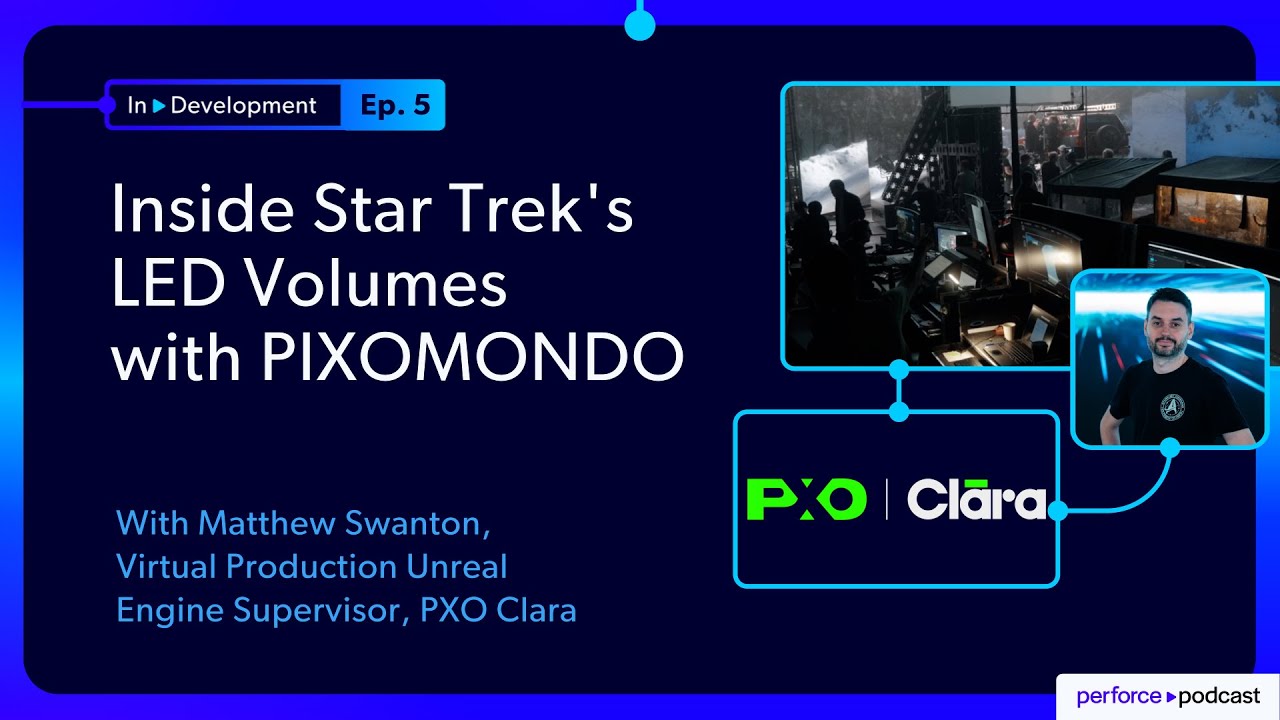
In this episode, Jase chats with Matthew Swanton, Virtual Production Unreal Engine Supervisor at PXO Clara, who pulls back the curtain on what really happens when you're trying to deliver final pixels on a film set where every minute costs thousands of dollars.
Here's what you'll learn:
- The accidental career path: How modding Grand Theft Auto: Vice City at 16 became Matthew’s unlikely foundation for a virtual production career
- When virtual production actually works: Why Star Trek: Discovery Season 5 hit 90%+ in-camera finals (and what that really means)
- The $45GB mistake: The moment an artist's innocent update nearly derailed an entire shoot—and how they fixed it
- Robomerge to the rescue: Why PXO Clara split their Perforce workflow into studio and stage streams, complete with hashtag automation that actually works
- The performance puzzle: Rendering three high-res screens simultaneously on one computer (spoiler: it's harder than it sounds)
- Creative translation: Why "make it darker" is never just about making it darker—and how understanding story intent changes everything
- Beyond the hype: The honest truth about virtual production's limitations, and why LED walls won't replace green screens
This isn't your typical "virtual production is magic" interview. It's the real story of innovation, collaboration, and scrappy solutions that make cutting-edge technology actually work in production.
FEATURING
Jase Lindgren
Senior P4 User Advocate
linkedin.com/in/jaselindgren
Matthew Swanton
Virtual Production Unreal Engine Supervisor, PXO Clara
linkedin.com/in/matthewswanton/




Check Out More Episodes...
Ready or Not, Here Comes CI/CD: Build Systems for an Indie Sensation
Stephen Post, Technical Director
VOID Interactive
From Maya to Unreal: The Story Behind Nickelodeon's Max and the Midknights
Sica von Medicus, CG Supervisor
Nickelodeon Animation Studios
Fail Fast, Fix Faster: Pipeline Wisdom from Halo Infinite to Virtual Production
Luis Placid, Engineering Director
ICVR & Shiftstorm Entertainment

Full Transcription
Welcome to in development, where we explore the technical realities behind today's most ambitious digital experiences. Each episode features candid conversations with technical directors, pipeline specialists, and digital creators who share not only what they've achieved, but what broke along the way and how they solved real production problems under real pressure.
Today, I'm joined by Matthew Swanton, a virtual production Unreal Engine supervisor at Pixomondo who's worked across multiple Star Trek series and has one of the most uniquely qualified backgrounds in this space. In this episode, we talk about what really happens on a virtual production stage, not just the marketing hype, but the tools, the pipelines, and the onset workflows that make in camera final pixel actually possible. Matt breaks down the surprising challenges no one mentions in the hype reels, including the workflow mistakes and the system Pixelmando built to avoid those.
We also dig into new frontiers, interactive LED wall experiences, unexpected uses of nDisplay outside of filmmaking, and where immersive storytelling might be headed next.
And stick around to the end because Matt has some fantastic advice for anyone trying to break into virtual production today as well as the skill sets that are really needed in this industry right now. And with that, let's get right into the interview.
Matt, thank you so much for joining me today.
Thank you.
So to start off, could you tell us a little bit about what it is you do now, and then we're gonna go back in time and start before that and work our way up to now.
So I am a virtual production Unreal Engine supervisor. I am the onset expert in Unreal Engine.
We at Pixel Clara do something called virtual production. Now, virtual production, it's it refers to any kind of onset filmmaking that involves integrating technology with it. For example, John Favreau for Lion King CG movie did a form of virtual production where you had a motion capture volume with with camera department, walking around with cameras and they were able to virtually scout and virtually frame up shots. So that is a form of virtual production or there's another form of virtual production where you shoot on green screen and live replace the background.
But the type of virtual production we're doing is referred to as in camera visual effects or onset production where you have a giant LED wall wrapping around the actors. And projected on that wall is not a movie or a video clip. If you ever seen the very first James Bond movie, Doctor No, there's a scene with Sean Connery driving on the car clearly on a sound stage with just a video projected behind him of a car and it's not very it doesn't look right. It's not in the right perspective.
On that screen behind them is not a video that's being played back, it's the Unreal Engine.
And we are tracking the camera using a motion capture system, just like you would seen with normal performance capture with tracking a person wearing a suit with balls attached to them. But we aren't tracking a person, we're tracking the camera. So we know where the camera is and we're able to reproject the background so the perspective moves and is prospectively correct. So when it works and everything it's a difficult thing to get it to work perfectly, but when it works, it doesn't look like they're in front of a giant screen. It looks like they're in an environment.
Yeah. Totally. There's been some amazing examples in recent years. Things you'd see and have no idea until the reveal that this was on an LED wall. So it's been really cool. This is something I've been really interested in the last few years, and I've been on some sets, and I've learned about this as well. So I'm excited to get to dive into it a little bit more with you and talk about it.
But I wanna travel back in time just a little bit with you before we get into what you're doing now, what's your toolkit, all of that. And how did you get to this place? I know you're saying virtual production is not new because it's been done in some way for a long time, but the current thing we refer to as virtual production is very new. And it's been an industry where it's hard to find people with expertise in it because it's so new. Everyone's having to figure it out as they go. So how did you end up here?
Correct. The first show to do this kind of technology, this kind of virtual production where you're shooting on an LED wall in real time, probably would be The Mandalorian with Jon Traver again. It was bringing together a bunch of preexisting technology to do this. But you're right, Up until then, there was no reason for someone who knew how to use Unreal Engine or game to have a real time technology on a film set.
And my career path started out well it goes all the way back to when I was sixteen years old and playing Grand Theft Auto three Vice City. And then finding out that if you have the PC version of the game, you can mod the game and put custom vehicles into the game. I'm a huge fan of the movie Back to the Future. I own a DeLorean, so I was modding DeLoreans into the game.
Nice. And that's where I first learned about three d three d the basics fundamentals of three d models and game engine techs. And what I was doing at the time without realizing it, it was that I was being a technical artist.
I'm so compelled by creating the three d art itself or the assets, but rather, how do I reverse engineer the game engine? Have an understanding of it? How do I better integrate this asset into the game and make it have all the same features?
So that started my career path to go down the route to be a technical artist and went to school. I have two diplomas in video game development. And it's also where I learned how to use version control for the first time. Nice.
Introduced to Perforce, a very old version of Perforce. And of course, back then, being a young student, like, why would you use version control? Why don't you just zip file everything and just throw it up on Google Drive or whatever? Of course, it's not till later when you start working in a larger team is when you realize that version control is so necessary.
Right. Yeah.
I wasn't able to land a job right away after graduating. And bunch of my peers got hired at a stereoscopic conversion company. While it still happens there's well, now, but the fad has died of going to theaters and and watching three d movies where you put on the glasses. Yep.
I did that for three years and I was a compositor. And the easiest way I can describe compositing is a video Photoshop. You split apart the background, you do keying, green screening, green screen replacement. You're the final cook that gets all the ingredients and puts it all together before it gets shown onto the screen.
For the first three years, it was stereo compositing, so I was just putting things into dev. After that job, I got that skill set because I was still using the the same fundamental. They taught me to be a compositor. They taught me how to use Nuke.
They taught me the skill set that I need to become a traditional visual effects impositor. So that's how I got into Pixamundo as a visual effects impositor. Now, Pixamundo is a award winning visual effects company. They've got offices all around the world.
I joined the Toronto studio. And it's also where I got to work on Star Trek for the first time. I worked on season two and three of Discovery as compositor.
But compositing was something I was good at, but it was never something I was in love with.
Every shot I worked on was a test I knew all the answers to. It's very boring to roto no matter what character you're trying to roto. Right?
Sure. Sure. Yeah. Rotoscoping is never anyone's favorite thing to do.
Remember, on a particular shot, spending, like, three weeks rotoscoping a character and it's, like Yeah.
That's the worst.
But, obviously, I had this all this background in real time technology and video game development. I was still doing the game projects on the side.
Was ready for a new challenge for the next step in my career.
And of course, when the pandemic hit, that's when we all transitioned to working from home. I was, like, isolated at home, now working not being able to talk to anyone, just working on the work that I'm not in love with.
But then, Pixamundo announced we were building our first LED wall, the first production stage here in Toronto for the upcoming fourth season of Star Trek Discovery powered by Unreal Engine, and that's when I went to hell of compositing. That's where I wanna be.
So is it like you heard this announcement and then reached out to your managers or whatever, and you're like, I gotta switch over there. I gotta get in the Yeah.
That's exactly what happened. Took a little while, but eventually, they needed some other operators come on to set because there's a lot of notes that can come in and they need multiple people operating at the same time. So they try to bring in the compositors, people have that got that artistic eye, which is why the six years composting was very valuable. It gave me skill set that I needed for this job and so several people would call me, like, a unicorn, like, qualified.
Right.
Every almost everything I did was like a step on the way to this job. I came on set and then I started to intentionally show off that I know all these things about Real Engine, started solving a bunch of problems. So they kept asking me to come back, so I became unreliable as a comp artist. So they stopped assigning me work. And they're like, why don't you just stay here at the stage? And I'm like, that was the plan the whole time.
Nice. Well done.
Yeah. So that's where I've been ever since. That was about twenty twenty one. And here in Toronto, we are now filming, I think, eight seasons across three different Star Trek shows.
Okay.
Star Trek CBS and Star Trek is our main client, but I've also had the opportunity now to fly around the world. I've been the lead operator on nine stages in five countries.
Wow.
Awesome. Okay. So I love this because this is such a good reminder of how all these different skills that you pick up along the way can end up paying off and applying into one job altogether.
So now that we've caught up to working in virtual production, could we take a moment and talk about what is the tool set that you're using day to day now? In terms of what software tools both for actually making the stuff on screen as well as getting it there and managing all of that, the pipeline, kinda anything that comes to mind of what is the diverse set of software that you're using on a daily, weekly basis.
Okay. So this is an interesting thing coming from a VFX background. I've had discussions around this because we still have a visual effects studio side of of Pixomundo and then we have Pixel Clara, which is specifically focused on the virtual production side of things, building, deploying, operating LED walls. And it's interesting to come from both and to talk with people from both. When you talk about a VFX pipeline, I describe it more like a car manufacturing where you have this unit of production that goes through an assembly line of departments.
Whereas, us in virtual production, I describe it more like a construction site. We're almost showing up to the same job site to build this thing. We all have our own individual specialties, but we're all working on the same thing together. And that job site, that construction site is Unreal Engine.
That's where we're all going to. It starts off with our virtual art department. They're the ones who are building the content. We have our own virtual art department, but we also work with external vendors as well.
And of course, they're using all the standard software to create artistic assets, the Photoshops, Substance Painter, Maya, to build three d content. Of course, it's all being funneled into Unreal Engine. And of course, with version control, that's where Perforce comes in because we have people working all over the world, different time zones, all needing to collaborate together. And then that comes stage side.
And aside from Unreal Engine stage side, we also have our motion capture software. It depends on different stages. We've used OptiTrack and Vicon on both our stages for the motion capture software.
Okay. I'm curious real quick for the virtual art department. When they're creating things, are they also the ones in charge of bringing those models, animations, simulations into Unreal and making sure everything looks good there and is set up properly? Or is there a hand off to a separate department that does the actual integrating and setting up materials and everything in Unreal?
I think we normally have a lot of generalist, people who are experienced in Unreal Engine. We will have asset artists that will hand stuff off. Our virtual art department artists are the people that are inside of Unreal Engine bringing stuff together, doing the materials and final integration.
A lot of we have a lot of very talented artists who do that. We do have people who are specifically dedicated towards lighting, which I think is one of the important things to make an environment in camera final ready.
So we do get our lighters to do a pass at those environments.
Yeah. Because the lighting's not working. And you probably also have to make that lighting flexible, right? So if the director changes something on the day while you're filming, that the environment's able to adapt to match that. Because otherwise, you get that weird problem where you film something on green screen lit one way, and you're given footage to put in that's lit differently. And it's just hard to make them look right together.
That's one of the advantages of shooting on an LED wall, is the fact that you have the creative stakeholders involved with the creative process very early on. We're designing an environment that the actors are going to be in. And rather than shouting into a void into a green screen, you can immerse the actors into an environment. Unlike, say, on a green screen where you have no idea what what it's going to be. The DP has no idea what this environment could be. They could make it anything, so he lit the lights it in a certain way.
But of course, later on, they decide, oh, we're gonna put this entire scene underwater, and, like, it's not lit for that.
That would be a big change.
That would be a big change. And so you gotta relight everything.
But part of my job as a lead operator is that before the actual production happens, we're doing these milestone reviews where I'm getting the work in progress versions of the environment sent to me stage side to do technical assessments. I want to know that the environment is set up in a particular way that will support the creative process.
As you can imagine, how we use Unreal Engine on the stage is very different than how you just boot it up on your computer. This is actually accomplished by a cluster of computers.
We have some of those computers that are operator stations where we have the editor open, and then we have our cluster of nodes that are rendering the content on the LED wall.
This is possible from a feature called nDisplay. It allows us to split up the rendering across multiple computers in order to hit the resolutions that we need. It also give us access to features that make virtual production possible such as we call them the frustums. They're these little these high resolution windows that the cameras look through and a bunch of color correction controls. And the other feature that makes virtual production possible is called the multi user server that allows us to all connect together, be in the same session together, and as we make edits and changes, they are all synced and happen live.
Right.
So that's what allows us to do this. And you're right, there are onset changes on the day and we will get notes.
But one of the challenges that we have with virtual production is the fact that we're pushing a lot of pixels, much more than a standard video game. And that's one of the comments I've had before, a virtual art department artist, I'll load up an environment and we're not performing. We need to hit a frame rate target of twenty four frames a second because that's what we shoot at. And they're like, but it runs fine on our computers.
Yeah. The difference is here.
Yeah. I know.
Two k or something. Yeah.
But the problem is that we're rendering not one screen, not one monitor. We're actually rendering up to three of them at the same time on one computer. So that's where the challenge comes in of why can't we turn on all the bells and whistles because we're pushing a lot more pixels at the same time.
Right.
Part of what we've had to do is a workflow where a lot of it is faked down, but we still leave breathing room. We want some flexibility there because, yes, we want to support the creative process on set to be able to, as I call it, dial the reel with the unreal. We have something called a pre light day or a blend day where we will get to the DP and most of the crew on set to get the cameras up and get the environment up, start the lighting process and start that dialing in because on a shoot day, there is there's too much work to be done to just wait to the shoot day to do it. And when the environment is performing and they're happy with the environment and we have our pre light day, it's part of the steps that are taken, the golden standard that we have, that when we arrive on the shoot day, it's actually can be very boring because the environment's looking great.
Like the goal is that it be boring on the shoot day.
Yeah.
Goal Yeah.
Yeah. Because Nice.
We're showing up the set to execute on the plan of what we've agreed upon. We've already looked at this environment, it's already looking great, it's already looking performant.
There is a spotlight that shines around the set, and sometimes that spotlight shines on you.
So it's your time to go, and, yeah, we'll get a flood of notes coming in, or we have to do a bunch of part of lead operators to make sure that those frustums, those hot real windows are up.
Looking at making sure we're ready to shoot with all the dialed in settings that are correct.
And then but once I start rolling, hands off keyboards, and we let them shoot.
Nice.
So let's get into some of the more specific challenges that come up with this. This all sounds so cool, and if you watch any videos on YouTube talking about virtual production, they always really highlight just how amazing it is, how you can change the time of day, how it's so flexible, more creative, better for actors, all those things. But we all know if we've been in this industry or any creative industry, there are a lot more challenges along the way there. And so what were some of those key ones that have come up along the way that maybe you didn't expect when you first got into this?
Okay. Yes, definitely. It was a challenge to figure this out. Trying to figure out from the early days of when we first started doing this, making a lot of mistakes.
What I will say is that our goal in Pixel Clara is to get in camera finals. Meaning, what we shot through the lens is what ends up on screen. It doesn't get replaced afterwards. And that's a very difficult goal to achieve.
And sometimes, I describe it every shoot you work on as a freight train coming down the tracks at you.
That train is arriving in the station whether you're ready for it or not. And so you try your best to accomplish the goal to be ready and to execute in the time that's allotted to you. And sometimes, it works out great, sometimes, not so much.
So we've had success, I would say, on a majority hole, more success than failures. But it is hard because filmmaking is hard. Even in regular filmmaking, one of our DPs has also done a podcast where he talks about, yes, he can look back on some of the work he's done. I wish that could have been better. I do that with the work we've done. So virtual production is filmmaking, it's just another form of filmmaking.
There was a lot of initial hype around it, around that it's gonna replace green screen, we'll never have to shoot on green screen. You don't even have to shoot on set anymore. A lot of hype around that. Oh, it's just another form of filmmaking. It's got some limitations. And if you work around and within the limitations of shooting on LED walls, you can be successful with it. And we have been successful.
And I would say the majority of the stuff that we've shot on Star Trek has been in camera final.
Yeah. I wanna talk just for a moment about what that means. I feel like there are two sides of misunderstanding with this. So the one is that whenever people talk about virtual production or when we watch any featurettes of even the earlier virtual production shows like The Mandalorian or whatever, it's all this.
Look how amazing it is we did this LED wall problem solved. When the people then who are in the industry actually realized, no. Actually, a lot of that had to have a lot of post production VFX done to clean it up. And then on the other side, we get the people who then still believe that virtual production never is final pixel straight out of the camera.
Yeah.
They think, oh, it always has to be rotoscoped because maybe they worked at a VFX studio where we had to fix all of the bad virtual production that they did, basically.
Yeah. So virtual production is hard. Filmmaking is hard.
And I would say that in order to be successful in getting in camera finals, it is the responsibility of everyone to work towards that goal. And when you have the entire production, which is the DPs, the director, all the creative stakeholders, the camera department, set deck lighting, and the production includes us. We have several names who are at the volume control team, the brain bar. And when we all work together, that's when in camera finals happened.
But still, it's very challenging. For example, some environments are much more easier to shoot in car shoots, like, you're just shooting out, you have a window that you're looking through and that's where the LED wall is. As opposed to environment where you have actors standing on a set that has a physical set where you need to start blending the floor.
Much harder to do.
Much harder to do.
What I was getting at is I guess, wanted to get to, like, how is final pixel in camera actually possible, and is that becoming more common? When you and I talked about this earlier, you emphasized that final pixel in camera though is accomplishable. It is possible, and that's the goal that you always have in mind. Challenges come up along the way, but that is actually the goal. And is that true? Or today in virtual production, are we actually getting final pixel a lot of the time and not having to go rotoscope that and replace that in post?
That is true. That's what we accomplished on Star Trek. I believe Discovery season five was an awards of ninety percent in camera final Nice. From what I remember. We had an internal target of sixty forty when we first started doing this. That would be our initial goal.
But I think we started on every season, we were we were beating that Raise that bar.
Nice.
Raise that bar. Because like I said, it's hard and you try your best to be ready. There are many things that can go wrong.
Some of it is on maybe the version production side related to performance motion capture.
There's definitely glitches that can happen on our side. You learn your lessons a long way. One of the things that I do is creating stage reports after every environment.
You learn from those mistakes. You document what happened to win some successes. So next time, you can learn from that and do better.
What would be an example of something that would be in a note that then you'd be able to apply next time?
So one example of that is, you're gonna do that kind of virtual production where you have a floor blend, where you have an extension of the floor, if that floor on set has a reflection, it's gonna reflect to what's in the LED wall. And so some decisions like that of what happens on the practical set, it will affect whether we can blend or not.
Got it. You have to build the set with that in mind.
You can't just build anything and So that's good example of the collaboration that needs to happen between art department and virtual art department to have this feedback loop of what's happening pictures and scans of what's happening on set to replicate that in the background to make sure our floors match.
Yeah. Okay. That makes sense. And I think about a show that I like to bring up often about virtual production, Our Flag Means Death on HBO.
And with that, they're all on a ship most of the time. So having this big wall around them, one, enabled them to film stuff on a ship that would be hard in real life, right, without doing it either with green screen or with that. But then also, it means that they don't ever have that problem of having to blend the scene, right? Because it's the ship, and then the world is far away from it, right? The water's way down below, the sky's out in the distance. And so I do think that's in some ways, like the ideal setup you could have for not having to worry about that seam on the ground.
You can build sets like that that have a design element that will separate the rail from environment and that is a helpful thing to do.
That's exactly for being on ships and in a car shoots when you're inside a car. That does make things a lot easier.
Yeah. Oh, that makes a lot of sense.
So I wanna move on to some of the other challenges that come up. There's the technical issues of performance and how you design your set, like the creative collaboration that needs to go into getting final pixel and having a successful shoot. What are some of the other challenges that come up more from the technical and pipeline side of things?
Gotcha. Okay.
Maybe things you didn't expect at first, especially.
So when we were first doing this, obviously, we're using Perforce, and one of the obvious advantages that we need this remote collaboration between people potentially all over the world, different time zones, all collaborating together under the same Unreal project that does need to get delivered to the stage.
Some of the early challenges that we had was related to the fact that we were all working in the same depot together. And two challenges that came up with that was the fact that whenever someone made an update or made a change, it meant that we had to take it. We had to sync it down.
And this also created a problem if we were went to persist something. We went to save our changes. Like, we went to save something, and something checked out, something's not ahead revision.
Meaning meaning, like, you'd gotten notes on set and had to make a change Yeah. Exactly. While you're there filming, but then you're not able to submit that back because Yeah.
So we've had we've had Yeah. We've had this experience where we're literally live on set, and I call it the polar opposite of working from home in your underwear. And so we're live on set with these creative stakeholders, and we're doing work.
And, like I said earlier, we were in a multi user session. It's where most of our changes are happening. But at some point, we need to commit those changes. And we also need to do that to shut down the cluster, update, sync our changes, grab updates, and relaunch again. But of course, we're going to do so, and things are checked out, things are not ahead revision. So we can't check things stuff in. We're losing work, which is a big problem.
Yeah. Yeah.
But also, it's causing us to sync down a large updates when it's not the opportune moment time to do such as the time I was on set. We're relaunching into another environment. I hit the sync button, and an artist not really knowing that we were filming had pushed a very large update on us. I think a forty five gigabyte update on us. So now, we're moments away from filming, and now I'm pulling down this forty five gig update.
And you're just having to say, hold on everybody, just wait.
It's gonna take a while.
Yeah. For thousands of dollars a minute, that's a rough thing now to say.
So that was one of the early challenges to have is that you've got this team that you're delivering to that is and I would say priority, and also needs to make sure that we need to schedule when our updates are happening. We need to always be able to persist our changes.
And one of those solution we did was, obviously, we need to have separate depots. We need to a studio version and a stage version. It is what happens normally with game development, software development. You have a beta and release branch.
And so we've implemented a script. I think it's from epic for called RoboMerge where we're able to the way it works is I describe it as turning on and off a tap. When we have the tap open, updates are flowing. We get the updates from the studio side, and then we can close the tap and stop receiving updates, and then we're isolated in our own depot.
We're always able to persist our changes, and we can choose when we're pulling down updates. So that implemented has definitely fixed a lot of our so a lot of the early problems that we had, And we've also had challenges even after we implemented it in with that as are there stuff we want stage sides that we don't want studio side? Because there is definitely times bunch of setting stage sides that the virtual art department doesn't care about.
And perhaps, we're making versions of the files for stage sides. So we did experiment with filters as well. If you put underscore stage in a file name, do we want that filtered and not come to the stage?
That way again, the the idea of not losing work, if put a tag underscore stage on it, then it won't go back into the main line that the virtual art department is working on, you mean?
Yeah. The idea was is that if there's a particular file because one of the things is that if we unlock the tap, we will flow over updates, but they will get stomped over. If I worked on a file, it will get a new revisions. But the thing is, I haven't lost the work.
I just need to go back in time, which is Right.
You'd have to go and reintegrate those from the history.
So you still have them, but It's a bit I still have them.
But if there was a file that I wanted that would never get touched, I could potentially put a little tag in there, like, underscore stage, and then a filter would filter out any of those files coming in. But then we had problems where as we're working on environments, they're sending files over to test and okay. We'll make these couple different versions.
We'll have this version, but then I'll put an underscore stage for the stage to try out, and then I don't get that file because it gets filtered out.
Okay. Yeah. Yeah. It opens up too much opportunity for Yeah. Human error So there's an automation like that, or I don't know if that's human error or just, like, the filter isn't able to selectively be turned off and on as easily.
Yeah. So it is an interesting problem that we have is that when do we want updates and when we don't. Yeah. What do we want to filter and whatnot? And another example of a workflow is we'll have different versions of the environment. We'll have a day version, a night version. And the way we can work inside of Unreal Engine is that those versions, those lighting scenarios share content, share levels.
That way, do a note in one version, it's also addressed in the other version.
Got it.
So, like, you just to put this in more concrete terms inside of Unreal, does that mean then that you're working with a level streaming inside Exactly. And then you We have different sub levels, and there'll be a level for effects, level for geo.
And some of those will be shared between the different lighting scenarios, but then we'll have a sub level that is just where all the lighting is, and so that's what's different.
Got it. So if you move something that's in the actual layout of the set, that applies in both.
Yeah.
But that's separate lighting levels for the different lighting elements. Is super helpful from the VAD point of view, because if you're getting a note, you you dress a note much.
And you get consistency. You're not gonna accidentally shoot the night scene and something's different and fans pause the DVD and notice it.
But then stage side is then you'll have here's a fog element that is shared between two versions. And so we load up the day version, adjust it, go to the night version, adjust it for night. And then, okay, we're going back to version, we go back to day version, and the fog card has now been adjusted for night.
So that's another example. Consistent. Yeah. Okay.
Yeah. So that's an example of a struggle that we've had is when do we want elements to be shared and when do we want them to be split.
What's been the solution you come up with so far for that?
It's a classic case of we want it shared until we don't. Okay.
And normally, for us, stage side is that we're making different materials, and we're keeping track of that, and swapping things in when there's shared elements.
Got it. Is it something where you would make new sublevels to put in the shared things versus non shared things?
Yeah. That is the other workflow that can end up working as well. We don't we typically make a sub level for every lighting scenario, a little blend level. That also is the part of the workflow of Stages Studio side, is that if we're adding actors, especially as we're doing whip work, we know that these updates are flowing. That is going to update these files and if we put something in there and might get stomped over, so we'll have a little blend level to put all our new stuff in.
And that way Got it.
That's a file there. That's a level there that we can preserve as the updates flow through.
It's interesting that you mentioned robo merge because that's something that comes up a lot in conversations with game dev studios. But I actually was not aware of virtual production studios also using Robomerge. Do you know if that's common within virtual production? Or is that something that you came across because you had that background with Unreal and game dev?
It was definitely implemented to solve the problem Okay. Of of the isolation between the two streams. And yes, it does come as a need for game development as well.
I think that the lesson of having separate depots is separation has been something that is probably standardized Yeah. Across most of virtual production.
Yeah. And you don't mean separate depots, but just separate streams within a depot.
Correct. Yes. Separate studio versus stage. There might be more than one way of doing this, of having these separate streams and heck, keeping them up to date.
Robomerge also is supposed to do some kind of intelligence of trying to tell, like, when it should stomp something or when it should keep a change. Are there any features like that that you're taking advantage of in this case? Or is it just everything from studio stomps what's on stage unless we go back and revert it or something like that?
It's designed to do that initially. When we unlock the tap, it's normally the case that we want whatever the studio has. Okay. As we're working on an environment, as we're pulling down updates.
But the other advantage of locking off, this is another challenge that we had.
We use some hashtags to auto stop stop and start the robo merge. And one of the tags is hashtag stage ready. As they're working on an environment, we will do onset reviews where we will be presenting the environment to a client. Okay.
And they will work on an environment and then put this hashtag stage ready. And that will auto lock the robo merge for us. So when we sync, we will get that version. And the reason why that's important is because before we had this implemented, they would do a version that, like, we intended this change list to be the thing you present.
But then they keep working on the environment and they break stuff.
So then you're doing a demo and some stuff's not And then we pull down the latest thinking, oh, that's the latest.
Let's grab it. And then we present something that's broken.
Yeah. Yikes. Okay.
So the hashtag system, the stage ready system does allow us to at least studio side to auto lock off for us.
So when we're pulling something down, we are presenting the change list that's meant to be presented.
Nice. Okay. Yeah. I like that.
Yep. And then we also have the opposite that can happen of studio return where I can if we've done stuff stage side, send it back to the studio.
I see. Like, if you put into your change list description, like, hashtag send this to the studio or whatever the command is, that then it'll do the same thing the other way?
Yeah. Exactly. Sometimes on our blends and pre light days, we will do a whole bunch of work.
Blending, dialing stuff in, adding new stuff. But then we realize, oh, there's this asset. There's really a lot of work that needs to be done back at the ranch, back at the studio.
I see.
Stage side, we don't have all the digital content creation softwares. We don't have Max or Maya or Photoshop up. We just have Unreal Engine. There are times where I will send back all the work that we've done. And so they have the latest, they can see what we've done, they'll address the last minute notes, send it back to us just before we start shooting.
Nice. And then, what are you using for communicating those notes back and forth?
Mostly, we do have our own point. In the change list descriptions, we do have, obviously, putting in the change list what's going on and being descriptive of what those updates are and putting hashtags really help out to illustrate when something is important. Most of the time, it is communication through teams and Zoom and hopping on calls with our supervisors and our teams and giving the notes that way.
Okay. So you do have to really get together and explain the nuance. It's not so simple as just change this texture resolution or something that you can add in a comment or a note. Yeah, exactly.
Yeah. Okay. Got it. Got it.
Which is something that is very important in virtual production, think, also. You might be given a note to make something darker, make something brighter. One of the very valuable things that we learned on set was to try to understand what the goal is, what the artistic where are they trying to reach to.
Right.
They might have this note to do something, but it is really helpful to understand what the DP is trying to do or the whatever creative stakeholder is on set.
And normally, that decision is all tied to what's a story about. And that is what the art of cinematography is. That you're making these decisions about how the camera's moving, how a scene is lit, not just the characters, but also the environment as well, all under the context of what's the story being told. And like I said, that is the what the art of cinematography is. And so trying to understand what the story is, what's going on, and what the goal of the creative stakeholder is, what they're trying to reach to, so we can help with that. Because sometimes, they'll give us a note and we're like, okay, what do you really want? And we realize, okay, okay, we'll do the note is not what you really want, we'll do this other thing to get you there.
Yeah. Yeah. That is a key part. And I think that's why it's so important to have a team of people with that kind of creative sense, right, and are bought into the creative vision.
Because if it was just someone who's give me a task, I'll just check the box and say it's done, you're gonna end having to go back and That's one of the very one of the one of the roles of another person one of the roles we have on-site is a virtual production supervisor.
I get to work with someone who's very good at this. His name is Owen. And the virtual production supervisor's job is to get on the same page with the creative stakeholders, to be involved with creative process very early on. Owen has a background in filmmaking and is really able to speak that language and understand what they want and be able to translate that to the rest of us technical people. And, okay, this is the creative goal, and then I can figure that out in Unreal Engine. Okay. How am I going to get there?
So one last thing that we wanna talk about real quick before we get into some tips for your past self and sort of for people starting out in the industry is we talked earlier about some ways that people are looking at using this nDisplay technology, like you said, of having this multi user session and using nDisplay to render on multiple machines in these gigantic resolutions you couldn't do otherwise, but that are not just normal game dev, and they're not just virtual production. Can you tell us a little bit about what's happening there just because that's cool and new?
Yes. So one of the things that nDisplay can be used for aside from this context of filmmaker on LED walls, It's a technology that allows you to, of course, render content across a cluster of computers because you need multiple computers with multiple video cards to reach the the resolution that you need. It's too much pixels to push for a one Yeah. One video card to do it.
Interactive experiences and display is an applicable technology. And I think the biggest example I can think of is the Spear in Las Vegas. It's got an n display setup. But also, little smaller venues of interactivity as well, where you can have multiple screens, multiple computer setup.
So while you're not filming it with a camera, you are integrating it with actual video games, like video game controllers and actually interact with it or having some interactive touch elements to it. And I think it's the advantage, it's the same idea why we do it in virtual productions, immersing an actor into an experience. It's the same idea of what they're doing at the spear, immersing you into this world. It's not just while this music is happening, or in the case of an interactive experience of a video game where you're being immersed into this world and not just necessarily staring at a screen, you feel like you're present and there.
I remember watching a tech demo from a few years ago where they were shooting on an LED wall, and so they had this kind of a like a catacomb type of environment that was all dark. And then the actor had a flashlight in their hand that had motion tracking stuff on it. Yeah. So they were able to track a light source into the three d scene so the actor could actually shine their flashlight around, and it would illuminate what's actually happening on the wall that's happening in this virtual environment. And it was such a cool example of blending that line of who can interact with what, of allowing you to interact with the things that are outside of the real world.
Yeah. Definitely. We call it the flashlight gag. It's one of the very early things you will do, aside from tracking a camera, tracking a flashlight, because it's really good for storytelling.
Because the purpose of what you're doing in that flashlight is to reveal something that you can't see otherwise. So it's really immersive to have this screen, have this interactive flashlight. You're plunged into this very dark environment. You can't see stuff unless you're shining that flashlight around.
I feel like this is such an interesting area where I I think there's a lot that could be done here too. If you're doing markerless motion capture and people are playing a game on one of these large stages where it's able to react to their actual physical person. I think there's a lot of potential in this area, and I'm excited to see where we go with it.
Yeah. And it's an alternative to doing virtual reality instead of strapping on a headset, because we've had that idea before. I think it's very valuable in camera visual fix. What we learned very early on was to do stage side reviews.
The end goal of what we're doing is to project this content onto an LED wall. Different panels, high dynamic range than your standard monitor. But also, coming stage side, you get to see it projected, you get to walk around the space, you get to have the different departments come together and start talking with each other of how this is all going to work. And what you're doing is a form of virtual scout.
And they're the ideas before, let's ***** ** a headset and they can walk around virtually. And instead of having them strap a screen to their eyeballs and having an outside in tracking system where the headset is tracking them from the outside. Why don't instead, we put the content on a giant LED screen, and we'll do an outside in tracking system on top of the panels, and have them walk around just normally, with a tracker. And I'm like, that's exactly what we have in LED wall.
We've already done that. We've already got that technology solved. Yeah.
And so again, with this immersive experiences thing, it's an alternative to to shopping on a VR headset. You can actually be present in the world.
I was at a virtual production stage here in Seattle. The guy running the stage was talking about how for being able to quickly move things around, like, the root position of the scene, he'd hooked up an Xbox controller so that you could push that and move things around. And we were both standing out on the stage. He's okay, brace yourself. And he pushes the stick to move the whole world around us, and both of us almost completely fell over because it's so disorienting when the world moves around you.
Yes. Which can be very disorienting. One of the things that on a verse production stage, you can be a little bit nauseating at first. I have heard that from some actors on set.
Sure.
Never never had someone throw up on set.
That's good. I do think you get used to it, but it's an example of something where everyone works together to make this work.
And interactivity is something that I have been wanting to push forward a lot. I also have done test with getting a controller to do interactive stuff on the wall, Because very early on, our environments were very much just matte painting, static matte painting from the background. We found very early on is the more life you can get into it, to the more the fact that this is a real time game engine, and that you can put stuff in the background and have some life there. Whether that is something you can queue, whether that's just looping in the background, but also getting into stuff that we can interact with live and actually do some live queuing on set. Yeah. That is one of the powers and one of the cool things you can start doing in virtual production.
That comes after, of course, you can get to the point where you can get in camera finals.
As I've said before, it's difficult to reach that. There's a lot of things that have to be done, a lot of collaboration, a lot of workflow that needs to happen. But also, from a technical side of things, an LED stage is a very complicated set of hardware and software that all needs to be configured correctly for this all to work. So that's another challenge on the way to getting in camera finals.
Yeah. I just love virtual production. I think it's so cool, especially because, like you said, there's all these things where, oh, we could do that too. Oh, we could do this. It keeps growing. There's a lot more to explore there, and I just think that's so neat.
To wrap things up, I want to ask a couple questions. The first one is for yourself, thinking about you. And let's say from the point that you're entering this virtual production journey, so around twenty twenty ish, like you were saying, Is there anything if you could travel back in time to give a tip to yourself around that time? Is there anything that you would give to yourself about how to proceed, how to develop those skills, anything like that?
The advice I would give to myself, in fact, this would be advice that I will start to give to those who've asked how do I get into this industry. There are times in the past where maybe I was working as a compositor, or even before I was working compositor back in the days when I was working at Walmart before then. Of course, wanting to get into this industry, I do consider this my dream job. But I think that every step along the way of my career was progress. Even though at the time, may not realize that it was progress. The six years I did compositing was helpful in this, not just on the way for me to get this job but also helpful in the job as well. Looking back in the past is that just because you're not doing the thing that you want to be doing, it's still valuable experience and still valuable skills to be gaining along the way.
Absolutely. I found that to be true myself as well.
And then the second question I have is what tips or suggestions or things would you have for someone who is just trying to get into this industry right now?
The education industry is definitely ramping up in terms of trying to teach virtual production. And in fact, we at Pixomundo, Pixel Clara have started up the Virtual Production Academy where we've teamed up with schools around the world where we've developed the course content to start teaching how to do this. And there's been definitely several micro credentials along the way. The colleges have started up to start teaching how to do this.
And so definitely check out what's available in the area.
So Virtual Production Academy is what you said that's called? Is that something people can do on their own, or do they have to find a university or somewhere that's gonna take this Yeah.
It's a partnership with different universities, which we partnered with several of them, I think, around the world. Right now, we have course for a virtual art department, and I've been working on one for stage operations as well because we definitely need people who can do this.
Yeah. For sure. Like I was saying, it's still a shortage of people with these skills because they are new and unique.
I've been working with a lot of universities recently too as more and more are realizing these skills are important and not only that, but that they get students jobs of having these kinda specialized but not so specialized skills. Because these also cross over into if you want to do game dev, or if you want to do live entertainment shows, or Exactly. Interactive experiences.
I will say that being on set is not for everyone. There are definitely people who come to set who don't enjoy it. It can be very long hours and it can be stressful at times. But if you're like me, who feels like there's someone who is an advanced or expert person in knowing Unreal Engine, and you're bored and you're, ready for the next challenge, you really want a job that will challenge you, and you want to prove yourself of your expertise in Unreal Engine or maybe in motion capture, becoming an operator on a virtual production stage will put you to the test. For me, that's part of the fun of the job is that every new environment that I work on is a brand new set of problems to solve. I'm not just doing the same thing over and over again.
Yeah. I love that.
Thank you so much, Matt, for joining me today and for sharing all of this. Everyone, look out for new seasons of Star Trek. Go check those out. You said you're working across multiple shows, so your work is all over the place.
You can probably check out my IMDB. I have a huge IMDB that can show you the bunch of the stuff that I've worked on, both from back in my compositing days, but also from all the virtual production stuff.
Thanks so much for joining me today, and hope to talk to you again soon.
Hey. Thank you, Jakes.
If you enjoy this kind of in-depth conversation with leaders in the media, gaming, and visualization world, be sure to subscribe so you get new episodes as they come out. Subscribing and giving a review or rating is the only way that we know you enjoy this content so that we can keep making more of it. Reach out to me via email or LinkedIn with feedback, guest suggestions, or to connect if you'd like to be a guest yourself. I'm always looking for great stories, and I love learning about the many ways game and real time technologies are being used today. Links for that are in the episode description. Be sure to check out Perforce dot com for information about our full p four platform based on the industry standard Perforce p four version control.
Special thanks to our production team, Ella Reiswig, Kaylee Torres, Luisa Puchala, and Chris Perez. I'm Jace Lindgren, and I will see you next time on in development.