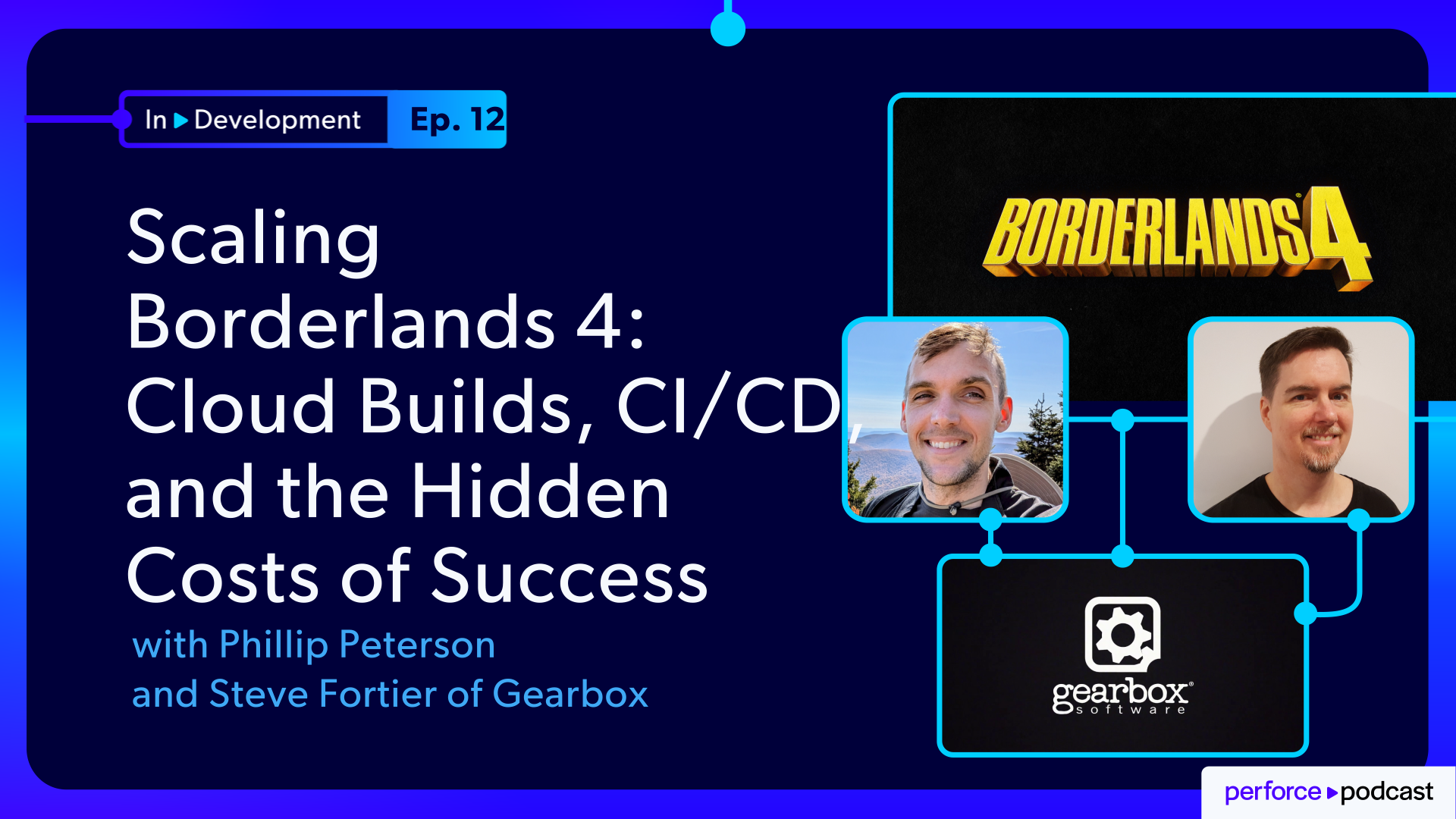
About the Episode
Three years after discussing Gearbox's cloud-based build pipeline with the P4 team, Steve Fortier and Phillip Peterson return to share what happened as Borderlands 4 grew from a secret project into a live game. As the team grew to support more branches, patches, and ongoing content, they encountered new challenges in P4, AWS, TeamCity, and Unreal Game Sync that only emerged on a massive scale.
From symbol servers and workspace management to AWS storage and snapshot performance, they walk through the troubleshooting process behind several unexpected bottlenecks.
The result is a candid look at how Gearbox manages millions of files, scales build infrastructure across AWS, and keeps development moving on a modern live-service game.
In this episode:
- Scaling the infrastructure behind Borderlands 4
- Managing 7+ million files and terabyte-scale build environments
- Using AWS, TeamCity, P4, and Unreal Engine to accelerate development
- Solving hidden bottlenecks in storage, syncing, and build automation
- Lessons learned from debugging large-scale cloud infrastructure
- Best practices for monitoring, cost management, and scaling DevOps teams
- Career advice for aspiring build and pipeline engineers
FEATURING
Jase Lindgren
Senior P4 User Advocate
linkedin.com/in/jaselindgren
Steve Fortier
Lead Release Engineer, Gearbox Entertainment
linkedin.com/in/steve-fortier/
Phillip Peterson
Release Engineer, Gearbox Entertainment
linkedin.com/in/phillip-peterson-b52599106/




Check Out More Episodes...
Ready or Not, Here Comes CI/CD: Build Systems for an Indie Sensation
Stephen Post, Technical Director
VOID Interactive
From Maya to Unreal: The Story Behind Nickelodeon's Max and the Midknights
Sica von Medicus, CG Supervisor
Nickelodeon Animation Studios
Fail Fast, Fix Faster: Pipeline Wisdom from Halo Infinite to Virtual Production
Luis Placid, Engineering Director
ICVR & Shiftstorm Entertainment

Full Transcription
So just for sizes, yeah, it went from TinyTina, 1,100,000 files, 580 gigabytes. How Voron's for today is 7,400,000 files and 1.1 terabyte. Yeah. And then we have, yes, multiple branches all going at once for dev work or patches or DLC.
And so just to get a sense for that, because Borderlands four has regular updates to it, are you doing kind of a a similar setup to what Epic has talked about with Fortnite where you kinda have multiple different stacked release streams on top of each other, and you're kinda having to maintain code across all of those and make sure everything's building?
Yeah. That's correct. Yeah.
And so sounds great. No problems. Right? Just scale it up. No worries.
Yeah. Yeah. Lots of streams. And thankfully, we are in AWS, so it should scale magically. Right?
But Right.
Not not quite. Because, yeah, while there are things that scale perfectly, other things are a bit more complicated to manage.
Welcome to In Development, the show where we explore the real engineering challenges behind building and shipping games, media, and entertainment. I'm your host, Jace Lindgren. And today, I'm joined by Philip Peterson and Steve Fortier from Gearbox, the studio behind the Borderlands series. Now a few years ago, we did a webinar with Gearbox where we were talking about the build pipeline behind Tiny Tina's Wonderlands, and this is still while Borderlands four was in development.
Now today's story picks up after the launch of Borderlands four. Now most people, myself included, would assume that release day means the hard part is over. But for Philip and Steve, it was actually the beginning of a massive scale up of the build farm and the CICD systems that they manage. Today, in this interview, we're gonna talk about how their infrastructure evolved to support millions of files, huge numbers of builds per day for patches and DLC branches, and then how a scaling strategy that had worked perfectly for years suddenly started breaking in ways that nobody could explain.
And what follows is a surprisingly good detective story complete with false leads, mysterious performance regressions, and a twist ending with a root cause that I at least did not see coming. So whether you are someone who builds games or if you manage cloud infrastructure or you just enjoy hearing how teams unravel complex technical problems, I think you're going to enjoy this one. So grab your popcorn, kick up your feet, and let's dive in.
Alright. Philip and Steve, thank you so much for joining me today.
Thank you. Yes. Thank you.
Yeah. So we did a webinar together, talking about Gearbox and your build system. What was it? Four years ago? Three years ago?
End of twenty twenty three.
End of twenty twenty three. Okay. Yeah. So almost three years ago. So to start off, can you give us a little bit of a recap of some of what we talked about there so that we have that as the starting point for what we're gonna be talking about today?
So at the end of twenty twenty three, we had recently come off of releasing Tiny Tina's Wonderlands, and we're working on a new unannounced project. We we had moved our CICD system from on premises to TeamCity in the cloud and using AWS agents in the in the cloud. And we did that so that we could scale up quickly. We had a of projects that we wanted to start applying our pipeline to, and the only way to do that is if we could just throw it in the cloud and just spin off as many copies as we wanted to. So what we shared in that webinar of our pipeline, it still pretty much looks the same as it does today, It's just copy pasted many, many, many times.
Okay. Just just scaled out horizontally, basically. Right? Where you just duplicated this. Yeah.
And so I I pulled some stats from that webinar. So that build stream was 1,100,000 files and 588 gigabytes.
For the build stream. Yeah.
Right. Borderlands four is significantly larger than that.
Right. Right. So so, yeah, that was the secret project you were working on last time was Borderlands four.
Right? I can reveal now. Yes. Yes. The one that we couldn't reveal in the webinar was, in fact, Borderlands four. Yes.
Got it. Got it.
So so, yeah, actually, that's a good segue into talking a little bit about what are the tools in your pipeline. Right? So you mentioned that you're using TeamCity on AWS, but give us a sense of kinda what does this build structure look like? And maybe also a little bit about overall team size and things like that so people can kinda get in their head what we're looking at.
Yes. So, Gearbox is a Unreal Engine shop, so we do Unreal Engine all the way. And all our source control is in Perforce. So Philippe talked about it. It's terabytes and terabytes of data across years of development and hundreds of people working on the same title.
So obviously that means a lot of and we're distributed, so not just in the office. So we have a few locations where people work from. So we have an office in Frisco, Texas, an office in Montreal, one in Quebec City, and there are people sprinkled a bit everywhere working from home. So, that creates a set of challenges because, the bills needs to work everywhere. So and people need to be able to work from home efficiently. Otherwise, it's a lot of money lost and productivity lost.
Was that part of the decision moving to cloud as well was not just scaling but also that everyone can access the same resources from everywhere?
Yeah. So this gives a lot of possibilities for what we can implement and it's also giving us better reliability for people spread across. So let's say we rely if everybody did rely on one single site, the problem with that is that, oh, if that site goes off, then people in the other sites also go off. And if the pipe breaks it somewhere in between then it's it's a big disaster.
Yeah for sure.
And the cloud just is more reliable for this. Yeah. It's also expensive but also it comes with it's just that we know the numbers really. Yeah. Because when it's on prem we pay a lot of money also and we just don't know how much because we have to add up so many small things.
Right.
All the maintenance and gradual upgrades of hardware and And the mental health like hardware, like you said, stuff like that.
Yeah. Yeah.
So, yeah, our cloud provider is AWS, so that's where pretty much everything is concentrated. Several availability zones. We use classic Unreal tools. UGS in particular is part of what we deal with a lot.
Unreal game sync. Yeah.
Yeah. Unreal game sync. Yes. Exactly.
So again, to go back to the webinar that we did a few years ago. So with that, you were working on really scaling up the amount of builds that you were able to do, how you distribute that you know, across different systems, how everyone can do a build from wherever they are, and that's when you are working on Borderlands four. And so you mentioned Tiny Tina's Wonderland is 500 just in the build stream that then builds the game itself. So Borderlands four, said, is bigger. Can you give us a sense of bigger?
Yeah. So it's about double in terms of what we have in Perforce. So and but there's a way more files.
So we have Right.
More than a million. Yeah.
Yeah. So what what happened between, let's say, Unreal four and Unreal five is, how do you call them, external actors?
Yeah. The one file per actor, external actors.
So that that created like a lot of sprawl of files.
Right. Way more tiny tiny files. Yeah.
Oh yeah. With and it came with its lot of additional metadata requirements from Perforce and, like, everything else. Branching got more complicated. Builds also because, yeah, we have lots of builds that will just send it back in Perforce by design, in Apex classic workflows. It's something we need to do. So that that creates a lot of load that that just takes a toll for sure. That that's stuff that we had to manage and work with.
Right. So, yeah, let's let's get into some of what you had to manage here. So when we talked before planning ahead for this episode, there was sort of several story beats along the way, different little mini challenges that we faced along the way. And the first of those you talked about was in 2024. So this would have been just shortly after the webinar, but still before Borderlands four being released. So tell us a little bit about what happened there.
Yeah. So as we said, we did transition to Unreal five. And as we did that, we also transitioned using UGS. So I talked about UGS a bit earlier.
This is what developers use now to synchronize Perforce the day to day. And UGS has very specific requirements on how we deploy binaries, meaning the editor, the game editor itself. So everybody starting their day in the morning will open that tool and they will download the latest editor. As they work throughout the day, will sync and sync and sync and sync again.
And in our build infrastructure, where we did support that is also to make sure we build way more editor builds so that people can iterate faster, collaborate programmers and designers together, and not wait after each other as much.
Right. So meaning that as the developers are working on engine edits, that those builds are getting built faster and then packaged up so that your artists and designers can get those through UGS?
Exactly. Got it. Yeah. Before doing that transition, we were in a world where, oh, okay. Was kind of a honor system where a programmer would go in the on the CI and then trigger a code build.
Oh, like a manual code.
Manual. They say, oh, they need it. So let me press the button. And then it would come a bit later, and then it would be deployed. So that'd the workflow. And we also did, like, nightly ones. So we at least add one build per day, but several was the norm, like, more like three, maybe four maximum.
And for each of these editor, we need the symbols. It's like a debug artifact so that, okay, once the editor is out there and designer uses them to work and they crash because you all know games crash, but also game editors, I tell you, they crash also. And that's Yeah. And it's a work in progress. People work fast and sometimes crashes go through. You want to be able to debug that and you need the symbols to be able to do that efficiently and quickly. And since we moved to UGS, we went from three builds per day to, like, something like 30.
So we add a 10 x increase of Wow.
Editor builds and also, the symbols that we need to debug these editor builds that people use everything and rely on. And that was just big. Okay. Yeah.
It went from like, okay. The the symbol server can handle it to, oh, okay. This is the delays are enormous. Like, it just this was the biggest single choke point of the entire, like, release of editors that we had.
It took something like sixty minutes to upload, one one build's worth of symbols. Some more than sixty minutes. So that that was incredibly bad.
Thinking if you're doing 30 a day and it takes sixty minutes per that that math doesn't add up.
You can't do that.
Yeah. I mean, you need you need to parallelize them. So Yeah. We we trigger more more than one at once so that we would still be able to deploy them, but that was creating quite a lot of costs also because as we said, our builds are in AWS and we're paying one hour machine that uploads symbols that just Right.
You're just paying for time of the machine while it's uploading.
Got it. Yeah. Yeah. Okay. So so obviously that's a problem. What was the approach here? How did you go about figuring this one out?
Yeah. So we we the Symbol server was a very old piece of, hardware and software we had that we had for years so that that was all on prem in our Frisco office. Just a sandbox.
So that Oh, okay. Where everything was uploaded. The solution was partly clear. We needed to, like, bring that in AWS with the rest of our builds so that it's all local in the same, like, VPC.
Yep. And and also making sure that after that okay. It's gonna be faster to upload if we put it there, but people also need to download them because developers use them to debug. So we needed a solution to distribute the symbols after that also.
We went ahead and made use of managed services that are in AWS that were very handy, not entirely sufficient to do the whole thing, but that was the base we use. AWS has something called the storage gateway.
Is for anyone dealing with cloud.
This is a very nice thing to know about storage gateways. It allows you to access files and upload files very simply in AWS abstracting s three buckets.
So you don't have to think about managing the s three buckets the same way that you can just kind of point it at storage gateway and it handles that for you?
Yeah. So storage gateway allows you to interact with the s three bucket. There's several ways to configure it, but for us, it was basically, oh, okay. It's like if it was a Samba network drive.
Right. So you just see them as normal paths, normal file paths, like as if they were block storage, but it's actually putting them on s three on the back end.
Yeah. Exactly. So our build machines will not see any difference. They could just upload there.
Right.
Right. And the the changes were minimal. Then they would get uploaded to s three, thanks to this gateway. Yeah.
And then what we did was so the distribution side, the upload side was was figured out. On the other side, what we did is use NGINX proxies. So, in DevOps environments, it's a very normal tool to use for deploying web apps. Right.
We have somebody on our team who's quite knowledgeable, in DevOps practices, and he just did that for us very easily. So what he did was, okay, set up engine x web server in front of the S3 bucket because you can have like you can expose your S3 bucket like HTTP server.
Right. Like with signed URL links.
Exactly. Yeah.
Signed URL or not, but you can access it through HTTP requests and then NGINX can talk to that very easily. And the beauty of it is that at the end, once you have NGINX web server, you can just recursively create NGINX proxies that will link to each other. And thanks to that, could just have one proxy per physical location we have and configure caches in every location thanks to the settings that we have in the proxies.
Got it. And so to clarify then, so what is it that people were downloading through those NGINX proxies that you'd set up? Is that the symbols?
Yeah, the symbols. Exactly. So the people people would just wear before they they were linking. They they would open Visual Studio.
In their settings somewhere, there would be a symbol path for the the symbols required to debug. Let's say the editor. Right. I editor dump I crashed them.
They would have got somehow. Instead of linking to this path on the NAS, they would just link it to the NGINX proxy URL.
Got it. Okay.
And then this thing would make sure to populate its cache just in time with the symbols. The nice thing with that is that, okay, we don't have to replicate every single symbol file because it's populated.
Get the ones it needs Exactly. As it's happening.
And then if one person has a crash, it's got those symbols already. So the next person, they're already cached locally.
So it's super fast.
Chances are several crashes happen.
Right. Right.
They would all get cached by the first person try to access them. And you want that in AWS because egress is big build every time we access something. So you Sure. You want it once. You want to do it once.
Yeah. Yeah. Absolutely. No. That's that's great. I hadn't thought about that with doing it for symbols.
Because I know with people who have their Perforce server on AWS setting up, you know, these lightweight proxies, like, even at home, like in my home office, I have a proxy server just running on my Windows PC and a VM just so that I don't get those egress costs, but also it just makes everything faster. So doing that for your symbols is really clever. I hadn't hadn't heard that before.
Yeah. We basically need to do that for everything that comes out AWS if we want to be efficient and Right. Cost wise and also time wise because people wait the same time. And obviously, we have Perforce edge servers in the same way.
Right. They're all on premise in the offices?
Yeah. So Yeah. There's one for our own build machines also and there's one for devs per dev location.
Nice. Yeah. Cool. Alright. So moving on from here, then we talked about how Borderlands four, the workspace size is huge.
Right? So you you said its size on Perforce is about double. So just extrapolating from this 500 gigabyte working stream that you had or the build stream that you had for Tiny Tina that with Borderlands four, probably each user's workspace on disk is gonna be a terabyte close to that. Does that sound about accurate?
Yeah. I mean, that would be the case. However, we use UGF.
So you're kind of filtering Yeah.
There's a kind of a concept of thing filter.
Right.
Thankfully people don't need those. You can just by default, I don't think they have it. I think there are default settings in there. We just say, okay. This they don't have.
Right.
They don't have content source assets for three d models. They will not get by default.
Okay. That makes sense.
Yes. Otherwise, that would just be untenable.
That would be Correct.
But then you also started maintaining more branches at the same time. So you went from what having four different branches going through your CICD nightly builds to what? Eight?
12? What are we what are we talking about?
You have a number, Shalup. Yeah.
So just for sizes, yeah. It went from tiny t now, 1,100,000 files, 580 gigabytes. Our Voron's for today is 7,400,000 files and 1.1 terabyte.
Okay. For the full workspace if you synced everything. Yeah.
Wow. Then we have, yes, multiple branches all going at once for dev work or patches or DLC. So yeah, there's a there's a lot of copies of Borderlands four going around. Yeah.
Yeah. Yeah. And so just to get a sense for that, because Borderlands four has regular updates to it, are you doing kind of a a similar setup to what Epic has talked about with Fortnite where you kinda have multiple different stacked release streams on top of each other?
That's like, this is the release coming out next, and then here's the one that comes out in a month, and here's the one that comes out in two months, and you're kinda having to maintain code across all of those and make sure everything's building?
Yeah. That's correct. Yeah.
Okay. Got it. And so sounds great. No problems, right? Just scale it up. No worries. Yeah.
Lots of streams. And thankfully we are in AWS, so it should scale magically. Right? But not not quite because, yeah, while there are things that scale perfectly, other things are a bit more complicated to manage.
We wish we knew about that earlier because that would have impacted how we decided we'd go about this.
Yeah. So what happened? Tell us the the problem and then how you had to go about that.
So yeah. So we talked about the size of our workspace. So obviously, it takes a while to sync all of this. So at one terabyte in the build stream, we try to cut as much as we can so that it's smaller.
So let's say 500 gigs or 300. We have lots of builds like that that will just kickstart every day and they need the whole workspace. So to save time, what we implemented early on was a snapshot system in which, okay, once a day or early in the day or continuously several times a day would sync in Perforce and then call AWS to take a snapshot of the volume so that we could instantiate that as many times as we want, as many times as we have built so that we can just kickstart from this fresh state that's ready and then go on. And as we create more branches, then we need more of these snapshots.
So we would add a lot of them, like one per branch at least and one also I believe per variant for every stream because virtual streams will exclude or include more files depending on what we want to build. So we need to snapshot them.
And I see.
And also every single one of these snapshots then gets instantiated probably more than once. And, that's a lot of creating in new volumes all the time.
And so so I'm I'm just kinda making sure that we're painting a clear picture here. So like you mentioned before that if you spin up an AWS build instance and then it spends an hour uploading, you're still paying for that computer for that CPU while it's uploading even though it's not really doing the important thing anymore. It's just uploading. And so you kind of have the same issue on the download side where when the build needs to sync this large workspace from Perforce that it's just kinda sitting there while it's downloading before it can even get started.
And so Exactly. Instead of having it download from scratch every single time, you just do that once in the morning or however often snapshot that volume. And then when a future build happens, it makes an actual disk from that snapshot and then tells Perforce with, like, P4 sync dash k or something like that to say, like, this was already synced. I already have a workspace.
I already have these files at this state. Just give me what's new.
Exactly.
So then it's just whatever's happened since that morning or since those last few hours.
You get it way way faster than it would be to just actually redownload the whole workspace every time.
Exactly. And that worked beautifully for a few years, I think. And then as we ship Borderlands four and all of a sudden we had to create so many branches to support the patches and DLCs and stuff like that. The number of branches just quadrupled. Yeah. And that would just get us past some high ups threshold in our AWS account that would just be the bottleneck.
And Right. So so this is fascinating when you were telling me about this before. So let's actually jump ahead a little bit in the story to when this happened. So you have these snapshots that you're kinda hydrating from snapshots onto disk, and then you're syncing what's left.
But then what happened? You said that just suddenly one day it like stopped working and you didn't know why.
So a couple we had kind of a chain of events going on there.
So once we set up the snapshot system, it became ridiculously easy to just, you know, spin off new branches or new builds, and we wanted those those nightly builds that are producing the game to be on fresh volumes to make sure, you know, there weren't any artifacts left over, or if the previous build failed, it wasn't leaving stuff behind.
So we were just churning out all these fresh volumes, and each volume has a fresh Perforce workspace on it.
Right.
And then IT came to us and said, hey. Our metadata is bursting at the seams.
So you you have to do something about all these workspaces you're creating that are 7,000,000 files and 1.1 terabytes.
So we try to figure out a way to kind of get all that cleaned up, and that itself was causing issues and bottlenecks. So we contacted for support initially just to figure out how to clean it up. And we were scoping out the problem. They said, why are you using writable workspaces for all these?
Why aren't you using partitioned workspaces?
Right.
Yes. And our answer was because we just learned about that thirty seconds ago.
Oh, no.
So it turns out because we were kind of in this ephemeral environment, we should have been using these ephemeral partition workspaces that can just evaporate themselves. So we had to go through a process of of converting all of this.
Still had to do the cleanup, by the way, but converting Right.
All of our pipeline to using these partition workspaces, which then itself caused its own problem where anytime there was Perforce maintenance and those partition workspaces went away, which was great, which means we didn't have to clean up anything, just cleaned themselves up. That's fine.
But our volumes in EC2 would stay, So they would so still think they had a workspace, but it had been cleaned up, I see.
And we didn't really notice the problem until during one maintenance window. Someone had because this was just the the maintenance was just on our Perforce Edge that was in AWS.
Okay.
So the rest of the company is still working, and someone deleted a file from one of those streams.
So maintenance is done, builds kick back in, they get a fresh workspace, they they flush what they have Which now thinks it doesn't have the file that was deleted, but the volume still existed and did have the file.
I So we went through this troubleshooting of, you know, what is going on?
Why are why is our syncing messing up? Well, it was just because that one file got deleted that caused this whole thing. So then we had to go back again and figure out, okay, now we have to build in all this kind of logic into our volume mounting system where, if I have a volume but I don't have a workspace, that means there was maintenance, so I need to get rid of the volume and get a fresh volume before Right.
So you have to have some extra layers of checks beforehand just to make sure it's all valid to avoid that.
And the same is true. So we have expiry in e c two for the volumes because those volumes are expensive because they're so large.
Yeah.
That after a few days, they will just go away. So there was additional logic to go, okay. Now if if I have a workspace, but I don't have a volume that I need to throw the workspace away because I'm about to get a fresh volume.
So you need a little flowchart of what logic they have to go through to just do a build. Yeah but so okay so after you got that figured out though, so now you've got the partitioned workspaces so that you're not accumulating just tons and tons of metadata on your server for all these workspaces. You've got these cloned drives. Right? So you're just cloning from snapshots so that your syncs are way faster. Now problem solved?
No. Not not even remotely. So two things happened at the same time that we initially didn't realize were connected. Our team gets an issue saying, Hey, the publish step of the build where we zip the game that's done and then upload it to S3, The time it took for that step to happen just ballooned.
Oh, interesting.
Right. So there's there's a team city update to our cloud server that happened just before that.
The day was February 17. I will never forget the day. And the TCD update happened right before that. So first thing we did was point fingers at JetBrains saying, why why is your agent throttling our IO?
And I apologize profusely for that later because that turned out to not be it. Then we thought it was a problem with NTFS and Linux. So the way our build chain works is we try to scope each step to the agent's need. So for Unreal, it goes through compiling the code, then cooking, staging the build, and then you publish the build.
Compiling obviously needs a high CPU agent, cooking needs a high RAM agent, staging is just a generic Windows machine, and then for publishing, you're just zipping and uploading your S3, so we switched to Linux box for that. But the same volume gets carried along through each of those different agents. So when one one step and one agent is done, it lets go with volume. The next stage kicks in, picks it back up.
So, anyway, there's a transition there where we're going from Windows to Linux, So maybe it's NTFS problem.
I see.
Because you're using an NTFS type volume for all those Windows steps Yeah. And then making sure Linux can handle it. But it wasn't that either.
That was also Wasn't that either.
So we tried swapping instance types, just making them bigger. None of that was working. And what made it worse is the problem kinda kept appearing and disappearing. So we'd see these long upload times, and then suddenly there'd be a day where it was short, and then days and days of long upload times get.
Meanwhile, while we're attacking that problem, our engine devs were working on another problem where our cook times had doubled or tripled for some platforms. So they're thinking it's an engine problem. We had load package stats at the end of each of the cooks, and so that time ballooned. We were looking at, again, changing the instance type to get more IO.
Our DDC, you know, maybe there's too many cache misses in the DDC.
In the shared drive data cache that you had? Yeah. And was that also hosted on AWS?
Also on AWS.
Yeah. So the Cloud DDC. So so far, every time somebody suspects a Cloud DDC, it's never the Cloud DDC. I'm just saying.
Like the code symbols, there's symbols for the shaders, and we were collecting those, doing the cook stuff, so there's problem too.
But none of these were actually it.
None none of those are it. So long story short, we're looking at all these volumes we're creating every night, and we got the idea, well, what if we just didn't? What if we just let tonight's build use yesterday's build and see what happens? And magically, it all went back to just the way it was on February 16.
So problem turned out to be that EC2 itself has a throttle on volume initialization after copying from a snapshot.
So the copy of a snapshot is a lazy copy, so you get the volume immediately and in the background it's sort of filling in the blocks that belong to that volume, unless of course your agent or the build running on that agent requests a file then it'll go get it immediately.
Okay, so it's kind of doing like an on demand hydration like a virtual file system type thing if it hasn't loaded in yet. But normally it loads in so quick that you don't notice. Right.
But then you started hitting this limit Right.
Because of because of what what actually was the trigger that made this suddenly start happening.
So we can't pinpoint exactly what happened on the seventeenth, because in theory, this should have been just ramping up slowly. But we just hit some magic threshold in EC two with all of the the builds we're running at night, all creating fresh volumes, multiple copies of that because we have multiple branches, multiple projects doing that.
So it's like you just hit a certain number of branches and projects that just tipped over this limit.
Right. What's funny is that it always seemed to impact the same build. So you would expect, oh, they all start the same time. So it should be random if. Oh.
It seems I mean, it's probably deterministic enough so that the same one is created last every day so I would think.
Right. I guess that makes sense.
Yeah. Why? But we're not sure.
Yeah.
Wow. And so so talking about the solution, so you tried this thing of, hey, what if we just let it use the previous night's drives again doing like an incremental build instead of building from scratch?
Got it. And so what ended up being the solution moving forward then? Because I imagine there's times when an incremental build's okay and times when you're like, no, this one has to be clean.
Right.
So once we figured out that it was the volume initialization, and we were watching that, looking at some of them taking fourteen hours to become So fully the solution then was to basically, like we're gonna use a volume that's twenty four hours old, so now there's a pool, there's a build that just is generating a pool of volumes that get synced and a snapshot is created, and then when we're mounting a volume, instead of just immediately copying from a snapshot, it's grabbing yesterday's volume out of the pool, and there is of course you have to sync the difference, but the difference is minor compared to waiting hours and hours for the snapshot to finish.
Or spreading it in time so that we're not spiking as much. That's pretty much what we're doing.
Right, okay so initially when you talked about you know, syncing from Perforce taking a long time because you're doing so many of them and they're so large that you had a snapshot beforehand that you'd make a disc from and then do a P4 flush so you could just sync the difference. Just tell it like, hey, figure out what's different between this and what I need.
But that now you're even taking that a step further where it's not just making the snapshot in advance, but it's actually instantiating an EBS disk on AWS and then just parking it so that someone can just go grab that.
Yes. Exactly.
It sounds like that might even make the whole thing even faster than it was before in addition to letting you scale or do you found that was about about the same because the snapshots used to be instant?
Yeah.
I think we actually I think we get an improvement for sure.
Because the disc already exists. Yeah.
Yeah. The disc exists and if it's flushed already, then we save like the flush time, which is none no. It's a few minutes at least.
Yeah. No. You're right. Yeah. You're right. So if you made the disc, did the flush so it knows the state that it's at, then, yeah, that could be a lot faster to just sync what you need.
But the it's variable though because it just depends on how much activity happened. You know? Like on a Monday, yeah, it's instant.
There's no changes over the weekend but Got it.
I see. But as you get later in the week, it kind of piles up. Is that the idea? And and so you've also projects going on right now then too. Right? So it was this big push for Borderlands four after that released. It sounds like these problems started happening after that release rather than leading up to it though.
Yeah. We're we're basically doing the equivalent of Borderlands four nine to 10 times a night.
Wow. Okay. So you've scaled up more Yeah. By nine to 10 times since Borderlands four came out.
Right. Wow. Wow. Okay. I think that's something a lot of people wouldn't expect.
It's not nine games, but it's, like, nine times as many builds by Right. By our build infrastructure. So that's, like, a lot. Because, yeah, you you once you ship the game, you still build the whole thing every time you branch.
Right. Every time you make a patch, you make the game the whole game twice. Whereas before we did it once. And if we we work on two patches staggered way, then you Right.
Multiply by tree. So.
Yeah. Yeah. So just all the all the updates and different things that people are working on for you guys on the build team that adds up to to more. Wow. I think that's something that I definitely didn't expect when we first started talking about this because you always assume, oh, well, this stressful time when you're really putting everything under load is like leading up to release. But it's just so interesting hearing from you guys that while that might be a crunch time for the artists and designers in QA for the build, actually it's it kinda becomes more laser focused on just this one build versus now that you're maintaining this ongoing game and there's all this new content as well as I'm sure you have new projects you can't talk about yet that all of that actually just balloons out much more for the build team.
Exactly. And people move on to the next thing as you mentioned and that just means, yeah, they need support and they need, they will warn the bills they had in their previous projects and they will just ask us. Yeah. In addition to us still being in the trenches for the ongoing releases.
Right. Wow. Wow that's amazing. Just the the scale that you guys have done. That's awesome.
Okay. This has been a cool story. I love that it sort of turned into like a detective story at the end there with red herrings and everything along the way. As for coming to the end, I wanted to ask the two of you my usual questions at the end.
So the first is if you could travel back in time to yourselves at the start of this process. So I guess in this case, let's say travel back in time to around when the webinar was three years ago. So before you're fully scaling into borderlands for coming out and then all of the stuff afterward. If you could travel back in time, what, advice or tips would you give yourself?
I would say to, get your alerts straight.
This is like a Ah, okay.
Yeah. For a team like ours, you need a solid set of alerts.
Like, what kinds of stuff? Just like something running long?
Or Yeah.
The bills take out of time. The costs get a spike.
Maybe you have like a a bill that doesn't start at all.
Okay. Just getting those notifications right away.
Just accumulate this. We had some, but it's also easy to get like a lot of craft. Like a lot of pending others that just nag you every day.
I just I I run into that problem all the time.
I'll have something that just pings me 20 times a day, and I stop seeing it. So, yeah, fine tuning what what matters is tough.
So if you're in AWS, you need that for sure.
Yeah.
And when the you know, when you're working on you know, before Borderlands four release, when everybody's just focused on Borderlands four, we had all these eye you know, the whole team's eyes were on it. So anytime anything happened, we all just knew.
Right.
Well, once we started going wide, there's just no way to watch it all.
Yeah. Yeah. That makes sense.
The system itself just needs to tell you when there's a problem.
Right. How about you, Philip? What's your tip for your time traveling self?
My time traveling advice for myself is don't procrastinate on reporting, especially EC two tags.
Tag, tag, tag some more, and when you think you're done tagging, you're not. I'm so bad about gonna come at you with a cost anomaly alert and go why did this happen?
I see.
So being able to trace it all the way back to exactly And sometimes it's your bug.
Right. Yes. Nice. Okay. And then my next question is for someone who's getting into this industry now. And I think what I mean by that is someone who's curious about getting into this kind of back end, you know, managing builds, someone who feels a little bit more technical and wants to get involved in the industry or is just starting out, what tips would you give for them?
I would think to get versed in cloud technology is a big plus nowadays. You really need to know AWS and cloud Docker.
Maybe not Kubernetes.
It's a bit too complicated for what we usually do, but you have your basics figured out because nowadays if you want to scale up you have to know that.
Pillet?
My advice is the phrase because we've always done it that way is the first sign this is not gonna scale.
Sure.
Yeah. I feel like that's that change management piece is always a struggle but it but it's always worked before. Right. So but that's how we do it.
Yeah. Yeah. Absolutely. So I I I think that you two in your department have really had to be the ones to be thinking ahead.
And I think that the cloud fluency, like you were saying, Steve, I think that makes a lot of sense of kinda understanding the architecture of it. I feel like that's one of the big kind of mental hurdles I found at least when thinking about cloud and learning more about cloud is thinking about how all the pieces have to fit together because they're more like isolated pieces rather than, oh, I've just got a machine here that just runs the builds. That you have to think about things like restoring from snapshots to get your drives up faster or something that we kind of brushed past really quickly was that idea of having different machines for different parts of the build process, but keeping the disc the same because you can do that.
You can just detach the disc from one and attach it to another, detach it from that, attach it to another. So it's like it's one machine that's kind of evolving for each step based on what sort of requirements you need. I think that's the kind of thing that someone who's just used to working and doing builds on their own machine or even working with a server farm on premise might not think about because that's kind of a unique cloud flexibility that you just don't have on premise. Right?
Yeah. Sometimes you miss the good old days because that was so easy and now you're like, oh, the simplest thing is so hard now.
Yeah. Yeah. As a world. Yeah. Absolutely. Well, thank you both so much for sharing all of this.
This has been great. So thank you, Philip, and thank you, Steve.
Thank you. Thank you.
If you enjoy this kind of in-depth conversation with leaders in the media, gaming, and visualization world, be sure to subscribe so that you get new episodes as soon as they come out. Subscribing and giving a review or rating is the only way that we know you enjoy this content so that we can keep making more of it. Reach out to me via email or LinkedIn with feedback, guest suggestions, or to connect if you'd like to be a guest yourself. I'm always looking for great stories, and I love learning about the many ways that game and real time technologies are being used today. Links for that are in the episode description.
Be sure to check out perforce.com for information about our full P4 platform based on the industry standard Perforce P4 version control. Special thanks to our production team, Ella Reiswig, Emily Matlak, Kaylee Torres, Luisa Puchala, and Chris Perez. I'm Jase Lindgren, and I will see you next time on In Development.