
About the Episode
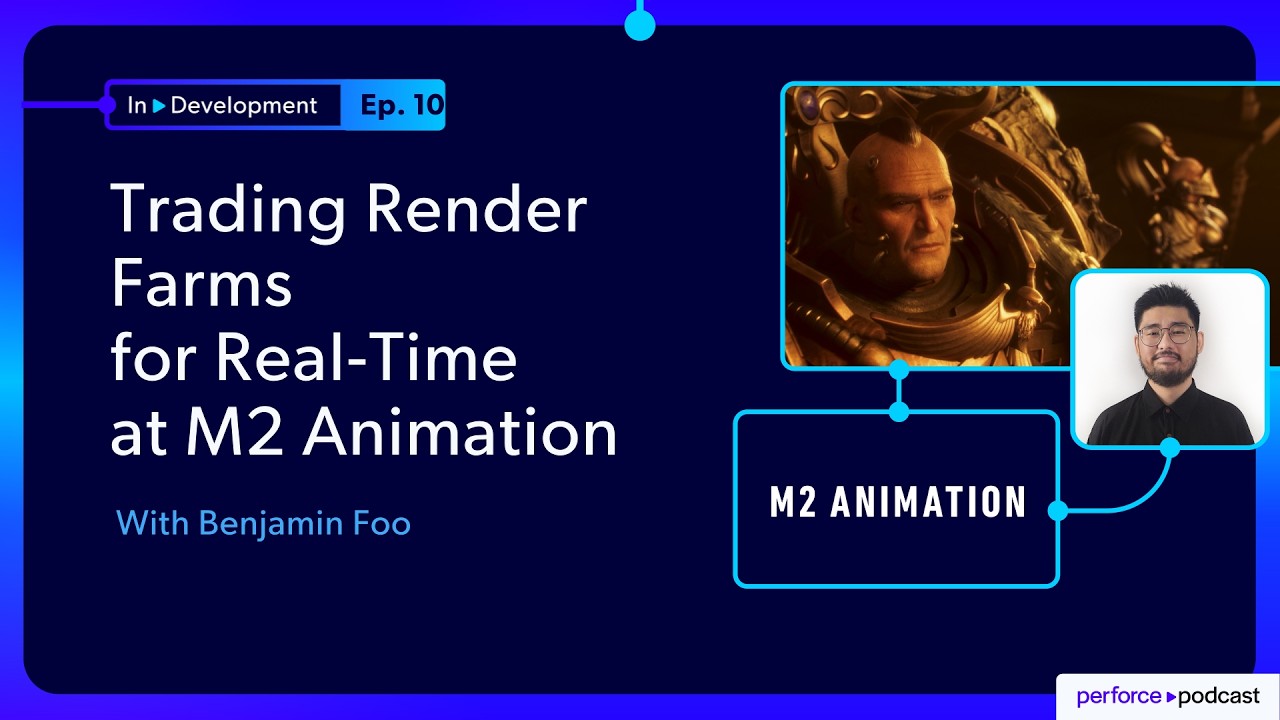
Benjamin Foo, CG Supervisor at M2, walks through the studio’s transition from a traditional Maya/Redshift workflow to a real-time, Unreal Engine-based pipeline. What started as a necessity—limited compute power and rising production demands—quickly became a creative advantage.
Instead of waiting on renders, teams now iterate instantly. Directors can step inside scenes, shape environments in real time, and collaborate more closely with artists. But that shift also brought new challenges—from managing massive asset libraries to balancing visual fidelity with hardware limits.
Ben shares how M2 builds custom tools, embraces experimentation, and uses Perforce P4 to manage version control across complex productions—all while keeping artists empowered to explore and create.
Here's what you'll learn:
- How M2 transitioned from a traditional render pipeline to Unreal Engine
- Why real-time workflows unlocked faster iteration and creative freedom
- The technical and cultural challenges of scaling cinematic production
- How teams balance visual fidelity, performance, and hardware limits
- The role of custom tooling and experimentation in pipeline evolution
- How Perforce supports collaboration and version control across teams
- Why empowering directors inside Unreal Engine changes the creative process
FEATURING
Jase Lindgren
Senior P4 User Advocate
linkedin.com/in/jaselindgren
Benjamin Foo
Unreal CG Supervisor, M2 Animation
linkedin.com/in/benjamin-foo-jimbanne/




Check Out More Episodes...
Ready or Not, Here Comes CI/CD: Build Systems for an Indie Sensation
Stephen Post, Technical Director
VOID Interactive
From Maya to Unreal: The Story Behind Nickelodeon's Max and the Midknights
Sica von Medicus, CG Supervisor
Nickelodeon Animation Studios
Fail Fast, Fix Faster: Pipeline Wisdom from Halo Infinite to Virtual Production
Luis Placid, Engineering Director
ICVR & Shiftstorm Entertainment

Full Transcription
Be brave. A lot of people will say that, hey. It's really hard or, you know, all these things are very complex. But if you don't try, you really don't know.
A lot of times, I would definitely encourage artists and even, like, the people I work with is, if you see something that you wanna try, at least try it, then you see that, okay, that's the curve for that's why it's hard to learn or that's if it's for you instead. A lot of times, I think a lot of artists, when they're coming into Angryo, for example, they're spending a lot of time to imagine whether this is a fit for the, I would say be brave. Try it. If it's your cup of tea, you know it.
If it's something that you feel is tough but something you can overcome, that's great. But if you really dislike it on the first start, then definitely there's something more or something else that will work for you. So be brave.
Just try it.
This is In Development, a show about real behind the scenes work that goes into building games and digital experiences. I'm your host, Jace Lindgren. And today, I am joined by Benjamin Fu, CG supervisor at m two animation, a studio that went all in on Unreal for final rendering much earlier than most. And they had to build a lot of their own pipeline along the way to make it viable for their film quality work.
We get into what that transition actually looked like, where they're still animating in Maya, but pushing nearly all final rendering. They're now at about ninety eight percent of all final pixel render in Unreal. Benjamin breaks down where things started to fall apart early on including issues with UDimension texture tiling or UDIMMs which are common in film workflows for high quality textures, but how that collides with the GPU memory limits for working in Unreal. And there's a great moment where they hit the wall with dozens of these eight k UDIMMs on a single asset and they had to rethink how to balance fidelity and performance.
We also talk about how moving to GPU driven real time rendering changes the way you think about lighting and iteration and optimization and why they ended up building so many of their own tools instead of just relying on off the shelf solutions. If you're exploring real time pipelines or trying to scale one without losing quality, there is a lot to learn here. So with that, let's dive in.
So Ben, thank you so much for joining me today.
Very glad to be here. Very glad to talk about the things that we do.
Absolutely. Well, speaking of the things that you do, what are the things that you do? What is M2 Animation all about? And then what do you do at M2 animation?
So m two animation, we produce director driven cinematics and animated series for Warhammer and also work for other clients like Lego. Other than animated series, we do a lot of cinematic trailers, especially for the Warhammer universe. They are one of our main clients. And, also, we do preschool shows in the past as well.
We still have actually quite a few of those as well. As for me, I'm a CG supervisor at AB two. I come from a very myriad background, started in broadcast design, dabble in app development and three d scanning, and quite a few other things actually. Got into VFX at Plum, eventually ended up in performance capture and interactive media, and now here at m two, back to animation again.
Nice. That's great. I've also worked in a lot of different sort of related areas. So I love that that story that you've had all the experience in different areas like that. So when you came to m two animation, were you doing performance capture capture first and then you ended up doing more just CG animation, or did you get hired straight away as CG?
Prior to m two, actually, I was working for a social media ad agency. So they were into interactive media that they were trying different things for. So at that point, we were doing performance capture. So you would actually have a virtual human or a virtual idol or something that they can promote as part of their clientele. So that was more or less the experience there. Then when the opportunity at m two opened up, that's how I ended up back here in animation. Similar but different.
Nice. So as the CG supervisor, what would you say are the parts of the pipeline that you get involved with? Is it mostly just overseeing the artists, or do you get into the nitty gritty technical stuff of scripting and pipeline as well?
Yes. Definitely.
As a CG supervisor, there's a lot of parts of it, not just with the artist that we are supervising. It's also the development and also the pipeline things that we add on to. Me, myself, maybe not as much, because my role at office here, it's a little bit different because my colleagues might be much better at some of the pipeline development. I end up doing a lot more work inside Unreal.
So some of these things, we tend to split up to our strengths as well. But Thafty, when it comes to inside Unreal, me and the other supervisors, very similarly, we develop a lot of custom solutions to address things that is needed for the shoots, whether is it for the lighting, is it for the look development, or is it just because of short production. So we do all the tools and all the creation of those tools. There's artist minded.
Great. And so that actually segues nicely into talking about Unreal. So m two animation has been around for quite a while, and they didn't always use Unreal. Right? They did more traditional, like, Maya. I'm assuming Arnold renders with Maya. What was the workflow before?
Yeah. So before Unreal, we're actually working in traditional Maya pipeline in Redshift, actually. So very straightforward simulations in Houdini, your animations in Maya, your layout in Maya, and rendering in Redshift, then composite, as always in new. So that was the traditional pipeline that we moved over to Unreal. And, yeah, that's more or less since four two six, actually. We've been in Unreal.
You've been doing it a while. Okay. Yeah. And what was the reason for that shift in the first place? I know it's a thing that Unreal likes to talk about, companies that have done it, and we're seeing more now. But you at m two are actually pretty early to start doing more of the pipeline in Unreal. So what was the catalyst for that, and what did that trajectory look like?
Yeah. So I think for us, going into Unreal has always been about creative freedom. I know this is a this is, like, a very big word that everybody likes to say when it comes to, like, working ECG. But why creative freedom was?
When we made our first trailer, for our client, Warhammer, for example, the client wanted more, and we realized very quickly that if we try to scale our pipeline with Redshift and Maya, we just couldn't get enough compute time out of it. So if you wanted to iterate and go from cinematic to a series and so forth, it just didn't add up enough. And from the bravery of some of our directors that were already quite tech savvy, we plunged into Unreal, and we realized that we could overcome technical hurdles for the visual identity. And once we got there, the iteration at the speed allowed us to move a lot quicker, and it gave us the greater freedom and the assurances that we could deliver and scale up as what we needed for for animated series.
Although cinematics also do scale up, there's a entirely different feature, different complexity. But yeah.
And so when you did that switch, was it just for one particular pilot show or one small project? What was that transition like at first?
Yeah. So there's a actually, there's a really good article on the Epic website that we can share as well. It actually covers our first Unreal, cinematic trailer, which was the Q Team trailer. So there's a whole story that my colleagues have in there, and that's exactly what happened.
But in the gist of things was we had this trailer that we needed to make, and we had the show writing in the background. And we realized at that point of time that we didn't have enough compute power to actually render everything. So we our director, Silip, actually, brought some characters, and they were doing some experimentations in Unreal. And because of those experimentations, he realized that, hey.
This could actually work. Yes. There were hurdles to get all these things into Unreal. I think one of the things that was a challenge was, I think in the four two six era, especially, we were just getting into, like, virtual textures.
So you were able to use UDIMMs. I know when you say UDIMMs, game engine, it's a bad idea because of in terms of the memory, the space, and the loading. We had a lot of issues with the early four two six, four two sevens, but they were actually a lot stable. But once we got past that hurdle, they iterated very quickly.
The previous thing, they iterated it. And, yeah, that's how we actually got our first project out, and that's actually how we went entirely into and reoffered it.
Right. So it it's interesting that for you, was specifically we have this project and we just can't scale that fast and we need to be able to turn this around and iterate more quickly. And so that's interesting to me because I feel like the studios that have tried it, and a lot of them have started much later than you, but when they did it, it was more of a let's try this. We've heard Epic says we can do it.
Let's try it and see if it works. But for you, it was more out of necessity. And so you're like, we're gonna make this work. We're gonna figure it out.
Yeah. I I think it's also very much down to the culture here. Because Especially here at m two, we have a very open culture when it comes to, like, solving problems. Of all the places I worked at, the pipeline here, the people, the culture here, it's always about trying to fix things and solve things.
So things actually do get upgraded over time, and this kind of propagated and helped us with this process. Unreal has its teaching problems. It still does. You can't run from it.
But the thing is m two comes from the background of traditional film and grading and all the other things. Again, my colleague actually has a really good article that he put up, that we had last year at Tokyo Cinematic Dive that covers actually all these details, which we can insert after that. And a lot of the things that we face and how we saw it was this artifacts, but these artifacts can be resolved in different manners, different ways. Unreal provides the speed of iteration and flexibility of seeing it then and there and explore those places and looks.
And the rest of it is more or less trying to manage those things as we go along. And, definitely, we have gotten better over four two seven, five point o, five point one. Some of my colleagues are still big fans of four two seven because it's still the most stable thing out there. But Unreal five has given us a lot more depth.
Right.
Well, let's start getting into some of those issues. I love that you said you have this culture of continuing to improve things and doing your own customizing and scripting and not just looking for an off the shelf solution. And I think that's actually pretty common in more of the film world of being scrappy and trying to find ways to make stuff work. And I think it's cool that we're now seeing this intersection of game engine real time technology with more of that mindset that we're gonna get in here and change it all and and make these edits and get the job done. So you mentioned at first UDIMMs. Can you talk a little bit about what that is and what was the limitation you ran into? And what was that process like of trying to solve that?
So what happens is, for most game engines, we work in one one space in terms of the UVs. You don't have multiple UDIMMs like UDIMMs, for example. So first hurdle for most of the users for us was most of the characters will meet UDIM base in terms of their materials and textures. So if you were wanting to get into a game engine, for example, and you had to force your artist to convert all your assets back to one one space and to crank that into their mind to how to compress and change a tile, that was a large hurdle for one.
And, also, the visual fidelity of new DIMMs will always have its points there. At the end the day, you're just getting more texture detail in the different UDIMM sets itself, but there's also a limit. So I was saying that in four two six, I believe, when they first introduced virtual textures that allowed us to use UDIMMs. In the early days, virtual textures had the issue of loading and flushing, actually.
Those things eventually got easier, and there were very different quirks that we used in that into try to get it to flush and get it render. But at the end of the day, it's, It gives you a lot more visual fidelity, and it stays in line with what assets are actually done for Slim and animation.
Right. So, basically, giving your artist the ability to more custom place where UV textures are laid out instead of it always just having to fit into one square Yes. You can have more custom things. And you can kinda do that by breaking a character apart into a bunch of different materials that all have their own UV maps.
Yes and no.
What what what would you say are the main advantages there?
Okay. UDIMMs are slightly different from that. So when we set UV space in quantum space, for example, UDIMMs allow you to go one two, one three, one four, one five multiple maps. So what happens is, yes, you can break a character that have discontinued, for example, islands, those have bits and stuff like that.
But what happens is you get sims and stuff. So Udims, like I said, allows you to I mean, you still get sims, but it allows you to spread out in space. I may not be explaining that at best, and I'm very sure I'm gonna get butchered by someone else talking about it. But for games, usually, we do not use UDIMMs.
We all know why it's very memory intensive in terms of virtual textures. But for Kiwi and Flim, definitely. For animation, especially. Yeah.
It gives you a lot more resolution.
Yeah. No. Totally. That that makes sense. And so, like you were saying that you had to figure out workarounds in the engine primarily for how to get those to flush properly so that the textures are loading.
And and I think something that's worth pointing out here too for anyone who's coming more from the game engine side is that the rendering pipeline for Unreal or any game engine is quite different when you're rendering something at the maximum quality you can get versus trying to make it run-in a game. Right? That that Yes. Kind of changes.
And I'm curious for you when you have people that come on who maybe come more from a game background, what are some of those biggest mental changes that they need to make to think about how do I optimize this for visual fidelity still fitting within the VRAM that we have, but not game thinking, but more film?
Wow. That that is a very interesting and very tough question. So it kinda relates to a different thing that we talked about, but here's the amazing thing. Yes. M two, we come from a animation background.
We also end up hiring people that come from games as well to figure out these things. I think it's quite interesting for some of my colleagues because they come from a place of shock when they first heard about what we're doing with the engine. But here's the thing, it does work. At the same time, in terms of optimization, yes, there is a hard limit.
So at the end of the day, let's say your skin cache or your textures or anything else you could think of, if it's above the vRAM limit, it won't rip it. Simple as that. You will just get a crash, and that's the end of the seat. So there are things that we do to prevent all these things in terms of, like, asset and characters and in terms of, like, how much memory it takes.
Fidelity is king. Yes. We also know that the borders or the margins between those are not always the biggest.
So as long that the characters don't have again, ironically, I'm talking about UDIMMs again. We have few very interesting incidents as well. So I think we had once one artist made fifty UDIMMs each that were eight k textures.
So eight k textures multiplied by fifty. They tried to stick that through the engine, and we were wondering why the engine wouldn't render, then decide, okay. We know there's a limit. So with the team, I think what has always been great is, iteration and experimentation is test to the limit of what breaks and really bring it back from the brink, and the communication is very important.
We tend to not try to scare our artists directly. We tend to remind them that it's good to experiment, but it's good to let us know what we're experimenting on so that we can find a solution for it. I mean, I'll be honest, even after working with Unreal for this length of time, my artists always come out with new solutions that I didn't think of or things that they see a certain way that I don't see, and they found a fix for it. So and especially how quickly Unreal works from version to version, I think that has been very important.
Because as one person, I only can spend so much time in the engine. But when you have multiple artists and different people that are working day to day in production, you learn a lot from it because of the time they spend in it, for example.
Yeah. I remember when let's see. This was at Unreal Fest in New Orleans. So it was a few years ago, but I was talking to one of Epic's technical people.
I forget what his title was, but he was talking about how he had a long history working in game development. And when he was getting hired by Epic, one of the questions that they asked him in the interview process was approximately how much of the engine would you say you know well? And he said, I'd say maybe five percent. And they said that's the correct answer.
If you said more than that, it means you don't actually know what's in the engine because it's too much for any one person to really understand all of it. And so that that really changed my perspective on that and why it's so valuable to have a team that you can collaborate with.
Definitely. Yeah. I think for us, the team is very important for us because of all the exposure. But it's also important because it helps us empower our directors.
A lot of times, directors have ideas, and they want to be part their role. Unreal allowed us to open up their world to them. They get to be a bigger part. In the past, when you did a concept of, like, a landscape or, like, a environment that they see, yeah, it great looks great in that frame.
But when directors, they sit with us as if it's a team, and they can enter the landscape and shape it to what they need for the story and the videos, that helps a lot. So that's really much less one person and team working together to get their creative vision.
And so when you have those sessions with the director where you're able to make changes in real time and they can see it, is that something that they'll normally, you know, come in and spend a week at the studio? Or is it like every week you'll do a video session with them? What does that workflow normally look like?
Yeah. So we have different types of directors here, them too as well. So some of them, they are very much into Unreal. They can sit in the gym, explore on their own, for example.
The other directors, they spend time with one of us, that we go through all the stuff. The other directors that they have a larger vision, and we work with them to shape the vision. So it's really much down to how the director wants to work in it. So we do our best to support different directors in different levels that they're comfortable in.
So, like, for some directors, they are very much into the traditional medium where they want to do it with the storyboards, and they want to see all these different places that pacing done first. Then they jump into the engine and start to scour places and do the camera work and so forth. Other directors, they are straight into the topic where I see what I like in engine, and from there on, they will do everything from there. So you get many different entry points for the directors, especially.
That makes sense. Yeah. That you can tailor it to what their experience is, what they like to do. And that actually brings up an interesting question when you talk about being able to do scouting in the engine where they can look at different sets and things like that.
When you're working for many years like you have on Warhammer, I imagine you've got a pretty significant library of sets and locations that are recurring, you know, season after season as well as characters. What has that been like over time too, building up that library in Unreal? And how do you manage that? Because that's probably a huge amount of files.
It is a huge amount of files. And I think in our last conversation I mean, not here, but we did talk about, trying to understand how we can manage our Perforce server, which was actually quite fun. I think what happens, especially with the larger sets, is assets are reused all the time. True.
Assets also travel between engine versions, but they don't travel backwards or do. And a lot of times, we try to stick to solutions that are native to the engine is especially that because you need a lot of these things to travel from version to version of Unreal. And hence why our tool sets are made to be agnostic as well so that we can follow the engine versions as we go up. Like, for now, like, we are using Unreal five point seven for our most current productions.
We normally keep two versions live usually. So our previous version, I think, is five point five. So coming back to the assets, it's a little bit different at M2. I think it's a bit on how we manage it.
So you have different type of assets. So, like, we say these days, nobody really scuff stones because you have Megascans, Quicksil, so those understandable. But when it comes to, like, unique assets that we make, that is very much unique to our pipeline.
So a lot of times, like, you have all these archive assets and stuff like that. So how do we manage it? How do we work with it? For us, I just mentioned that, yeah, we try to make things as agnostic to the engine as possible, the version.
So when we publish something in our internal pipeline, orders are published to the server, which is your geometry itself that has the materials, which is your textures and everything. And all of that that sits on the server, our scripts can reconstitute that into any engine version data. So, yes, there will be new master materials that we'll be tracking that we've created, but those will be reconnected again based on what is needed. Any asset that we make, usually, it will sit on the server and we can, from that point, reconstitute itself to any engine version data usually later.
Right. So the versions that you're storing for all those assets rather than storing the U assets, it's, I'm assuming, FBXs and just image texture files so that those can get reimported into whatever engine. Right?
Yeah. We do keep the USS themselves as well because I think sometimes if, let's say, it's a JSON project that is less than a year, we or from before, you can, for example, use the USS themselves. A lot of other times is, you would want a very specific access from, like, few versions before, and you have you you would have to manually track that down through whichever project that came from. But since we already have it published, you could pull it from the server, which would be better. And you can upgrade, for example, the master materials to the most current edition, for example.
Got it. Okay. And then as far as working in Unreal on these projects, how do you split up the Unreal projects themselves? Like, how much is it just having different levels and sublevels within one project, or do you split up every scene or every cut into its own project? How do you handle that?
Yeah. So coming from, coming from animation itself, that have to we have always been shot based, although that is changing. So we do split ourselves into shots, and those shots are managed by per shot. So your per shot we have your per shot level, your per shot sequences, subsequences to control separate things.
So the reason why they are per shot as for now is it's easier to manage so that whatever you publish for animation, they are short based. They are all linked up already. But that is something that is currently moving away from because at the end of the day, right now, you can do full sequences inside Unreal, and you can do a lot more. So this is something that we've been looking at and that we've been moving towards so that we are looking more towards sequence based stuff.
So, yeah, it's always been per shot. That's how it's been managed. It's moving towards sequences. And here, another insert is, my colleague, Christophe Bardo, actually had a really good talk that he mentioned in Bali that talked about our pipeline.
Again, we'll insert that. Definitely, there's a lot more information that he can show about there about how we manage our shorts and also how how.
Right. Yeah. Because I think that's a question that comes up really often whenever I'm talking to customers that are starting to get into this or they're revamping their pipeline is always this, how much do we split stuff up into individual Unreal projects per shot, per scene, per show? How much should we put it all in one? I feel like that's always a question people are trying to figure out.
I think what happens with, host productions is, coming in from the cold and trying to do everything in Unreal with something similar that familiar with might be a bit hard. For us, it has always been if we can track it, if it's manageable, then we can figure out the things that we do. I think that's also one the strengths that we have at m two is, we had smaller teams experimenting with big ideas. So they have a lot of flexibility, a lot of freedom to test out and break things. And when that is a bit more settled down, that propagates to the larger team and we build a structure around it. Hence, like, why why we're still doing it short based stuff. But now, for example, that when we do previous or what we call live storyboarding, that allows us to make it more into sequence based because it's more natural that we as the good thing proceeds progresses from there.
Right. Yeah. And when you say sequence, you mean Unreal Engine sequences, or do you mean more like shot sequences in the traditional film sense?
It is shot sequences, but also in Unreal is more like master sequences. So you have all your subsequent shots inside that you can do the edits and change.
Got it. Okay. That that makes sense. That makes sense as a way to keep that organized. Something else I wanted to ask you about when you're setting up this pipeline for having assets stored in a way that you can reconstitute those into any version of Unreal, Have you looked at using USD for that? And where do you land on that right now? I know everyone's looking at it, but not a lot of people have made the move yet.
Yeah. I mean, USD is something that we have looked at. It's still a format that we hope that we can use in the future. We know that, the road map for Unreal, I think, post five point seven has more USD support.
Currently, our pipeline still runs in, VX. The reason is because of the stability and all the things it can do. It's more or less whatever data we need to be passed on from any DCC, we can get it through FBXs. And if, let's say, there's anything that deals with, more complex geometry in terms of, like, simulation, like cloth and so forth, yes, there is gonna come as Alembic.
USDs have its place. It's definitely something that we want to experiment with. I think, currently, we are not using USD for anything, mainly because I think the early things about USD with Unreal was USD was able to bring in, like, static measures, and you're able to do all the staging, and you're able to save it into the USD stage. But we weren't able to bring in animations.
That's a few years ago. I know that that has improved. But currently, FBX still has quite a lot of features that allow us to do the things that we need to do. But definitely, it's something that we are looking into in the future where we can see what other things that we can get to the USD structure in the stage that allows us to move it in Unreal and any other DCC.
Yeah. That makes sense. And so I'm kind of jumping around to a few different areas, but I feel like you've got such a breadth of knowledge that I want to be able to ask about several different things that I get asked about often as well and that I work with customers on.
And so one of those is about working with your three d artists that are doing custom assets. Right? So not just stuff they're getting from a marketplace, but things that you're developing in house, like your characters and hero pieces and vehicles and all that, is when it comes to designing something and they're still creating those models in Maya. Right?
Yep. Zbrush, Maya.
So so they're working on those assets, and then you bring them into Unreal using your importer tools that you've written and you look at them. When there are notes on that, when the director or the producer wants to make changes, how do you determine which of those changes happen in Unreal with that imported asset and which ones have to go back to that original artist to change the meshes and textures or material properties there?
So, what happens is usually if Flash is a geometry thing, first, we need to provide the context. So if it's a static asset, for example, any geometry change at RRT, you have to change it outside the engine. You can make edits inside the engine, for example. But what happens is it breaks pipeline, of course, if you make the edits, that doesn't get published back to the server, for example.
So you don't get a version of that. So hence why usually, if you have something, there's a big silhouette change in terms of the geometry, yeah, that would definitely come from, for example, Maya or wherever else they have needed, and that gets published back to the server. And when it comes to, like, characters, it's a little bit more complex because your characters would have blend shapes, the bricks, and so forth. So, usually, if there is a major change, for example, again, that would have to go back to DCC.
But those are very much limitations of how skin correctors work because, the geometry changes themselves. And why we want those changes to be done outside the engine is we want those changes to be tracked on the server itself in our thermal tracking system. In terms of materials, it's very different. So materials can happen both ways.
So this is a very common thing that we have when comes to the notes. Let's say, for example, there's a note about the skin is too shiny or the skin doesn't have enough things like that. So usually, we'll take a look based on department. So if, let's say, at the first pass, we see that there's something wrong with zero, then there's something in unreal that we'll adjust because it might be the master material not behaving like it should or one of the maps in the buffers are not working correctly.
Sometimes, for example, it's about design thing. There's a repeating pattern that doesn't work very well and stuff like that. So at the end of the day, that would definitely go back to substance. For example, someone's gonna paint it.
They're gonna update the textures. That is the usual workflow of it. We do see it in Unreal. At the end of the day, It's based on how complex the fix is.
We will have it either in engine or, for example, back to the DCC. One thing that is good to remember is it's a little bit of a mixed concept for people that come from animation. So in Maya, for example, you assign materials to, like, polygons or, like, geometry. So we call those slots.
So in Unreal, you get all those slots. I think prior to the modeling tools that they gave us in Unreal, you couldn't change your slot in Unreal. So whenever, like, for example, you had, let's say, glasses, let's say, the frame and two lenses, and if this whole thing was one material, you had to make one material to work with opacity and non opaque stuff, which was pain. And, yeah, you would have to make those slots in whatever DCC that you had.
Now in Unreal, you can add additional slots. But then again, if it's an asset that's being tracked, it's usually good to have it in the DCC tracked and, you know, publish and so forth. So that's usually our flow.
Got it. That that makes sense. Something that needs to be stored in the asset as a whole needs to go back to the DCC. But if it's just a quick fix or or even a bug fix, then it would happen in Unreal.
Yeah. When when you say quick fix, right, I would say the best example is, like, when we used to render in Maya at Redshift, sometimes you get, like, things that doesn't work very well. And the supervisor asked that, okay. We're gonna fix it in Kong.
We go to the Kong, you go to the Kong layers itself, you increase the specular or something. But because in engine, the lighting is live, everything you can see, you can update, means that we can tweak and adjust the materials directly from there. So instead of picking a a patch for that one shot, you could update that material for the whole sequence, for example. So that's one of the strengths that we have that since it renders very quickly and it propagates across the entire project, there's a lot more things that you can fix, for example, in that.
Makes a lot of sense to think about the comp part of it, which normally in a game, you're not dealing with compositing something in Nuke. Right? So you wouldn't even think, oh, I can just fix that later by adjusting my layers or masking something or things like that. So, yeah. To do it in Unreal is still applying it at a place that can get applied to more shots and happens right away. I imagine there's also some challenges there too, where if you make a change to fix one shot, you're changing all the others that depend on that material that maybe you didn't mean to. Does that happen very often, or have you had to find ways to avoid that?
So this is very interesting. I think, again, for people that come from animation, and not from programming background, I don't go from programming background. I pick up programming because I'm not real. Instancing is very important.
So we have the concept where we come from Maya, for example, that you make a change to this. It's not an instance you are changing, for example, something that's propagating, there's reference stroke different files. Unreal, again, object based programming, which is very nice because you have all the derivatives that come from it. Even though you make a master change, for example, in the shot, when you place, that asset, it becomes the actor.
That actor is the instance, and instances can be modified per shot. So sometimes it's very important to consider is, like, is this change meant for, like, for example, the whole show? Or is this change meant for one sequence? Or is this change meant for one shot?
So it would more or less make the artist think about where they want to implement the change. So if, let's say, for example, it's, like, a character that has the wrong skin tone and that's throughout the whole episode, it makes sense to make it the whole show. But maybe in one of the sequences, let's say, they are coming under fire, for example, and the way that the lights respond to the skin doesn't work correctly. So maybe for that sequence, we will make a custom material that is applied to that sequence.
And sometimes it's, let's say, a close-up, and the close-up itself, you are lacking details in the face, for example, and it's about cranking up some extra detail or getting some of the extra tiling to come in, then that becomes you can just get a reference of it on the sequencer, and you can adjust that extra. So there's multiple solutions for that. And it's very important as well is version control. So when you make all these changes, and we have many artists working on it, this is where Perforce is really, really helpful for us.
A lot of times, you have artists try and modify the same thing. So if, let's say, we don't use Perforce, we don't lock out a file, multiple changes we can meet, and someone has to do that merger, which is a nightmare to consider. So usually, like, master materials, are locked out by their leads or, like, certain departments. And where certain changes are made, for example, we ask or we pass on to respective departments, or they will ask accordingly for it.
So it helps us manage that really with a large team working concurrent.
Yeah. That that makes sense that the locking is not only to prevent two people working on the same file, but also if you're gonna change a master material, we need to be sure that a lead is aware of what you're doing so that we know that isn't gonna screw up everything else in the whole show. Yeah. That's that's really smart to have that there.
And then I imagine it also gives you a safety net if you need to roll back because a change did break something, you've still got that history.
Yeah. Definitely. There's a little one thing that it comes with artists that come from animation background. It's a bit of a change for them to learn about, especially when you're locking the file and doing a commit and so forth.
Your commit history definitely helps. Again, new assets themselves, you can't see their dependencies outside of unreal. So how they commit the files? I'm very proud of my team because so far, they have not made any crazy commits that I couldn't untangle.
They are really, really up there with discipline, which is I'm very happy about.
Yeah. Yeah. That's awesome.
So especially with, version control, for example, in the past where we did some body testing, whenever we release more teams prior to m two, version control is not a thing. So it means that everybody have different ways of trying to share files. I've seen different small teams do it differently, and some of them are honestly very terrifying. At the end of the day, considering Unreal first, again, you can't see dependencies outside of Unreal.
That's always been true, which is terrifying. So for some teams, they used to try to work off, like, a single project where they replace specific US sets. So that's a really bad idea because a lot of times the dependencies get broken, the redirectors get broken, and stuff like that. So a very common way that small teams used to work is when they wanna make a backup of a file, for example, a USR they're working on, they basically duplicate the entire new project.
So you can imagine very quickly a project get exponentially big, and it's crazy and insane. That's why that's why it's really good to talk to your artist and also to get them up to speed about, you know, what exactly they're doing. A lot of artists have the capacity to do that. They always have.
A lot of times, it's just that you need to you need to find a way to do it in a way that works for them. I think for one is, especially with technical people that come from animation, they do things in Maya, for example. Reference files are reference files. There's always a way to fix a JSON and try to fix a reference.
But when you can't see the reference outside of Unreal, it is a nightmare to work with. But once they understand that, you know, you can work this way, and especially with Perforce, for example, that helps us to keep a record of what is committed, how is committed. It helps us to a certain degree to reduce the chaos. One thing that I was really excited about is I think Perforce has a new product called, I think Perforce one, that allows us to do, like, more variations of things before we commit.
Not everyone is excited about it yet because it sounds like a lot more chaos. But I think as a artist, it will be very useful because before they commit, for example, they need to save their file software. As if they need to save a version software. And a lot of times, artists are a little bit jittery with Pawfish machines because if you don't commit, there's not the server.
There's no backup. So I think that feature Perforce one is something that we are definitely very interested in, and let's see whether we can implement it in the future.
Yeah. Yeah. It's I think with art, there's always that funny balance of there is naturally some chaos, and the artists kind of want to have the freedom there, but then you also need structure for them. And it's always balancing that creative freedom and a little bit of chaos with structure and saving your files and having backups and version control and all that.
Keeping everyone in the same reality is very, very important. With Perforce, actually, there's one more thing that I would like to and that's actually quite interesting for us. The way that Unreal works, rendering is quick. So we tend not to render off a server, for example, because it makes no sense.
You put your most powerful machine somewhere, and people do that. And, you know, you get different ranges of machines that make it very hard to book at Real. At the end of the day, most of the time, we render off all the machines that the lighting department, for example, that are usually the highest spec. So the nice thing that the way that we use Unreal is this.
If, for example, worst case scenario, something has happened to some copy of the project that has been corrupted, technically, the entire department has duplicates of the most updated project, so it can be restored to a certain level.
So that in itself is a redundancy that Unlike working off of a network store where Yes.
Definitely, that redundancy is a comfortable thing to have, especially in a harsh production.
Yeah. Yeah. Absolutely. I remember years ago hearing a story about I think it was Pixar where something happened where a project was deleted completely off their servers, but one person happened to still have it on their computer. And so they were able to restore it back because of that because they had their Yes. Local workspace.
Yep. That was a famous pizza story.
Yep. Yep. Exactly. So so that's interesting too because I was gonna ask about rendering pipelines and if tools like Hoard that more studios are starting to use is interesting.
But it sounds like it might not fit as well in your case if most of the rendering is actually happening locally rather than being sent off to, like, a render farm or a build server or something like that.
So I think for that, it's really down to how the different studios might want to work with resources. So this is my two cents, maybe not for everyone. But put it this way, the artists themselves need pretty powerful machines to open the projects, to actually do the lighting, to actually do all the extra work. So slight tension here.
So, traditionally, a lot of studios, even like ours, come with specialists. They're all in their specialist departments and so forth. More and more as real and unreal, a lot of people are starting to become more like generalists. I think a very good example that we have is like our lighting department.
Our lighting department now is more like a cinematic department. So we actually call them cinematic artists. In the past, they only do lights, but now they do fog dressing. They do the set dress itself.
They do the camera dress itself. It means that when the work is finished on their machines, they are literally opening the full shots, means that their machines need to be pretty powerful. So if those machines are as powerful as they are, it makes no sense that you don't render off them anyway. And like I said, more people working in it in parallel, more things get go out.
But at that end of day, if let's say, for example, if studios got access budget, which is very rare, they want to put a a six thousand or multiple a six thousands upstairs, then, you know, that's great. But that in itself comes with its own complexities as well. There's a reason why we try to keep our specs more or less similar. The reason is, Unreal has its quirks with its drivers and also with its versions as well.
So sometimes if you have to troubleshoot problems, it's easier to troubleshoot that we are on a similar spec. For example, let's say someone were nice enough to give me a six thousand with, let's say, ninety six v ramp. I wouldn't have any issues opening any of the shots. I couldn't say so for my lighter.
See, if I were to build something on my. They might have a lot less v ramp than I have, then the shots would be very different. So that that is a ongoing battle to see how we work with the hardware and the balance, especially the budget.
Right. Because you wanna take advantage of the good hardware you have, but also, yeah, if they're not all working on exactly the same hardware, you might have a different quality of render come out. Yeah. Yeah. Fascinating. So many so many moving parts and I I love getting to hear about how people are managing those and what kind of things they're finding.
So when I first met you, I was at the Tokyo cinematic deep dive. And there, one of your colleagues did a presentation that was more about how you developed the look to basically make Unreal Engine full product not look video gamey. And so I think that was a really interesting talk. But could you maybe give us a little bit of a a high level of the pipeline side of that?
What does that look like? Right? Are you rendering all the different traditional render passes out of Unreal Engine? Has that changed a little bit?
Kinda what are some of the steps that go into making a render that comes out of Unreal look more like traditional CG animation.
Yeah. Okay. A very great talk that we can pick up here. And also it comes with the asset bit.
I think one thing that's very important to remember is, for us, we use the deferred rendering direct. So we actually don't render passlets. The reason for that is anything that you need to change, technique can change in the engine. So the deferred render itself, once you have the output, the high quality EXRs, that goes through our pipeline for Resolve.
So we do color grade on it, and we do all the different steps on top of it. My colleague definitely has repeated this multiple times on how they make it cinematic. A lot of it comes from traditional SIM, how we handle different things. Like, for example, a lot of times that you get jitters or different things that pop and stuff like that.
A lot of that actually in Resolve, you have things that allow you to actually remove or enhance the text. So, again, link to the chat for Philippe, Definitely something to look at. I think the very important one is also, my colleague, Mort, also talks about the assets themselves. So assets themselves are very important in order to hit that look.
A lot of times, a game ish character is because of things that you don't consider. So in mods chat, which we also link, we showed different generation of characters that it how they've gone through time itself and how, for example, in Unreal, they supported sub circle scattering and all the way to substrate, for example, how that changed very differently for subsurface scattering. That's very important to us, and that more or less builds that tile look. So at the end of the day, the deferred renderer is where we end in in terms of our EXRs, but there's a lot of work that goes into after that that actually gives us the final cinematic look.
So it is more or a holistic process that doesn't end only at the engine. The engine allows us to bring it to the level of quality with all the iterations and all the great changes. Then there's the process that comes with that, managing the color, keeping everyone in the same reality, seeing the same things consistently, and how you output that with the cinematic look.
Right. Right. And that makes sense too. So it's a little bit more it's not quite the same, but it's a little bit more like you're actually capturing the take like you would on film or digital film Yes.
Right, in real life Yeah.
Where you have that one pass and then you're making adjustments. And just like filming something for real, if you need to tweak the lighting or you're getting too much of a reflection off of something, you would change it there on set and then film it. So you're kind of doing a similar philosophy, but inside of Unreal. Like, we'll we'll fix that when we're quote unquote filming, which is the the render pass out of Unreal.
Yeah. I think it's also important for us is, like, most of our shows right now, we have, like, ninety eight percent of our effects purely in Unreal. We have, like, certain things that are a bit more complex that we normally comp in data.
You can do that with, like, the crypto maths and so forth. But ninety eight percent of our effects are purely inside Acryo. The reason for that is we can make them one. It also helps iterate a lot faster in terms of things. And the lighters can see those effects, and we can integrate them a lot better. So, yeah, kudos to FX team. They have put as much as it is directly into Android itself.
Yeah. No. That's great. I was curious about what kinds of things you still need to do in a more traditional, like, simulation pipeline or something like that. And it's amazing that you've you're up to ninety eight percent in engine.
Yeah. So ClothSim, everything is inside. Maybe not fluids. We done some fluids purely in Unreal as well. We have one game trailer that we did entirely that the fluids were all in Unreal, Olympics, and with some material tricks. In terms of most of, like, the explosions, most of the rigid body stuff, everything, a lot of it is purely inside of real.
Very cool. So I I love getting to hear about all the tricks that you've figured out and the things that you've worked on. But we're starting to come to the end here, and so I wanted to ask you a couple closing questions here.
So one is if you could go back in time to yourself at the start of this journey at m two of moving into Unreal, is there any advice you would give yourself based on what you've learned now that you wish you could have given yourself back then?
Yeah. Definitely. I think in hindsight, we always talked about solving technical challenges. That's part of being an artist and being the things that you want to do. You want to solve technical challenges.
One thing that I wish I spent a lot more time on in the past was trying to talk to more people about creative freedom inside Unreal, especially directors and different artists and stuff like that. I think a lot of times solving those challenges is great, but it doesn't translate that the artists are comfortable to use it, the directors are comfortable to do what they want to do. Having more time to discuss and talk and work with people to understand what are those creative freedoms that they need inside Unreal would have made the process a lot smarter. Definitely. So yeah.
Right. So you had to iterate more later on once you realized those those limitations and had to go back and make changes to make them have that freedom again?
Yeah. So definitely something that, if I could go back in time, remind myself.
Nice. Alright. And then the next one is related, which is for someone who is getting into this industry now. Maybe they're coming from just traditional CG art, or maybe they're coming from the game world into this and they're interested in doing more of this, you know, cinematic CG rendered stuff, but all in Unreal. What kind of advice would you give to someone who's getting into that field in the first place now?
I think the only advice I would give is be brave. A lot of people will say that, hey. It's really hard or, you know, all these things are very complex. But if you don't try, you really don't know.
A lot of times, I would definitely encourage artists and even, like, the people I work with is if you see something that you wanna try, at least try it, then you see that, okay. That's the curve for that's why it's hard to learn or that's if it's for you instead. A lot of times, I think a lot of artists, when they're coming into Unreal, for example, they're spending a lot of time to imagine whether this is a fit for the I would say be brave. Try it.
If it's your cup of tea, you know it. If it's something that you feel is tough but something you can overcome, that's great. But if you really dislike it on the first start, then definitely there's something more or something else that will work for you. So be brave.
Just try it.
I love that. That's great. I've also found for myself, I've tried things in the past and just realized this curve is too steep. And then maybe a year later, I think, yeah, you know what?
I wanna go try that again, and then it's easy. Because I've learned enough in the meantime, not even intentionally for that purpose, but just I built more skills, I learned about new things, or the software itself changed. And so now I'm able to do something I couldn't before. So I love that encouragement to just try things.
Yes. Definitely.
Well, thank you so much for joining me today, Ben. This has been really interesting, and I love all of the work that you're doing. You guys make some really cool, like really nice looking CG that you would not think was just coming straight out of a game engine. I did not guess ninety eight percent straight out of the engine like that, and then just doing a little bit of normal kind of color grading and post processing.
So that's that's really really cool. So everyone go check out M two stuff. And Ben, where can people get in touch with you or find out more about what you do? Or are there any resources you'd like to share besides all the talks that you've mentioned that we'll put in the show notes?
Yeah. Definitely. So there's the M2 website itself that covers, all the things that we do and so forth. And we will definitely include links and descriptions below for all the different talks that we have in terms of, like, pipeline, look development, also, color grading.
And also, more importantly, shoot us an email or just contact us if you have any questions.
Awesome. Well, thank you so much for joining me today, Ben. It's been a pleasure.
Thank you, Jace.
If you enjoy this kind of in-depth conversation with leaders in the media, gaming, and visualization world, be sure to subscribe so that you get new episodes as soon as they come out. Subscribing and giving a review or rating is the only way that we know you enjoy this content so that we can keep making more of it. Reach out to me via email or LinkedIn with feedback, guest suggestions, or to connect if you'd like to be a guest yourself. I'm always looking for great stories and I love learning about the many ways that game and real time technologies are being used today. Links for that are in the episode description.
Be sure to check out perforce dot com for information about our full p four platform based on the industry standard Perforce p four version control. Special thanks to our production team, Ella Reiswig, Emily Matlak, Kaylee Torres, Luisa Puchala, and Chris Perez. I'm Jace Lindgren, and I will see you next time on In Development.