
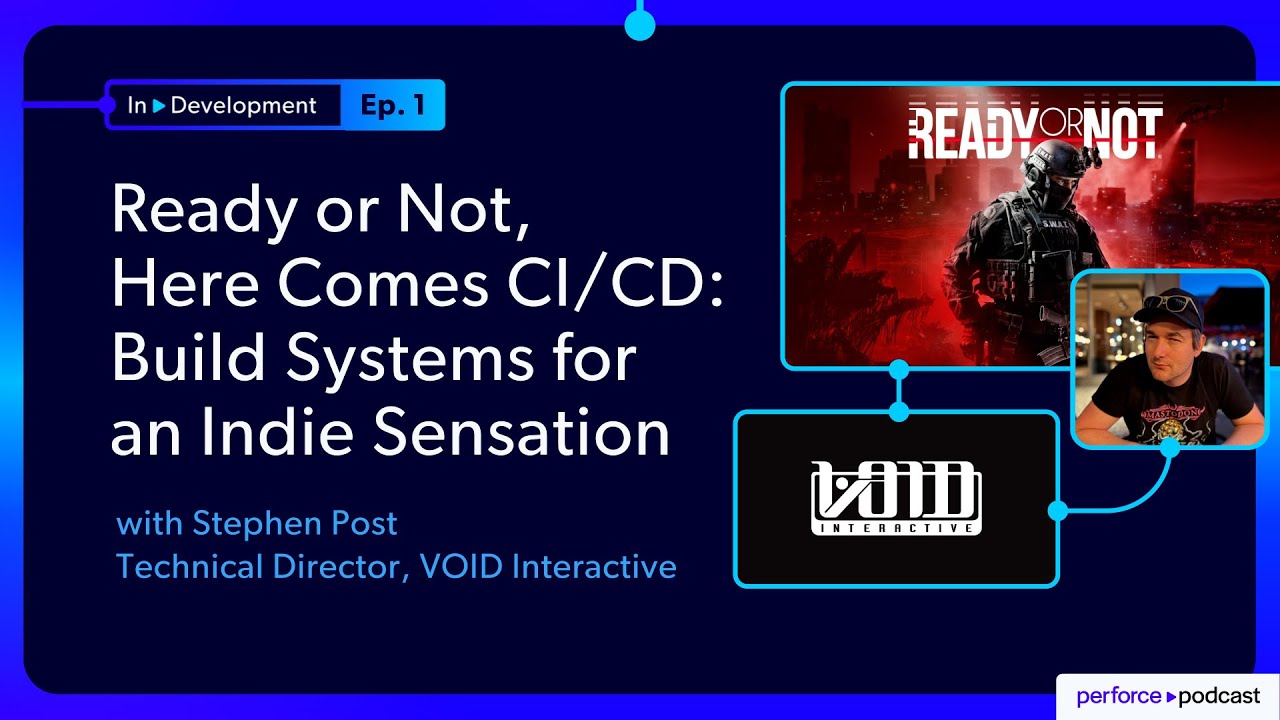
About the Episode
In this episode, Stephen Post, Technical Director at VOID Interactive, joins Jase for a deep dive into the technical evolution of Ready or Not, the acclaimed tactical shooter game. Stephen discusses the complexities of expanding their fully remote, globally distributed studio—from a small team of 9 to more than 75—covering key challenges such as:
- The process of expanding their technology stack and operational processes to support a growing player base and development needs.
- The strategies and tooling needed to enable seamless local development across a remote team, including custom workflows and version control practices.
- Transitioning from a homegrown build system to leveraging Unreal Engine’s advanced tools—Unreal Game Sync, Horde, and BuildGraph—for automation, integration, and scalability.
- The evolution of their CI/CD pipeline, including improvements in branch management, build reliability, and debugging efficiency.
Whether you're a solo developer, technical lead, or project manager, this episode offers a candid and practical look at what it takes to scale a game—and a studio—without compromising on quality or agility.
FEATURING
Jase Lindgren
Senior P4 User Advocate
linkedin.com/in/jaselindgren
Stephen Post
Technical Director, VOID Interactive
linkedin.com/company/voidinteractive




Check Out More Episodes...
Ready or Not, Here Comes CI/CD: Build Systems for an Indie Sensation
Stephen Post, Technical Director
VOID Interactive
From Maya to Unreal: The Story Behind Nickelodeon's Max and the Midknights
Sica von Medicus, CG Supervisor
Nickelodeon Animation Studios
Fail Fast, Fix Faster: Pipeline Wisdom from Halo Infinite to Virtual Production
Luis Placid, Engineering Director
ICVR & Shiftstorm Entertainment

Full Transcription
Being able to debug is one of the most important skills, and it's the only reason I'm on my job today because I can debug things. I can once I can start the application, I can step through everything to find out what's happening.
Welcome to in development, where we explore the technical realities of creating today's most ambitious digital experiences. Each episode features in-depth discussions with technical directors, pipeline specialists, and digital creators who share their approaches to overcoming real life production challenges. Not just what they accomplished, but what went wrong along the way and how they approached solving those problems. Today, I'm joined by Steven Post from Void Interactive.
Their first game, Ready or Not, was an overnight success on Steam, hitting number one without any marketing. While that is every indie developer's dream, it also brings some significant challenges with it when you suddenly need to scale your team and you don't have the right systems in place for that. Steven came on shortly after launch and completely overhauled their build systems, continuous integration, and testing to take them from a casual team of friends to the professional powerhouse that they are today with over seventy five employees across the world. Steven's always been super generous with collaborating and sharing what he's learned, and so I'm really excited to have him on the show to share with all of you.
And without further ado, let's get on to the interview.
Steven, thank you so much for joining me today.
Great to be here.
Yeah. We've had so many conversations over the years running into each other at conferences and chatting about Perforce things and game dev. Could you give our listeners a quick introduction to who you are and what you do?
Hey. I'm Steven Post. I'm the technical director at Void Interactive, where we are working on the quintessential tactical shooter, Ready or Not. We're currently a studio with about seventy five people fully remote and global, And we work with Unreal Engine, Perforce, among other things, and we've just released our first console version of Ready or Not.
Nice. So by the time this podcast comes out, that will have been a few months ago, but I think already we can see it's been a huge success. It was what?
We sold a million copies in three days on that. And our concurrent users, I have seen as many as two hundred thousand concurrent users at once, which is a dramatic increase from where we were with just Steam, which has proved to be challenging in some ways, but also very rewarding.
Yeah. I actually just dusted off the game because I bought it a few years ago, but I just played it on PlayStation with my friends this weekend. And one of my friends I was playing with is actually former military, and it was the first time I'd played the game with him, and it was so insightful playing it with someone who actually talks the talk and, like, understands the concerns. And in some ways, he was kinda more freaked out by the game than we were too. It's so grounded in realism that he's like, I always do the full body armor because I just got so freaked out on some early missions. I play very defensively now.
And that's the story we're trying to tell. Right? This is not a a run and gun type of game. It is meant to be a simulator of what some of the police force or the military go through in real world situations. You're not rewarded for gunning everybody down. These are difficult situations where you need to think fast and deescalate the situation.
I am a run and gunner, and I'm not even good that good at that, but it is very targeted towards militarism People.
Right. Like, when I've played it with friends who are much more in, like, the Call of Duty side of things, they just ruin everything because they wanna just run-in and kill everybody.
Where's my slide mechanic?
Exactly.
And that has been a challenge from a game development point of view. My history is in corporate development, making loan calculators, which are a little bit easier to test. But when you move into gaming, especially a game like this, how do you test for fun, and how do you test for difficulty, especially when you're targeting a particular audience of these these ******** Milson guys or girls for that matter. And then you do get people who have played a lot of Call of Duty or Rainbow Six, and they jump on, and they're like, why can't I run-in the game, for example?
There's literally no run button.
Exactly. Because that's not the story we're telling.
And building a pipeline and a process that allows us to develop the game efficiently while catering to our original vision is an incredibly difficult thing, not only from a technology point of view, but from a people point of view. Because for me, it's not the game I would play. I would much rather play dwarf fortress. So could we put some dwarves in the game? But that would take away from the core vision of the game. And so Right. That's a certain level of challenging, not to mention the fully remote aspect of of the studio.
Yeah. What we're really gonna get into today is the story of how you came in and built those systems like you were talking about to try to automate that and scale that while being all remote. But just to set the stage a little bit, could you talk to us about what is the toolkit that the studio is working with right now? You mentioned Unreal five for the engine, but what else?
Yep. I'm a technical director, so I focus majority on the programming team and the behind the scenes team. But we don't enforce any particular tooling for, say, the developers or anyone in particular so long as you can conform to the pipelines that we have available. If you were to submit code, it needs to conform to the coding standard we have.
Fine. If you wanna use Notepad, if you wanna use Rider, if you wanna use Visual Studio, that's entirely up to you. And we wanna support you working in the way that you wanna work. So from a toolkit, the core things that we have, we have Unreal Engine, which runs on top of Perforce and all of our source control, our sources in Perforce.
Then we run TeamCity as a build coordinator, which will generate an updated editor for any of the content creators, that being artists, musicians, level designers, whatever it happens to be. We will ship them new editor binaries at every commit we do regardless of what branch we're working on. So we'll be working on hotfixes for the current release. We'll be working on the release that's coming out in six to eight months, whatever it happens to be.
And so we make use of a lot of Unreal off the shelf tools. Things like Unreal game sync are very, very important to us. Robomerge is incredibly valuable, and they all operate on top of Perforce, which is, to be honest, the critical system of our toolkit. Yeah. In terms of other tooling, like, we use Maya, Photoshop, whatever you wanna use to get those three d assets or all that content into the game, we don't necessarily mind. There might be specific pipelines for those, but, again, we don't enforce anything until it gets into Perforce.
Okay. So that's when it has to really make sure it conforms to also naming standards and things like that?
Yes. Yes.
Now we haven't gone fully into the background of Ready or Not, so I'd like to cover a little bit of that before we get into naming.
Sure.
So Ready or Not was originally founded by three people who had met playing a game called Daisy. For those who aren't aware, Daisy is an absolutely great game of social engineering and surviving. And one of the founders with his twin brother had met another founder, and they weren't founders at this stage, obviously, and they were gonna kill each other. But they came to a stalemate where one guy was up a ladder and the other guy was below the ladder, and they were talking to each other because there's this voice comms in Daisy.
And they're like, look. I'm not gonna come down. You're not gonna come up. What are we gonna do?
So these two people after that had become friends. For the many years, these two played games together on and off, and they were, hey. We should make our own game.
And the founder, Sterling, in question is our creative director, was speaking to Ryan, our CTO. And Ryan's like, well, I don't know how to make games. And Sterling said, well, neither do I, but we can learn. And so those two combined with another guy called Stu, who had left before I had joined the company, founded what is now Void Interactive and Ready or Not.
And this is the first title they've ever worked on.
So it was literally how to make games in Unreal on YouTube or Google or however you get your learning, and this is the first game they've made.
Yeah. What a way to start, though.
Oh, absolutely. And now we released the Steam about three and a half years ago with nine people at the company. So going back to the naming standards, yes, we do enforce those moving forward, but because this is the first game of the studio, there's a lot of learnings that have come about that we can see as we go through the timeline of the code and the assets that we have. The things that we've figured out through sheer luck, determination, or challenges we've faced. And so we will put in processes and practices to help us minimize or eliminate those those challenges that we've faced.
Yeah.
To put it simply, yes, for new stuff.
For new stuff. Yeah. I think that's a really cool part of this story, and I think we'll get into that because you weren't coming into this greenfield. Alright. We're starting a new project. I'm gonna set up all the build, everything in advance. This is going full speed, but it's kinda duct taped together.
So I have a story of the first official release day of Ready or Not on Steam. The CTO, Ryan, lives in New Zealand as well as I do, and he was traveling from one city to another city about an hour away. He's like, we're ready to go. We've made a decision we're gonna ship.
I'll kick off a build to make sure it's good. He gets to the second city where he visits some family members. He downloads the build. Yes.
This looks good. I think we're ready to ship it.
He clicks ship on Steam. He gets in his car and drives four hours to another city. And and for anyone who's driven in New Zealand roads, as soon as you're about ten minutes out of town, you're basically you're in the middle of nowhere. So he had for the next four hours until he arrived at the final town he was visiting.
He said, oh, I don't realize people would be able to review the game. And that was the release day for Ready or Not. It is purely a passion project, at least it was when we started, of people who love these sorts of games, and they did it because they wanted to make a game to recreate the games that I've played historically and to do it with friends. Right.
And now it's turned into this global success. Right? After we released on that first day, we hit number one, and this was December on Steam. And people say, don't release in December because there's the winter sale on.
It's not a good look. Any marketing person would advise against that for your initial release. They would also advise against releasing and then getting your main technical person to go away for four hours. It's no story.
Right. And then we hit number one, and I I as far as I recall, we sat at number one for four weeks.
Wow.
Yeah. I I mean, I remember suddenly everyone was talking about it at the time amongst my gamer friends, and so was like, oh, okay. I've gotta check this out. Let's play it.
Yep. And it was a passion project of these three to go from zero to, yeah, number one on Steam was incredible.
But that comes with its challenges as well because there is a certain level of support and updates that you need to provide the community. And back to some of the earlier comments about challenges is now we have technical challenges as well as the other challenges when it comes to doing the right thing, making the game fun and or difficult, but not too difficult and not too easy because then you lose the fun.
Yeah. Gotta thread that needle exactly in the middle there.
And at the same time, grow the teams in the areas that we needed. For example, I was brought on just after this initial release to help from the technical side of things, but we didn't have a marketing team. We didn't have issue tracking.
We didn't have emails. So we only knew people on Discord by their gamertag. Even now, we will address people by their gamertag, and people are like, who's that?
Oh, that's our artist. We've just always called them that for historic reasons.
Right.
And so when you join the Discord as nine people, ten people with their gamertags to now what we are today with seventy five people working at Void and Interactive plus Outsource on top of that. That's challenging.
So can you tell us a little bit about the starting setup then? So when you came on, you said it's nine people, and he just kinda fired off a build from his laptop.
Which where was that building? Kinda what what infrastructure was in place already?
Yeah. Sure.
Sure. It already in Perforce or not yet? What was the starting setup?
Yes. So we were on Perforce when I started. We had originally used Git and then Git LFS, the large file system support, but we had broken those limits due to the nature of the game right now. For anyone who hasn't played really or not, it's very graphically intense.
There's a lot of large assets. So things like Git really struggled with it. So as much as I love Git for source code only, for assets that made it really challenging. So we had migrated to Perforce.
We had three branches. We had experimental, supporter, and release.
Developers and content creators only worked on experimental. The other two branches were for release management, and that is it. We had a single build server, which was running in the CTO's garage, and it was tightly coupled to a network detect storage, so a NAS, in the garage as well to store symbols. We used Jenkins, and the Jenkins agent ran in the cloud on our cloud provider communicating with this build agent and the garage of the CTO.
We had a custom build of the Unreal Engine, and at the stage, we're on Unreal Engine four point two seven.
Only the CTO, because the programming team was about two people at the stage, had access to the custom engine, and that was stored in GitHub. So the build server would check out the engine, check out this code, and build the game and upload it to Steam, storing the symbols and whatever other artifacts we had on this NAS in the garage of the CTO.
Got it. Wow.
And that was what we had for until I came online. For example, I wanna run a local cook. I'm getting an issue where it only occurs in the Steam build.
I can't recreate that locally because it is so tightly coupled to Jenkins and so tightly coupled to this mass and the infrastructure in the garage of the CTO.
It made it very challenging, but it's what we had to do to ship. So all of our content creators, so this is non programmers, didn't even use the custom build of the engine. They would use off the shelf editor four point two seven loading our projects, which was stored in source control as binaries. We would have the RadioKnot dot DLL committed to source control, which made it very difficult to work on more than one branch.
Because I see. Content creators can't build the game. They can only access preconvolved binaries which were committed to source control.
So very challenging. And, again, no issue tracking at this stage. So we would communicate via a tool called Notion, which is absolutely great for for the size we were. It was more or less our wiki for storing information, but there was no issue tracking.
It was a lot of asking the purse the people around you because the company was so small at that stage. What should we do here? Yep. I think we should do this.
Let's not do that, etcetera. Right.
And just kinda having to know where to look in Notion to track the status of things.
More who to talk to because I see. Yeah. You know what documentation's like. So it's always the last thing to be updated.
And so Yeah. Don't ignore what was said there. We need to go and talk to the the creative director or the CTO or whatever it happens to be to get the right answer. But it worked. You know, at that stage, we were already number one on Steam. Sometimes doing the right thing and the scalable thing and designing for two hundred thousand players, initially, we may not have even released a game.
Because, you know, like, it would have taken too long. We didn't have the skills for that. We didn't have the money for that. Right. We've done it backwards, I guess.
Yeah. So talk to me about what happened from there then. How are you then starting to say, okay. Let's improve this.
Let's Yep. So this easier to test. Right? Easier to develop.
Little bit of backstory just to give you some insight. I come from corporate development where in my previous role, before I wanted to make a change to the production systems we developed, which was in cloud computing and civil construction, we could create a feature branch in in Git. We can make a change.
When I committed that branch, it would spin up an entire test environment that I could test, work with my product manager, confirm it, even end users, and then ship that to production. And the build time and the automation time would take fifteen to twenty minutes.
So had to ship something. I could test everything I needed to locally or in a replica environment and ship it to production all with a good suite of automated tests. And I come over to gaming. I'm like, wow.
What is this? You know, I can't even do a build locally.
So how am I supposed to debug the game if I can't do a build locally? So one of my first tasks was to set that up. And we don't test for this in interviews, at least in the interviews I've been in or done. It's not a big topic, but being able to debug is one of the most important skills, and it's the only reason I'm in my job today because I can debug things.
I can once I can start the application, I can step through everything to find out what's happening. So building locally is very important to tracking down issues that only appear in Steam builds. And because the studio, while still small at that stage, was not able to build locally, it made debugging and moving forward quite difficult. So one of the first tasks is how do we set up the games we can build locally?
And so we took away the scripts that we had, which were very tightly coupled to Jenkins and made them more agnostic. So if I was running on the build server or running on my local computer or computer in the cloud, it didn't really matter. It could still operate.
And that meant understanding the infrastructure. So what about these mess, you know, where we store the symbols?
Well, let's move that That's what I was gonna ask.
We need to move that to a location that is accessible by more than just the people at the CTO's house, which was the CTO at that stage. And so we start to understand the pipeline of taking source code and assets from Perforce to getting it to Steam. And so that meant, well, we've got a custom build of the engine. Well, how do we do that? How do we get that available to other people? How do we take these symbols and make them accessible to others?
When you're a fully remote studio, and we were at the stage as well, and we had a lot of people in Europe. We had people in New Zealand, Australia, and America at the stage.
So we couldn't just set up a server anywhere. We had to make sure that we had connectivity, which is challenging for anyone who's done any form of IT or infrastructure across the world with no setup, no prep. So that was challenging. The first thing, get that stuff onto the cloud, get the build running locally, move to a more updated build script.
And that meant under trying to understand Unreal build tools a lot better. So they had some very, very great automations and tooling to support this. Right? Unreal's been developing games for many years.
It's not their first rodeo. And so there's a lot of learning, a lot of reading of source code. Thankfully, Unreal does provide you with the source code. And so so long as I could get the initial main or it went into a method called wind guarded main, as long as I could get there and debug it from my IDE, I was pretty happy.
And so could you give us just a little bit of context? We don't need to go into a deep dive. But what was the build like before, and then what were some of the changes to make to leverage more of Unreal's existing tools for BuildGraph and stuff like that?
If we think about what the types of builds we had initially. Right? We had one build which ran on the single experimental branch that content creators had access to, which was to basically build the game and submit the binaries. This was all a custom I think it was a batch script, so a BAT file at that stage.
We had a Steam build, which was a series of batch files which did a lot of copying of files and editing of version numbers and just manipulation of raw files.
And we didn't know the state of the build server versus what was in source control at this stage because there were so many manual things that have been done to the build server. We couldn't even recreate the build server because it had these manual changes. So we would make files read only so things couldn't change them, etcetera. So, again, understanding the difference between the build server and the source control and then what the build script is doing was important.
So that's how we got to Steam. We ran through these manual edits on the build server, cooked some audio files or prepared some audio files for the build, then ran through what we'd call build cook run, which runs on top of Unreal build tools. And then that's actually an automation that you can edit and extend and actually build your own to do other things. So instead of writing batch files to do things, we could actually use Unreal build tools or Unreal build automation to do our own custom scripts in c sharp, which could then use BuildGraph, which is a Unreal scripting language on top of Unreal build automation, which allows you to run builds in much larger environments in parallel and to have really good build chains. We are still moving towards build graph for our main build at the moment.
We do use it for some portions of it, but because of some of these historic reasons Right.
We haven't been able one of these major issues was we had spaces in our path.
So the folder of really or not was really space or space not great if you're on Windows.
Absolutely not if you're anywhere else or if, say, you've got some regexes that look for things, path files, and don't assume that you have spaces. That's been very challenging to overcome these sorts of things.
And is that something you've gone back and fixed or that you've had to work around this whole No.
I we did attempt the workarounds. So Unreal released a CICD tool called Horde, which is what they use for their internal build, and that did assume there were no spaces in the path. I did try and modify that to eliminate the requirement for having no spaces, but in the end, it was actually easier to just rename everything to have no spaces.
Okay. So you did go back and change some naming conventions even if you're not going back and redoing everything historical.
Yeah. This one actually only happened at the start of this year. There was a lot between migrating from the CTO's garage to getting rid of the spaces. There were quite a few steps.
Right. A couple years in between there.
Yeah. Definitely. So in between that, at the stage when we were moving out of CTO's garage, Horde wasn't available. Because we were still running an Unreal four point two seven, we actually made use of Team City.
So it's made by JetBrains, the same team who make Rider, which is the IDE of choice that I use. So we migrated to TeamCity. And one of those things was, okay, take these hard coded Jenkins variables out of the build scripts. The build should be agnostic to the build server it's being run by.
So we move this to just a simple PowerShell script that would wrap the build automation from Unreal. So we would start up, we'd check Perforce and what version am I on, am I a build server or not, and make various edits. So one of the good things about Perforce that I should mention is I can make custom permissions. So you and the art team don't have access to the source code, or you as a non admin don't have access to the crypto files or whatever happens to be. It can be per path. So a build server would go and revert certain files, like, if we were to do PAC signing or anything like that. The builder would be the only user that had access to that file, and it would revert it.
But we still wanted to make it so anyone could run it. So if a programmer or an artist ran this file and they didn't have access to files, it would still run.
So it would just run theirs with, like, self signed versions or just okay. Got it. Yep.
And so the script we moved to could do everything from initialize, like, at Perforce, what branch am I on, setting up the engine. So there is some build graph that will generate precompiled binaries, which I'll get onto in a second, which are incredibly valuable when used with a tool called Unreal Game Sync.
Then we would actually go and do a BuildCook run, and this was a verbatim copy of what we had in the original Jenkins scripts to this new PowerShell script that we were running called build PS one.
And that was only because we didn't want to disrupt the build. We wanted to make it so we could run it in more than one location. So we took a verbatim copy, and we had to choose which maps to cook and which maps not to cook, how did we want to package this, etcetera. And then we put the Steam upload in there.
Now anyone in the company could run the script and get a Steam compatible build locally. Well, they still couldn't update it to upload it to Steam because they didn't have credentials or the tools. They couldn't sign packs or some of the things that Build Server could do. They could run a build locally.
Now when I can run a cook to build locally, like a Steam build locally, I can now run that out of Ryder, and I can attach to it. So we were building and modding at this stage, so we have PAC file loading. Right? So in Unreal, they put all the bundle all the assets into what's called a PAC file.
When Unreal initializes, it searches for all PAC files and a few directories and then tries to load assets. And if those assets cause any issues, say they're targeting an older version or something else they corrupt, then the game will crash. But this all happens very quickly. So if you're trying to attach a debugger while the game's in the menu, it's already too late.
You know? The game's crashed by then.
So being able to run out of the editor from main From the start.
Yeah. I see. Was very important, and getting the other team members, the other programmers of which there were two, to be able to do this was very, very important. But that Build PS one is still used today.
It's a little bit larger than it was. I mean, again, we ship to console now. We ship to five platforms soon. So PlayStation, Xbox, Steam, Epic Game Store, and soon to be Xbox PC.
So that build PS one that we set up all those many years ago to take it out of the CTO's garage is still in use today to generate our cooked builds for all platforms, our symbols, our binaries. Whatever we need to do, that script is being used while we still transition to Horde.
Got it. So I was gonna ask, what's the relationship between that PowerShell automation script you have and BuildGraph? Like, is BuildGraph calling that, or is it calling BuildGraph, or how does that work?
So at the moment, it's calling BuildGraph. So Okay. We use BuildGraph for a few steps in the build pipeline. We still use the good old classic BuildGraph run, but we do use BuildGraph for binaries, and we are migrating this entire build script to BuildGraph.
But for the time being do hard.
Yep. This wraps BuildGraph because the challenge with BuildGraph is it is very verbose and cumbersome in terms of reading it as a developer or someone who's not fully up to speed with BuildGraph. So this build script that we have is just a simple wrapper around things I wanna do. I wanna build the game.
I wanna set up the game or I wanna build the engine. I don't have to do many other things. So for example, last week, I was tracking down some issues with one of our technical artists, and he's like, need to cook the game locally. Don't worry, mate.
There's a very simple command. Run open up a PowerShell command, run this, put build game on the end of it.
And there you go. He's been able to recreate with some sane defaults a cooked game, and he can test this this workflow. It was actually we were looking into compression of textures at this stage.
And he was able to track down the issue and actually resolve the issue that he was facing, which was only occurring on a build server because of some of the cook settings that we had.
Got it.
And so it is a simple entry point to getting a cooked game, and you really want that. You don't want to teach people, alright. You wanna get a cooked game? Well, we'll start with the unreal build automation, then we'll start with, you know, move on to build graph, then we'll move on to horde. So you need to understand all of these to get a simple Steam build.
I just wanted some binaries, mate. Yeah. That's the situation we're in.
I'm not letting perfect get in the way of getting it done.
But we still have the power and flexibility to customize our build with the power of BuildGraph by editing BuildGraph for the folks who are in that area and understand BuildGraph or Unreal Build Automation tool. And we make quite extensive use of those tools internally as well. But, generally, we would wrap them in our build script for non build engineers to consume. We use bake lighting for that's a very intense process where we essentially calculate lighting textures that are applied at runtime as opposed to calculating lighting at runtime.
We use Unreal build automation for that, and it's exposed in TeamCity. So our art director can go or our technical artist can go, I need to rebake the lighting of this level because I've made some changes. They just have a drop down of which level they wanna select, what quality. That will kick off our build script, which will just run-in Unreal build automation to bake the lighting and submit it back to Perforce.
And that workflow there has saved us so many hours because historically, it was going to an engineer who was going, well, I'll do this locally and commit it. Someone else has checked out the files while I was doing it, etcetera, etcetera. Yeah. So that workflow in itself will check with Perforce, check it out, commit it back, and everybody wins.
Automations are so important to the studio to run efficiently, especially with multiple time zones.
I feel like I've had a few conversations with game studios and especially with co dev studios who've had experience doing a lot of these things. They're always big on that from day one, have automated builds so that you catch problems way sooner than you would otherwise, and you're not having to dig back through history to try to solve some issue.
Any project I start now, and if we were hypothetically gonna ever work on a new project, that's the first thing I would put in. An empty project, you know, maybe a template, third person, first person, whatever template you want, with a build pipeline that will upload to Steam and copy symbols and get precompiled binaries out to people. That is the first thing because then you can put your automations in around testing. So let's say you were picking up items in this particular game.
You can make sure that it continues to work, and then you can let people have at it with whatever they want, and you've got this foundational framework ready to go. So some of the challenges we've run into through the years is breaking of builds. Right. Historically, in in software, and and this is not just gaming, but in software in general, builds are a something that happens to the side that people aren't aware of.
Right? So I'll make a change. I'll go home for the day. Oh, the build's broken.
The build engineer will take care of that, which is not a a situation we necessarily want to be in. We want people to have access to the information required to make decisions or solve problems without being an expert in the tool. So I don't expect everyone to be a build engineer, but I wanna get the information to the people who need it. So for example, if you, as a level designer, are changing a blueprint and you accidentally forget commit one file or you commit the wrong copy or whatever it happens to be, we want you to be alerted as soon as possible and have the information required to solve the particular problem that you've created inadvertently.
You know, no one goes into work intentionally breaking builds, but it does happen. Right. I've broken the build. There's nothing wrong with it.
How do we move forward and get the information? So we've made a lot of changes to the build pipeline, mostly around logging to highlight certain logs in the build server so that people can see easily see that error, you know, pin not connected or incompatible type or something along those lines and get that information.
So you've got kinda your own custom, like, parsing of those logs to help surface what matters, what's important?
Yep. So keeping in mind that this was three years ago, and TeamCity didn't have very strong Unreal support. The logs were just plain text.
So it was building in some wrappers so that we could get the logs again, back to the build script. If I'm running on a build server, it's already got nice colors on the command line. But if I'm running on the build server, I want it was just plain text, and so I needed it to be in a format that TeamCity could understand so you could add a summary, go, show me the warnings, show me the errors. Right.
That leaves us to some of the other great tooling and great advancements we've made in the studio. So one is notifications to we use Slack now. We were originally on Discord, but the solution was more or less the same. When a build would occur or fail, we would send a message to a channel, tag the relevant users to, you know, who were involved in the change that may or may not have broken the build.
So a challenge going back to we were on Discord and we all had gamertags. When we're in Perforce, we had a combination of gamertags, last name, first name.
There was no consistency, and there was no way to tell who was who in Perforce and Discord. So that's another important consolidation we've done is we've now consolidated on usernames in Perforce, which link to your email, which link to your Slack username. So that makes getting information to the people in question a lot easier. Originally, we just had a big mapping.
And it Right. Yeah. I've I've had to do that before. Yeah. We just have this big table that's this username equals this email equals this person's name equals this other username. Yeah.
So that was another thing in our downtime over we have a studio shutdown over Christmas, which is summer in New Zealand, which is great.
But we renamed all the users. So we basically went to everyone, alright. You know, I'm gonna rename my username to steven dot post instead of my gamer tag shadycuts.
Fine. That's a rather intrusive command to run on a production perf or server while everyone's using it, so we wait for a little bit of downtime. It's also where we did the rename to remove the spaces of Riddle Not.
But these are things that you don't know until you know.
It worked until we need to get information to people like, you know what? This is actually kind of annoying that I can't just message these people. And so now we're in a really good situation. So Slack will highlight builds, and we don't get too many build failures, to be fair, because of a lot of the automations we put in in preflight checks. Preflight checks are precommit checks that you would do when we run reviews, which is another topic that we can get onto. But, also, we use a tool called Unreal Game Sync. This is one of the most important tools we've introduced to the studio.
So as I've mentioned, we didn't ship binaries, a custom engine, to anyone in our team, including developers at this stage. We had some custom changes, very, very minor, but only one person in the studio had access to the GitHub because it was on the CTO's personal GitHub. Again, the start of when it was three people. In our code, we had a whole lot of if defines, like, if defined custom engine, do this, otherwise fall back to some other logic.
So You had to build those in to get around this lack of being able to distribute that custom engine.
And because our build server was tightly coupled to the three branches that we had and it had changes on the build server, we couldn't really get to a stage where we could change branches or create a new branch because of these binaries were so important of the game binaries at this stage to get to people, which were done only on the build server. So I've done some reading. There was a a good Fortnite white paper on how they were able to work at large scale across the world, and one of the tools they mentioned is Unreal Game Sync. And if you haven't heard of or used Unreal Game Sync and you're in Unreal Studio, I highly recommend it. So what it is is a tool that you could bring up. It interfaces with Perforce and your pro you project that you're working on, and it shows you a history of all commits.
And you can build a very simple integration. So this that can give you a status of each of the builds. For example, this commit by me has the engine passed, the the sanity build passed, the Steam build passed, the PlayStation build passed, the Xbox build failed.
Okay. That's really, really handy. At a glance, I don't need to know what TeamCity is or what a build server is, but at a glance, can see that these builds are passing or failing.
It can also link to Jira, which is our issue tracker that we use now. So we can just get a straight link to the Jira that this particular change hit is about. That's cool. And that's not setting the world on fire or doing anything crazy. It's very handy, but the real benefit of Unreal Game Sync is whenever I make a change to the engine or to the game code, what we do, TeamCity will run a simple build which will package up the editor. It will package up the game binaries into a a single zip file and commit it to Perforce.
Unreal game sync then goes, I'm just gonna check Perforce to see if there's any precompiled binaries for the CL, this change list. And then it will pull them down, extract them, and run that custom editor and custom version of the game code right then and there. So now as a content creator, you don't have to download source code. You don't have to install Visual Studio.
You don't have to compile the entire engine. We can ship you a custom engine, and the build only takes about five to ten minutes for that. It's very quick. So we do every single commit that comes in that affects code.
We do custom binaries.
But that eliminates a very, very critical issue we had with multiple branches As the build server would have to swap to that branch, build the editor, commit the editor back to Perforce, and then when we try and do, like, a merge between branches, it would cause a lot of issues because these files had actually been changed in multiple locations.
There are some solutions with Perforce to exclude them from branching and merging, but we weren't up to that at this stage.
Right.
Because you were just committing back all of these DLLs and everything as Straight into the binaries folder of the game, of the plugins, of whatever it happens to be.
We were committing them straight into the folder they were generated in. If you load up the editor from your IDE, and it will generate a whole lot of binaries for all the plugins, all your lib files, all your symbols, and we would just commit them straight to source control. But it worked Right. When you're a small team. But it didn't work.
Just all on that same branch. Yeah.
But now, the single ZIP file that we store in a completely separate location in Perforce, Unreal Game Sync is able to interrogate that and just pull down binaries. And so not to mention all that information around Jira and builds, we can just give you Unreal game sync. So you're it's as simple as checking out this executable, Unreal game sync installer, installing it, and then pulling down the project. Great.
But it now makes it a lot easier to swap branches.
Again, we still didn't have full engine support for people to check out the code at this stage, so we just took the build server and generated these precompiled binaries. So at least people got a copy of the custom engine, including programs so they could run it.
The next step So even before you had moved that actual source code into Perforce, you were still able to put those precompiled binary zips in there so that it could pull it down.
Okay. Yeah. I didn't realize that you used those separately. It wasn't like you had to move to Perforce first to use that.
Well, what one of the challenges we had with the moving the engine from Git to Perforce is the file types. When you check out the Unreal Engine source from GitHub, you get a lot of extra files, and this has actually caused us a lot of issues. So if you're a game studio using the GitHub version versus Epic's custom Perforce version, they are different, and there's different processes.
So for example, when you check out from GitHub, you run something called setup dot bat, which downloads a whole lot of files because you don't wanna store them in Git. Whereas if you're in Perforce, those files already exist.
So it's a it is it was a little bit challenging for us because we were tightly coupled to this download from GitHub, run setup dot bat, commit those files, or what we actually did is we run that setup dot bat every single time we built, which meant that we were actually downloading different files every time we built.
Even though we're on the same CL and Perforce, we were running setup packages.
Might have changed, and so it would grab new ones.
And so, obviously, what we'll do is just copy all this source code and put it into Perforce, which was great until it wasn't. Because we had a whole lot of extra stuff in the original folder structure for the engine and we didn't have the correct file types set up, we would run into a lot of issues of, hey. We're loading up a new copy of the engine. I can't edit this binary file because it's read only.
So, therefore, we'll make a file read only unless it's explicitly told to make it writable based on its file type or your workspace settings.
So our solution at that stage was just to make everything writable. Alt enter your properties on your engine folder, take away the read only flag.
Until we were able to go through and and set up these file types correctly so that files such as binaries were writable by default, and we didn't keep every single one in history, which is a whole another story. But things that needed to be read only such as UASets or Blueprints or whatever it happened to be were read only until they were exclusively checked out.
So mapping from the GitHub way of working to the Perforce way of working with file types was challenging. And even now, we will still get the occasional issue where someone will add a new plugin, and they won't set up the file types correctly. So we do have file types set up for particular, like, extensions. But if there's something that's got its own file, like a, I don't know, an INI file that's not normally writable, then when the build runs, it goes, oh, oh, I can't write to this custom file, which can add some challenges. But that was challenging to get the engine back in.
Maybe this is a newbie question, but when you're dealing with those precompiled binaries and putting those in that zip file, is that I always assumed that that was just the engine code, but you're saying that this can also include all of the DLLs for your game specific compiled binaries as well.
So it's our custom engine with our custom games. So when you build precompiled binaries, for anyone running the game studio, there's a very good example build graph in the engine that does this.
You can choose to provide a custom target. So when I build my engine, I can say, hey. Can you build a really or not target? And it will package all that up.
It will also strip the symbols out and copy them to a symbol server. So it's a it will also do the Perforce commit for you, and you just give it a depot path and edit to target and the platforms you wanna build, and you just run it. So we've been working on another prototype project internally just to get some learnings and whatnot. And we brought him our first nonprogrammer to this project to test some things.
He's like, hey. I don't really wanna build the engine. I don't have this set up for it. Can you help me out?
Yep. Run UAT, build graph, pass a a link to the build graph XML that comes with the engine. This target. Boom.
It's in the view.
And that's it. Just using the built in one, not even editing that at all.
All you have to do is pass your depot location where you wanna store the precompiled bonus, which is again a separate location to the core game that Unreal GameSync knows about, and it will just query that location. We set up file types for the binary so we only keep about sixteen in history because we don't wanna go forever because they do get they do get quite chunky. But now this level designer who has jumped on this prototype project is able to just load up Unreal game sync and pull down the binaries of a completely different project and a completely different Unreal version and get up and running. I still get a a few comments. Hey.
The binaries aren't there because someone's accidentally broken the build. It's a prototype project, so we don't have all the robustness that we would have.
Like I see.
The build should stop because someone left a semicolon out there like that.
Right.
But that that in itself was one of the biggest improvements the studio made. And what's funny about Unreal GameSync is, again, we were on Unreal four point two seven back then. Unreal GameSync has a tool called the metadata server. And so what that allows you to do is add comments to a particular check-in to say, hey.
Don't use this. I'm just testing something, or you can mark it as good or bad. You can see who's using it. If you don't have a metadata server to store the state, Unreal GameSync will still operate, but you won't get some of these extra features.
Well, Unreal GameSync's metadata server was written in dot net framework, which only ran on Windows and was hosted with IIS.
And I didn't want to set up an IIS server, So I actually rewrote this metadata server into a dot net core, which was cross platform and runs in, like, Kubernetes. It actually runs as a Docker image now, just on a single Linux server. We are still using that same Unreal game sync version from Unreal four point two seven despite now being on Unreal five point three because it's engine agnostic. Do we have a custom build of the Unreal game sync? The other good thing about the Unreal game sync is it just reads from an INI file in Perforce. So what we actually do is we keep this Unreal game sync INI file. There's one global one that we include into every project and every branch that you're checking out in the same location.
Got it. So you can share those settings for a project.
And one person could go and update this INI file. So we can actually message the studio important things like, hey. Code freeze is coming up on April the twenty seventh. Please move to the new development branch, and it will pop up and allow you to put links, put colors, and broadcast messages. As soon as these users sync in the morning, they see these messages.
It also allows you to do things like scheduled sync and stuff. For example, if you're in a location where your Internet isn't quite up to scratch, you can say, hey. Can you schedule a sync at six o'clock in the morning? But only good changes, Like I said, there's a metadata server.
You can say, this one's good. This one's bad. This one's starred. Hey, everyone. We're gonna jump on build one two three four for a playtest.
I've started an Unreal game sync. So you can automatically sync that in the morning, but you can also not sync some files. Like, I'm a programmer. I don't necessarily care too much about what the lighting looks like or what the levels look like.
So I might schedule a sync to only do the code.
Or I'm a level designer only working on this one level. I'm just gonna schedule a sync, and I'm gonna ignore all this other stuff. I don't really need it right now. So it's a very great tool that really took our studio from three guys in a basement to being able to scale without bounds, without limitations, to having many teams, many branches, and many projects.
And that was a white paper from Epic Games on how they developed Fortnite. They now have a how to run a studio at Epic Games Way written by Ari. Shout out to Ari. Absolutely great guy.
Such a good article.
Before that had come out, I was brute forcing everything and trying to read the source code because all these tools have been in the engine for a a little bit of time. Yep. You know, Unreal's documentation sometimes isn't as good as their source code.
Yeah. But documentation's always a hard one. Yeah.
Much the same as us. And the how to run our studio the Unreal way is is pretty much where we were heading. We were making steps to there before that article had even come up. You know, I've spoken to Ari in in a few conferences and expressed my gratitude for that document because it is so incredibly helpful, which brings us into one of the tools which we now have incorporated, Robomerge, which just takes Unreal game sync, multiple branches, and exponentially increases the productivity of our studio.
Can you tell us a little bit about Robomerge and how that works with your workflow? Because it sounds like you're not doing quite the same as Epic Games, or have you changed that now to do more of their branching structure for releases?
So we have actually changed the branches. So we moved from the three branches. In Perforce, you have what you call your main branch with your stable branch, and below it, you would have your development branches. So you sort of merge down and copy up.
We did the opposite because we wanted to cherry pick changes, and we didn't fully understand Perforce at this stage. We had development below it, release below it, like actual release. So we have now gone and flipped that and created branches. We have a main branch in the middle, and then above that, we have our releases and release candidates, and below that, we have development builds.
So before we set up and robo merge, one of the challenges we faced was getting changes from release candidates or release builds into future development builds. With game development, when you're busy, changes depending on what team you're in. In programming, by the way, it's all the time. But if you're in, like, level design, you're generally working on a release or two ahead of what the current release is because you're you're white boxing levels.
You're just putting some layouts. But we don't wanna put that content into the release game because it will be data mined or it won't be finished or it could cause issues. This was a challenge we ran into. We're coming up to release.
We need to work on the next thing. We can't because it's just too hard to get the files below into these more future development branches. Not to mention some of the challenges with Unreal with binary files. If you have a blueprint or a level, they're binary, and you can't diff them.
So what would happen if we did move on to a future release and then we're working on the current release and tried to merge it, we'd have so many files that were needed to be merged because they'd just be modified in both locations. And that in itself is not bad, but when it's been, say, three months and you've got a thousand files to resolve, going through the history of them is very challenging. Yeah. We have changed our branching structure to match Fortnite with releases up and development down.
And RoboMerge. Not to be confused. If you Google RoboMerge, there's actually a tool you can buy. It's not that.
You have to look for the Unreal RoboMerge. So RoboMerge is a is a tool that just runs in a container and in a Dockerfile written in TypeScript that monitors Perforce. So let's say in my hypothetical project, I've got my main branch. I've got release one, release two, release three, and I've got development one, development two.
I want all changes from release three to automatically propagate down to release two, to automatically propagate down to release one, and then the developed ones. I want sometimes the development branch to be able to promote something from a development branch to a release branch if they've patched something.
So you can put this over main, you mean?
Or Yeah. We can well, we can put any flow we want to in these branches. It will generate you a state diagram of the flow of changes from different branches. And so in a very simplistic view, let's just say you had release and develop.
Right? Just no main, no stable, just release build, develop build. You can say, take the release changes and automatically put them into develop. As soon as someone commits into the release build, let's say I'm I'm patching something or I've I've got an urgent bug in production and I need a result, I go in and I fix it.
Robo merge will attempt to merge that down to develop. But if it's got a merge conflict, what it will do is it will tag the relevant users and any optional people you want in Slack is what we use. So, Steve, you've made a change in the release, but there's a merge conflict on this particular file. If it's a file that, hey.
Look. I know I changed the blueprint in the release. I just wanna take my version. You can just override that, and it will automatically flow down to the develop build.
But what this does now is combined with the precompiled binaries. Right? You could be working on the next release, the next ten releases. It doesn't matter because the changes are gonna flow down to the tenth release in the future, and we're gonna get precompiled binaries.
So that feature will work updating sooner so you don't end up with different states that then have to get merged later.
Correct. Correct. Because that was historically a manual process, or we would write an automation to go, hey. P four copy or p four merge.
And if it didn't work, one person, like a build engineer, would go, hey, Doug. I'm trying to resolve these changes. I don't know which one I should take. Keeping in mind that we're a global company where we don't have one central time zone, this would incur a lot of delays.
And by the time you'd merge Doug's changes, you'd come into the next problem. Hey. You know, Mary, your changes now need to be merged, and it became a full time job to keep just one other branch going. But now with robo merge, that is automatic.
So if I push a change right now, it will propagate down.
Builds are generated, so our nightly development builds for the next release have the changes that we have just shipped yesterday to hotfix some bugs in console. So that's very important to getting the changes to the people who need it faster, which means we don't have a thousand files of merge. Yes. We will still have merge issues, but doing one at a time is not hard because it's fresh in your mind. If I tagged you right now, hey. That meeting you were in just before this, do you remember it? Yes.
Hey. Do you remember that time we met six months ago and we talked about that thing? No. No.
I don't. Correct. And that's what RoboMerge really solves combined with all the other stuff. Yeah.
Like, I'm gonna migrate from Unreal. We're gonna bake lighting to Lumen, say. We're not doing that. Don't quote me on that.
But let's say someone wanted to prototype that. We can then go to the tenth release in the future and just start working on that. And then they will still get the latest changes. But it also helps when you've got the custom engine and source as well because let's say right now we're on Unreal five point three in our release version.
Let's say in our development build, we wanna go to Unreal five point four. Well, we can just upgrade our development build, and then we still get all the changes. So if I did make a an engine change in the release version, it would flow down like, hey. You just need to merge the single change into five point four.
And so it is incredibly helpful.
The one thing about RoboMerge is it's it's got some documentation, but it is a black box for lack of better term. But I would definitely recommend spending the time figuring it out if you have a studio that works on more than one branch.
That's great to know. Yeah. Because I've only looked into RoboMerge a little bit. And I know the people that use it like it, but it does feel like a little bit of an intimidating learning curve coming in because it's not it doesn't have as nice of an onboarding ramp, I guess.
I know. Yes. And it is in TypeScript, so it's just yet another language to figure out and learn. So Yeah.
Another editor. I mean, I use Versus Code for that. Writer for this. This is the the role of a modern game developer is you don't program it in any one language.
You have to know all of them. Yeah. But, yeah, RoboMerge, I cannot stress how important that is combined with Unreal GameSync. If you don't have Unreal GameSync, that first, then RoboMerge.
Those two have set us up into a a modern studio. Right? We can work on a lot more projects, a lot more branches at once, and it doesn't mean that we need to hire more build engineers to support you because there's actually not anything that the build engineer has to do. So, historically, that was my role.
Right? I was the one merging, and now it will tag the people. I will help out, create a shelf to resolve the issues that people need. But, really, they're the experts in the area they're working on, so they know what needs to be merged.
I don't.
Did you move that lamp in that level? I don't know. I haven't looked at that level in detail ever. So I'm not really qualified to tell which is the right version.
I feel like that the theme I'm getting through both of these is making sure that the builds, but also those merges happen as soon as possible so that it's fresh in your mind and so that the people who actually created the issue can solve it.
One hundred percent. And that that's the third point is getting the information to the people who require it as fast as possible. So if we go back to the previous example where people would come to me and say, hey. Can you keep our future build up to date?
I don't have context. I'm making decisions on behalf of people. Sometimes I might overwrite their work because I didn't fully understand it. Not because I didn't know, but I'm just not in that area.
So if I can empower the other teams and the other people and the other departments to be able to make decisions for themselves, they're more qualified than I am to make those decisions. I'm just giving them the tools to do that. And this is what Unreal Game Sync and RoboMerge are.
Combined with a good BICD pipeline. The teams can run this themselves. We wanna reduce the dependency on the engineering team because they are generally yeah. We support a lot of things, and there is no real downtime from an engineering team. If we can give the tools to the people so they can do their jobs more effectively, then it we all win.
Yeah. Absolutely.
So as we're coming toward the end here, there's a couple questions that I like to ask everybody, and that is to someone who's newer in the industry, earlier on in their career or in building their studio, what would be your advice? And my guess from what you've said so far is Unreal Game Sync and RoboMerge, and I guess getting Build set up right away from the start.
To answer that question, it really depends on what kind of projects you're doing. If you're doing an Unreal project and you had more than one person working on it or more than one department, yes, those make sense. If you're sitting at home, how to learn Unreal Engine in YouTube, no. These are a little bit more complicated.
It really depends. But a bit of advice that I've been given. So the CTO is actually my younger brother. Him and I have been trying to make games for many years.
Like, I grew up playing computer games. I'm forty years old now, so I've been playing computer games for thirty five years. And I'm gonna make my own engine. And I have been doing that for about twenty five years now.
Have I released the game? No. Have I made some technically complex things? Absolutely. And I was talking to my my younger brother about Ready or Not, and he actually showed me Unreal Engine, and we were at a wedding.
And I'd be making a pirate style game in my own engine, and I was just trying to put a camera looking at another camera, and it become challenging. I said, no. Don't do that. I'll show you Unreal Engine.
We sat there for maybe four hours. We had multiplayer. We had physics. It was three d.
We had trading. We had AI. I'm like, wow. I need to learn Unreal. But what I had been doing my entire career is I didn't wanna spend the time learning other people's tools.
I wanted to do it myself because I had full control over it, and I could understand it, which was the wrong mindset. But, also, we started working on this pirate game, and I went home. I'm like, I'm gonna download Unreal Engine. This is gonna be great.
And I built in this very, very complex weather system. I've still got some pictures saved somewhere where you can pinpoint the exact wind direction at any point on the map, and it would go around hills.
And you could override the wind pattern. Say if you were coming out of a port, you always wanted the winds be going, like, cross the port.
I see. Okay.
It was it was incredibly complex and really, really cool and accurate. And my brother's like, yeah. But, Steve, if it's too complicated and it's not fun, people won't play it. It has to be fun first.
And that has really stuck with me. So we can look at these technical challenges we've overcome. We can look at Unreal game sync and robo merge and set up multiple branches. But if it's not fun, it doesn't matter.
So don't focus on the systems until it's fun. But also don't sacrifice the systems. You can always fix them up later, though, no matter how deep you get it. But if you aren't focusing on the fun, then if we had set up Unreal Game Sync and RoboMerge before we'd shipped the game, we probably would have never shipped the game.
Yeah.
That's a good perspective to have on it depending where you are in the process and what what matters to you. Right? I mean, maybe setting up a build system excites you, in which case you could probably get a job doing that at a game studio, if that's the part of it you are excited by.
I am personally excited about that. A good builder engineer is worth their weight in gold. So if you wanna get into build, one hundred percent get into builds. But it is also a thankless job.
It's behind the scenes. Yeah. We've been through a few releases now, some major releases, and I'll watch some streams. I mean, I'll have some of the team members around, and we'll be having a beer watching TV.
And we'll get a call out for some of the features we've worked on, and that might have been one of my team members who was sitting next to me. Said, oh, man. Good job. That was you that they're talking about.
But from my role, you can't actually see anything I've done. Yeah. I can't point to a part on level like I did that. I point to the stickers of me.
So if you're in the station and you go looking around on some of the walls, that's me.
Okay.
Hanging there, shady. But you can't see the build improvements.
You can't see unrecognized visible to the public.
Yep.
But it is incredibly rewarding for me to see everyone else be more efficient at their job. Right? I, as a personal core value, I want you, whomever you happens to be, to come to work and focus on what's fun and focus on what's important. For you as an art director, you shouldn't be concerned about builds.
You shouldn't be concerned about preconvolved binaries. Let me get you that information for you as a level designer, for you as an audio engineer. It doesn't matter. I want you to focus on what you're good at, not the things that I do because then we're not getting good audio.
We're not getting good level design because they're focusing on things that they have to go and learn, like build graph, like precompiled binaries. I enjoy it, and I enjoy seeing them go faster because of the tools we put in place.
Yeah. Something that comes up a lot is this idea of what's boring to one person might be super exciting to another person. Oh.
Like, right.
If you think about people who are really good in finance, it's just like that's exciting to them.
And, like, I'm someone who really likes working on pipelines. I get really passionate, really excited about that, but kind of the same thing where that's not what's out there. At the VFX studio, I started as an artist and then worked my way toward pipeline and had that experience of I'm touching more and more projects, and we're getting bigger and bigger projects. But I can't point to things anymore and say, yeah.
That scene in that show, I did that. Or, you know, it's like, yeah. I built the tools that helped the artist that did that. I know them.
I I walked by them while they were working on it, but it's not the same.
But still rewarding in its own way. It's funny. I actually started my software career in finance, and people are like, that must be so boring. It's just debits and credits.
But the systems that you can put in place are so enjoyable to me.
Would I go and recommend all my friends become finance developers? Probably not. No. It's not that enjoyable unless you love that.
And if you love that, you love that. One thing that is different from the gaming industry from the corporate industry is passion. And I'm not saying people aren't passionate in the corporate industry, but games are built on passion. That is what they are.
They are passion projects that turn into these products that we play. If I can keep you passionate doing the things that you're passionate about, we see that come out in the game that we release. If I make you spend time dealing with problems in a build server, then you're gonna you're gonna come to work less excited, less motivated, less passionate, and you see that in the outcome in game development that we need to keep. Passion and fun and difficulty.
You see when there's no passion, and you see when someone's really passionate. Now I happen to be passionate about builds, but you can't see them.
I love that. And I feel like that's the key to building a good team is find the people that are passionate about different things than you so that you fill in all those roles.
One hundred percent. Some of the challenges I've had with some of the technical challenges have been sitting there with our art director or technical artist, tracking down lighting issues. Man, that has been such an enjoyable situation because everyone's so passionate about their different areas, and I learn a lot. I'm not an artist.
I can draw a cube maybe. But sitting next to my art director and seeing him think and then what he does is so exciting to me. I'm in awe of their skills. Same with the technical artists.
And then they're the same with me. They're like, I just can't understand how you do it. It's so cool to sit there with other people in other departments and learn about it and see that excitement. Those, you know, twelve to sixteen hour days tracking down lighting issues are much more enjoyable with passionate people.
It makes a a difficult task much more enjoyable.
Awesome. Thank you so much, Steven, for all that you've shared with me over the years and then your willingness to share this with everybody out there on the podcast. I think this is really gonna help a lot of people.
And and as I've said to a few people in my career, I didn't get to where I am today on my own. I am more than happy to pass on anything I know to anyone who wants to listen, to be honest. If you wanna talk about builds, let me know.
Awesome. Alright. Thank you so much, Steven. Alright. Thanks. If you enjoy this kind of in-depth conversation with leaders in the media, gaming, and visualization world, be sure to subscribe so you get new episodes as they come out.
Subscribing and giving a review or rating is the only way that we know you enjoy this content so that we can keep making more of it. Reach out to me via email or LinkedIn with feedback, guest suggestions, or to connect if you'd like to be a guest yourself.
I'm always looking for great stories, and I love learning about the many ways game and real time technologies are being used today. Links for that are in the episode description. Be sure to check out Perforce dot com for information about our full p four platform based on the industry standard Perforce p four version control. Special thanks to our production team, Ella Reiswig, Kaylee Torres, Luisa Puhala, and Chris Perez. I'm Jace Lindgren, and I will see you next time on In Development.