
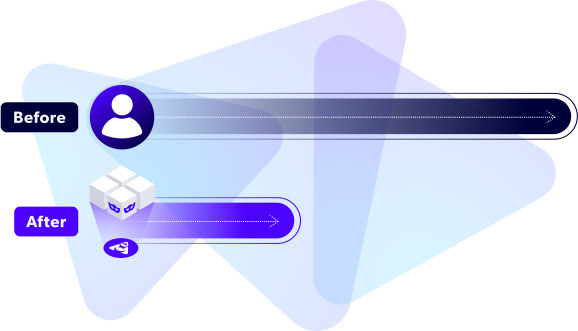
Eliminate Data Bottlenecks. Version Data Like Code.
Development and testing teams often face delays waiting for test data, slowing down release cycles. Perforce Delphix eliminates these bottlenecks by giving them access to trusted, compliant, high-quality data on-demand — so they can validate AI-generated change faster and release with confidence. Do-it-yourself actions like bookmark and rewind let teams easily manage compliant data environments without risks.
See How it Works
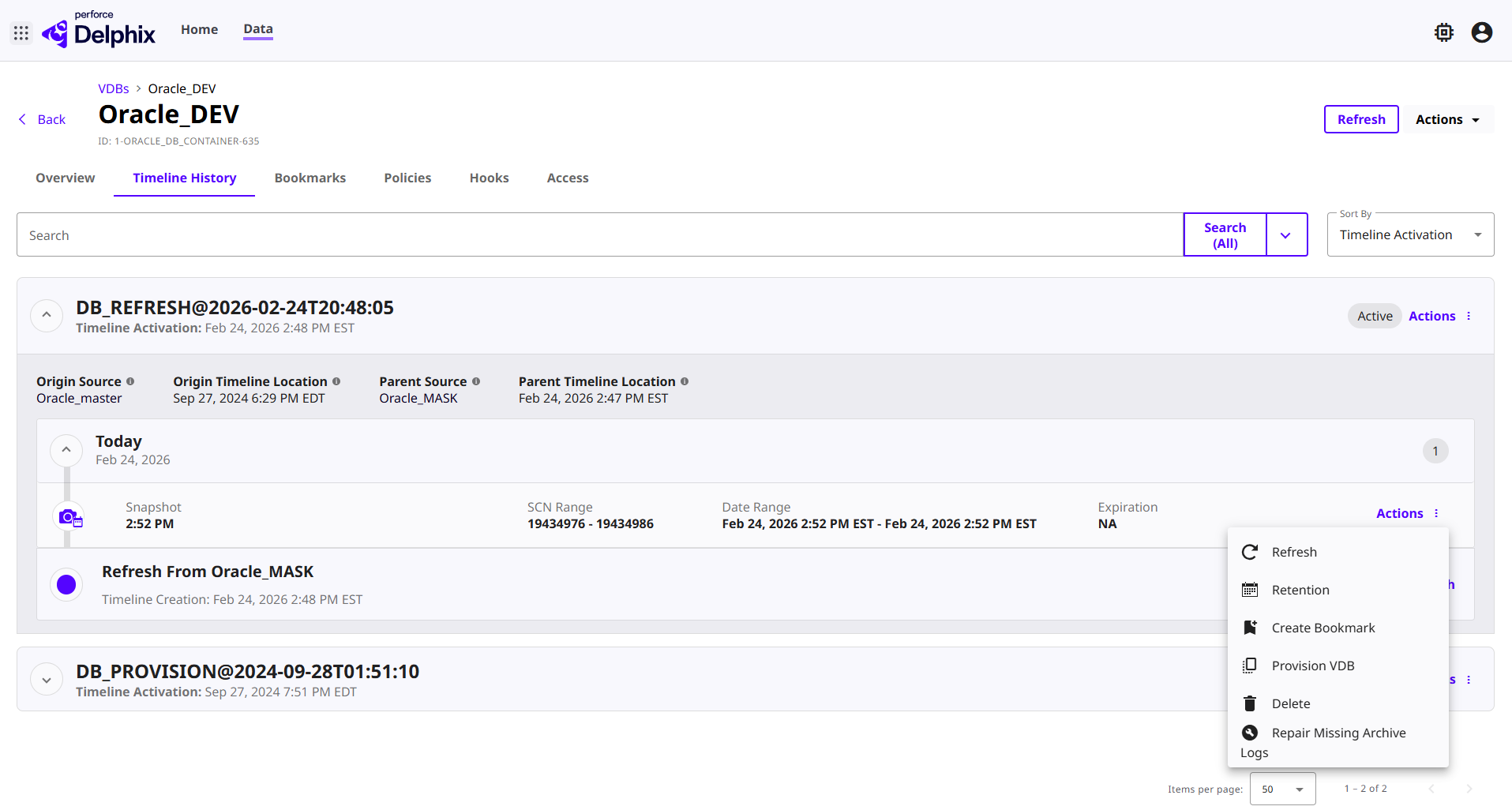
Deliver faster, more frequent releases. Reduce storage costs. Ensure compliance. Watch how Delphix eliminates data bottlenecks with fast, self-service, trusted data delivery for development, testing, and AI-driven workflows.
How Can Delphix Users Get On-Demand Test Data?
With Delphix, users and agents can get self-service test data when and how they need it:
With Delphix, teams can refresh environments on-demand using fast, secure, production‑like data — even across multicloud and hybrid environments. Automated refreshes eliminate manual ticketing and keep DevOps environments current with masked or synthetic data that’s safe for development and testing.
- Refresh environments to the latest production-quality data.
- Accelerate DevOps with automated, self‑service updates.
- Deliver compliant, AI‑ready test data anywhere.
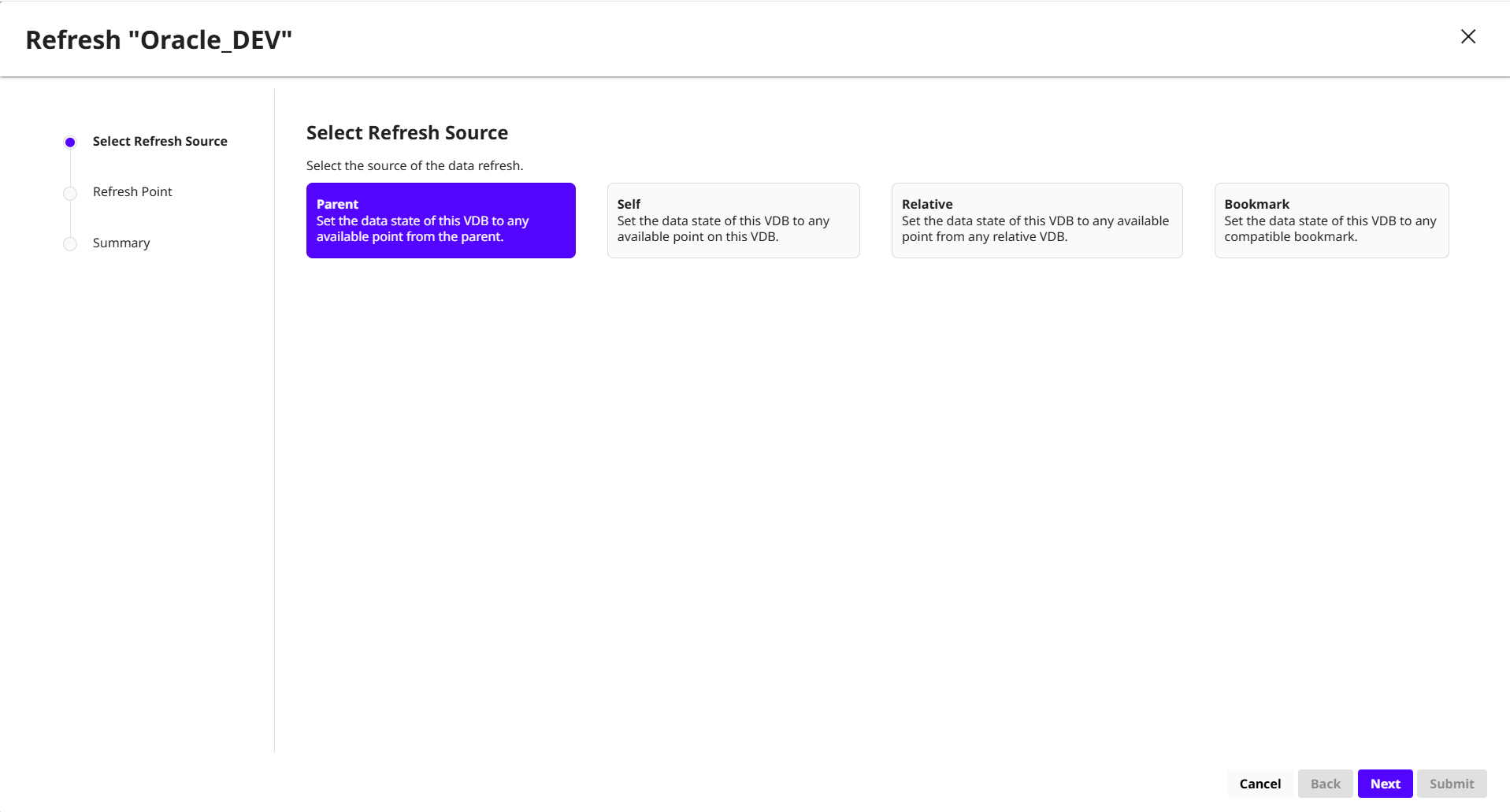
Delphix users can quickly refresh a virtual database to get the latest masked production data. This gives teams fast, self-service access to production-like data without reprovisioning environments.
What users can do:
- Select a snapshot, timestamp, or bookmark to refresh from.
- Trigger automated refreshes by setting parameters for the timeline of data of a virtual database or source.
- Choose between self, parent, or relative sources for maximum flexibility.
- Reclaim space and maintain performance by refreshing older environments.
Delphix allows teams to branch data like code to create isolated, production‑like environments. This enables safe experimentation, scenario testing, and parallel development without duplicating infrastructure or exposing sensitive data.
- Spin up independent data workspaces on demand.
- Enable isolated testing with masked or synthetic data.
- Support DevOps with flexible, ephemeral environments.
With Delphix, users can use bookmarks to create data branches from any moment on the timeline — similar to branching code — so they can test multiple scenarios without impacting each other. Each branch references shared underlying data blocks, making it efficient and fast.
What users can do:
- Create a branch from any selected point in time.
- Run isolated experiments on independent timelines.
- Track all operations (refresh, rewind, updates) per branch.
- Use shared block storage to reduce environment duplication costs.
With Delphix, teams can rewind environments in minutes to any previous data state, enabling rapid test reruns, defect isolation, and safer experimentation. Rewind ensures developers always have access to trusted, compliant data for continuous testing.
- Instantly revert after test runs or data changes.
- Replace manual restore workflows with automation.
- Improve quality by replaying scenarios quickly.
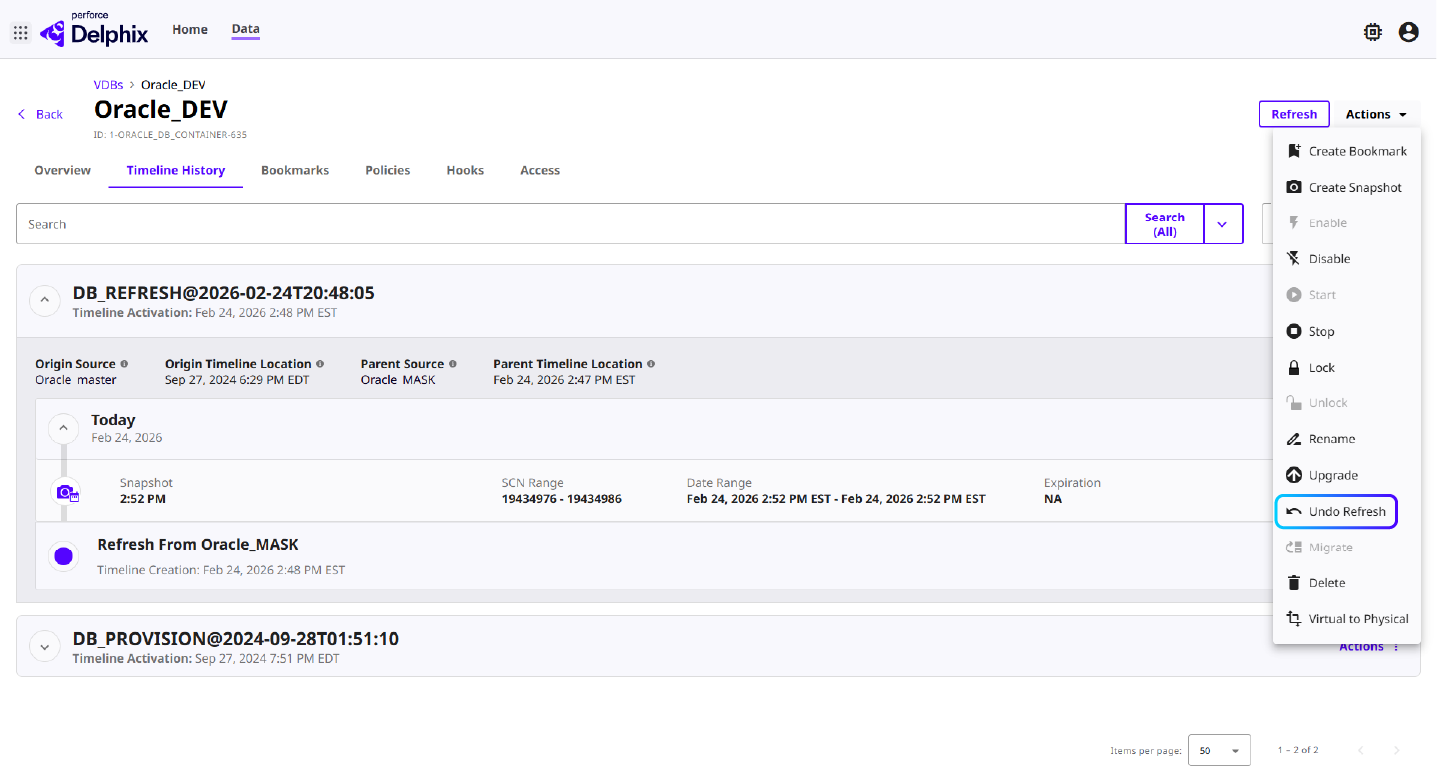
Delphix lets users rewind their environment to a previous data state within minutes — ideal for re-running tests, undoing errors, or returning to a clean baseline. Instead of restoring full backups, Delphix simply redirects the virtual database to an earlier captured point in time.
What users can do:
- Pick a bookmark or point in time for instant rollback.
- Undo undesired data changes without provisioning a new environment.
- Force rewind if invalid data values are accidentally provided or if a database upgrade fails.
- Automate rewinds in CI pipelines for clean, repeatable test runs.
With Delphix, teams can securely share data states to standardize testing across development, QA, and automation pipelines. Shared datasets reduce rework and improve consistency. They also support distributed teams without creating costly full copies. At the same time, teams maintain centralized governance and auditability.
- Provide trusted, compliant datasets to multiple teams or agents.
- Standardize baselines for cross-team automation.
- Reduce storage waste with space‑efficient virtualization.
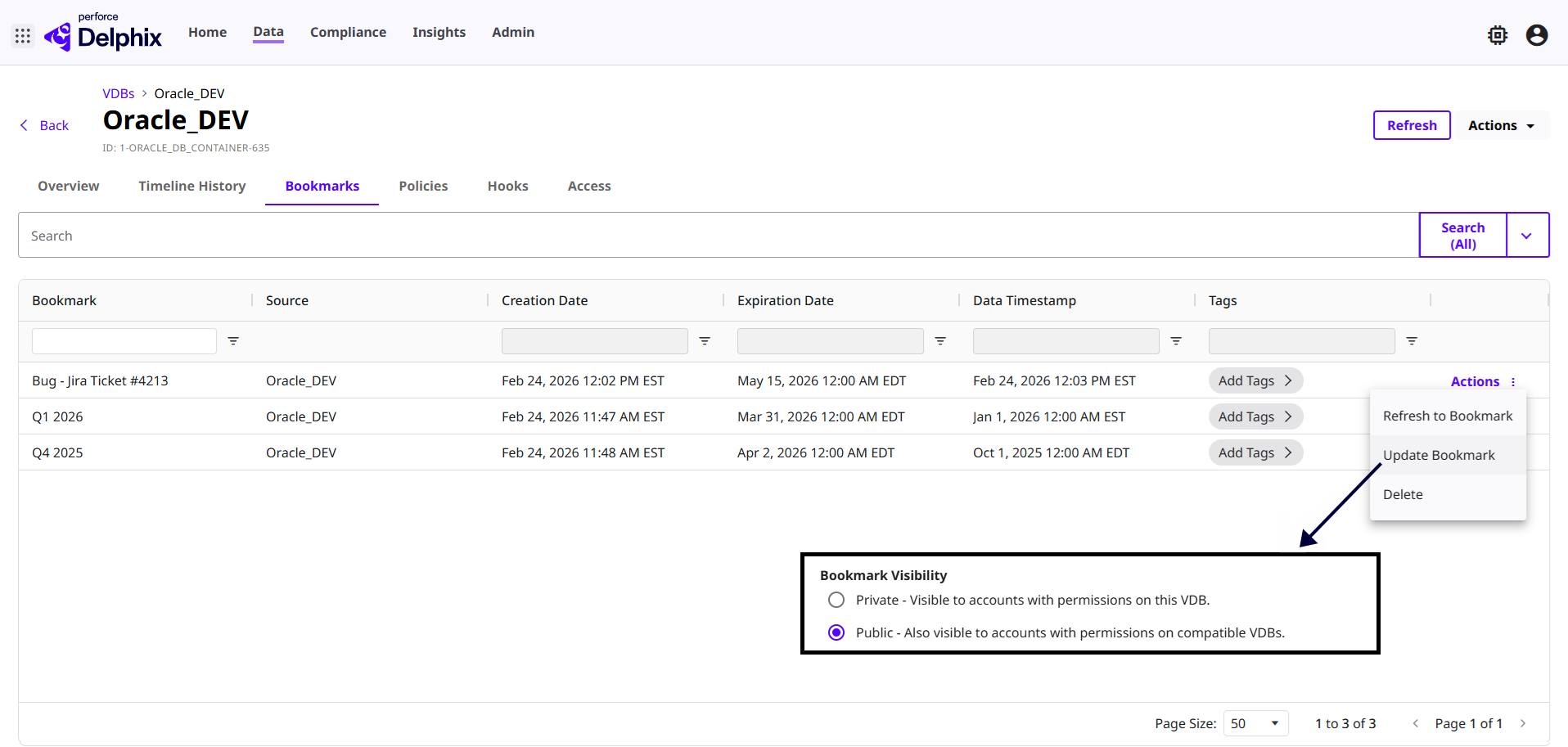
Delphix lets users share bookmarks so other teams can restore to the same trusted data moment — ideal for coordinated QA, defect reproduction, or cross-team development. Sharing updates bookmark metadata to make it accessible within the same template boundary.
What users can do:
- Share exact data states with teammates to coordinate on bugs or versioned datasets.
- Unshare bookmarks when personal tests are complete.
- Trigger bookmark sharing from CI/CD test results.
With Delphix, teams can orchestrate multiple virtual databases as a single coordinated group. This is ideal for applications that depend on several databases working together. Teams can ensure each database is refreshed, updated, or controlled in the correct order. This improves test reliability and speeds up integration workflows. It also helps teams support AI-driven delivery at scale.
- Apply refresh, start/stop, or enable/disable actions across multiple virtual databases at once.
- Synchronize multiple databases to the same point in time.
- Reduce operational overhead by automating multi-database workflows.
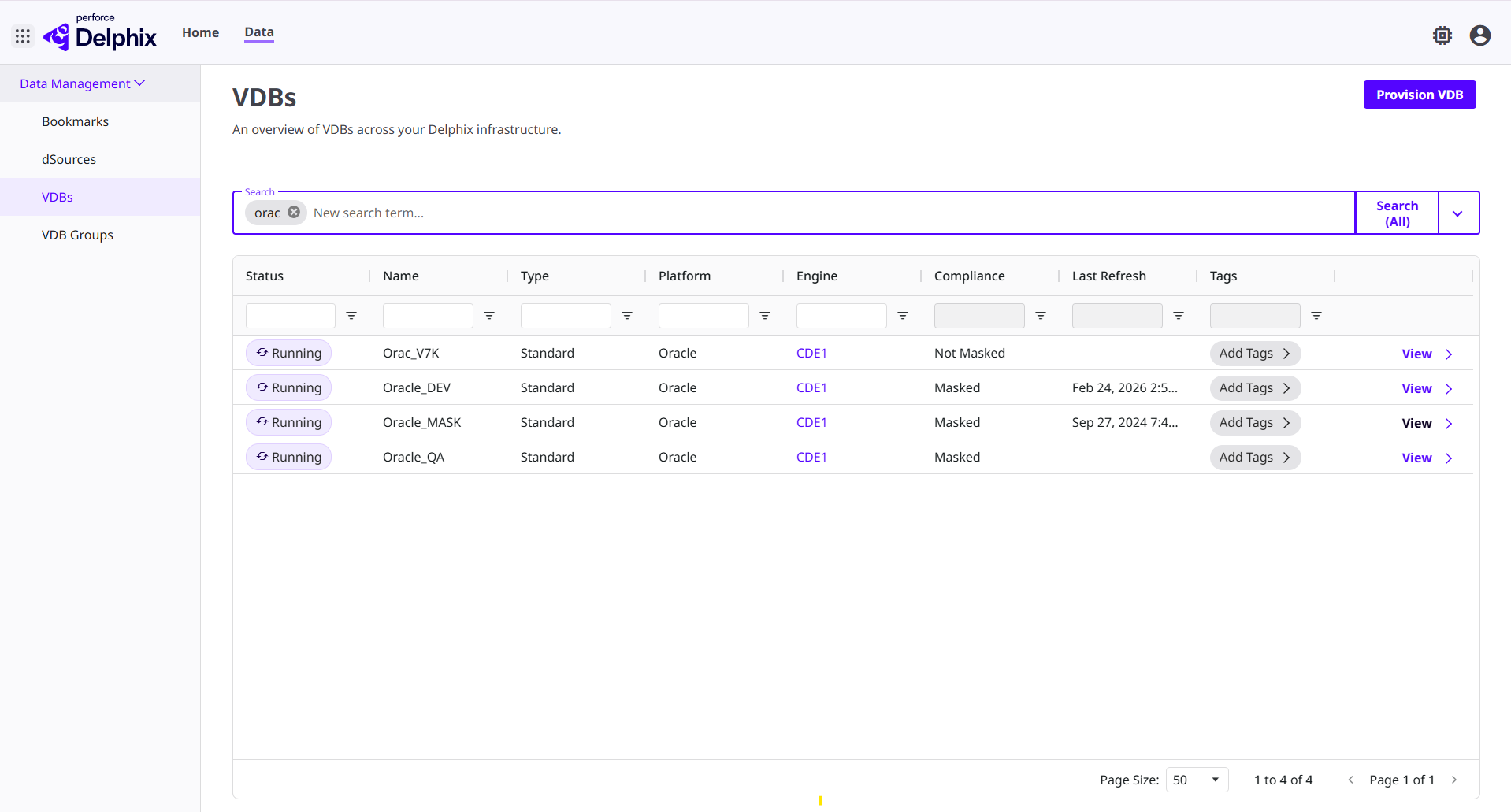
Delphix allows users to group multiple virtual databases and perform coordinated operations across them in a single action. Users can define the exact order in which each virtual database should be processed to ensure application components stay properly aligned, making it especially valuable for complex systems like ERP or multiservice apps.
What users can do:
- Create a virtual database group and define the order in which each one should be refreshed or updated.
- Execute bulk operations (refresh, start/stop, enable/disable, lock/unlock) across the group simultaneously — such as rewinding the group to a baseline data state.
- Accelerate integration testing by treating the group as one synchronized data environment.
Gartner Peer Insights™ Customers' Choice for the 2025 Voice of the Customer for Test Data Management
Perforce Delphix was recently cited as a Gartner Peer Insights™ Customers' Choice in the 2025 Voice of the Customer for Test Data Management*.
*Gartner, Gartner Peer Insights ‘Voice of the Customer’:
Test Data Management, Peer Contributors, August 2025

The Most-Reviewed Test Data Management Solution
Perforce Delphix has the most reviews of all vendors in the Test Data Management Tools Market as of March 6, 2026, based on 64 ratings from all time on Gartner Peer Insights™.
See Delphix Self-Service Test Data in Action
Request a custom demo from our product experts. See for yourself how Delphix accelerates agentic software delivery with fast, trusted, compliant test data on-demand.
Delphix Self-Service Test Data FAQs
Delphix Self-Service Test Data FAQs
Delphix syncs with multiple production data sources. Then, Delphix provisions point-in-time test data copies that can be stored and cataloged for self-service data access. Just as development teams version codebases, Delphix lets them version trusted test data with the ability to update, bookmark, and share data copies from a central repository.
Delphix allows teams to execute all self‑service actions — such as refresh, bookmark, and share — through the web UI, the command line interface (CLI), or the REST API. This gives developers, SREs, and automation pipelines full flexibility to use Delphix interactively or programmatically, depending on their workflow needs.
Watch a Demo: Bookmark, Test, and Rewind in Perforce Delphix
No, Delphix users’ personal virtual data copies do not conflict with each other, and changes in one do not affect others. Each virtual database copy in Delphix is independent and isolated, even though copies are space‑efficient and share underlying data blocks. Changes that a developer makes in their own virtual database do not impact anyone else’s copy.
This means teams can experiment freely, run tests in parallel, and work without fear of breaking shared environments.
Delphix prevents data inconsistencies across teams by virtualizing and versioning data so teams can refresh or rewind their data copies to exact points in time, ensuring consistent baselines across development, testing, and staging. Features like bookmarking deliver test data that behaves like code, enabling teams to reproduce defects, standardize scenarios, and keep datasets aligned throughout the software delivery process.
Teams can also lock a virtual database during a test cycle to prevent accidental refreshes or rewinds, ensuring data remains stable and untouched until testing is complete.
Watch a Demo: Bookmark, Test, and Rewind in Perforce Delphix
Delphix provides REST APIs, a command line interface (CLI), and integrations with DevOps tools such as Jenkins, Terraform, Kubernetes, and ServiceNow, allowing teams to automate provisioning, refresh, rewind, and bookmarking as code.
These integrations make it easy to embed Delphix into CI/CD workflows or trigger data operations from existing platform tooling. For example, the native ServiceNow integration lets users request and execute refresh, bookmark, and share actions directly within the ServiceNow interface for a consistent, centralized experience. Or, if DevOps administrators need a complete environment delivery, they can leverage the Terraform Provider to deliver the host and database components as a single package.
Delphix improves developer experience by giving teams instant, self-service access to trusted, compliant, production-like data — so developers, testers, and agents no longer have to wait days or weeks for database administrators (DBAs) to clone or reset environments. Stable, production-like datasets reduce test flakiness and improve reproducibility, enabling faster debugging and higher confidence in each release.
The result is significantly shorter cycle times and more frequent, higher-quality releases.
Delphix’s self-service tools offload routine provisioning, refresh, and restore tasks from IT Ops, leading to fewer tickets and drastically reduced manual effort. Standardized workflows ensure consistent, policy-driven actions across teams, reducing risk and operational variance. Fast, API-driven recoveries also minimize downtime and help Ops maintain more predictable, efficient non‑production environments.
Watch a Delphix Demo: Provisioning Point-in-Time Data for Faster Recovery