
Flexible, High-Performance Jenkins Plug-ins and Integrations
Jenkins pioneered a better way to implement CI/CD pipelines. It works with nearly any project or product development process. Many companies use Jenkins for DevOps. It’s become the most popular way to integrate your entire chain of build, test, and deployment tools.
Most of the customized tasks done by Jenkins use plugins. Jenkins' well-defined API allows you to customize and perform actions to accelerate your pipeline.
P4 P4 Code Review P4 Git Connector Perforce ALM Perforce QAC Klocwork
What P4 Does
P4 is the version control software from Perforce. Development teams use it to securely manage all digital content — even large binary files — all in one repository. And to quickly deliver files to large, distributed teams.
Integrating P4 and Jenkins lets you set up powerful pipelines that bring together your:
- Source code
- Artifacts
- Non-code assets
The assets can be stored in multiple repositories or file systems. Plus all your assets can be accessed from development centers or design studios around the globe.
P4 Plugin for Jenkins
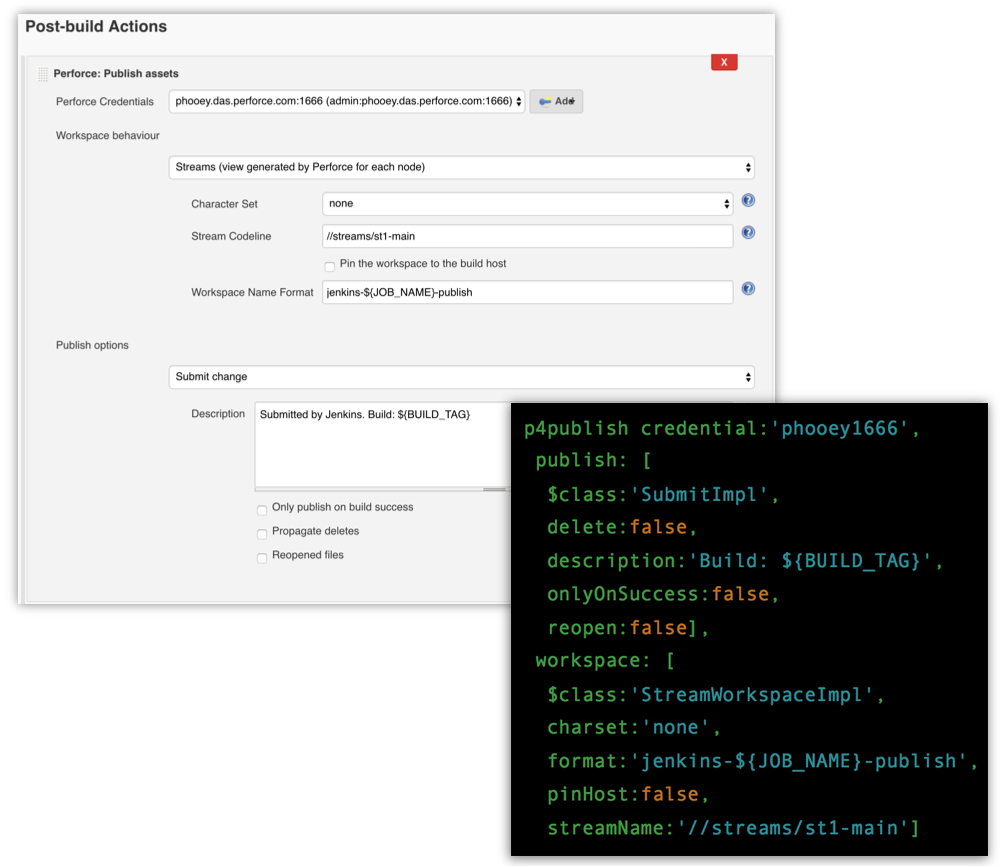
The P4Plugin for Jenkins provides a fast, seamless way to extract projects from P4 into pipeline stages. It’s written using P4Java, the P4 Java API. This makes it easy to create custom Jenkins configurations.
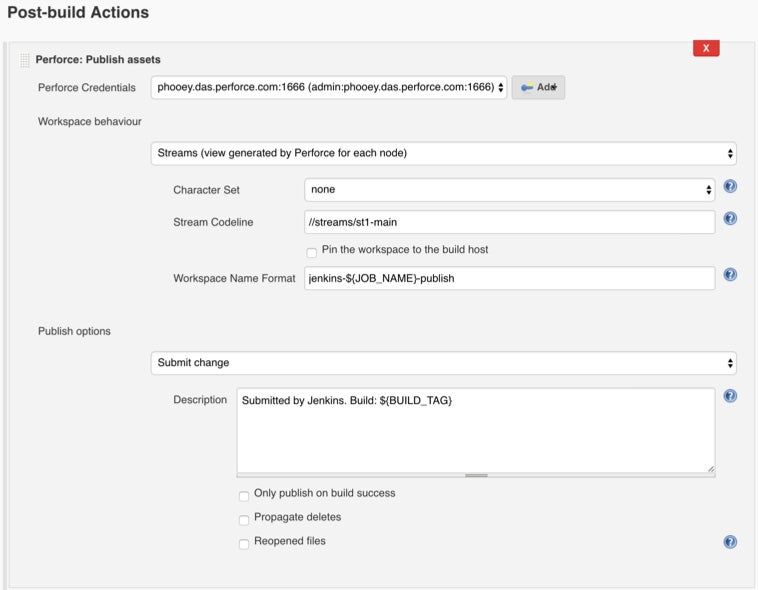
You can use the plugin to run builds using Perforce Streams or shelves. And you can create a workspace automatically, or use an existing workspace template. To boost performance, sync P4 depots in parallel using Jenkinsfile syntax.
After the build, the P4Plugin will automatically push files back to P4, and label the files. This helps organize and manage your CI/CD processes, which improves quality and traceability.
API for Version Control
If you want to extend functionality and integrate more tools, P4Java is ready. It’s a Java API that enables applications to access P4. Now you can control your connection to the P4 server to enhance your build automation.
P4Groovy
When the P4Plugin’s commands aren’t enough, you can use the Perforce-supplied P4Groovy to integrate workflows. It works with the Jenkins supplied Domain Specific Language (DSL) based on Groovy. With Jenkins’ Job-DSL-plugin, you can better describe jobs and manage scripts.

What Is P4 Code Review?
P4 Code Review is a collaboration and code review tool that comes free with P4. You can review, approve, and ship with P4 Code Review and Jenkins. It can organize large-scale projects with ease, and eliminate confusion across your development environments. Plus you gain speed and enhanced security along the way.
How Does P4 Code Review Work With Jenkins?
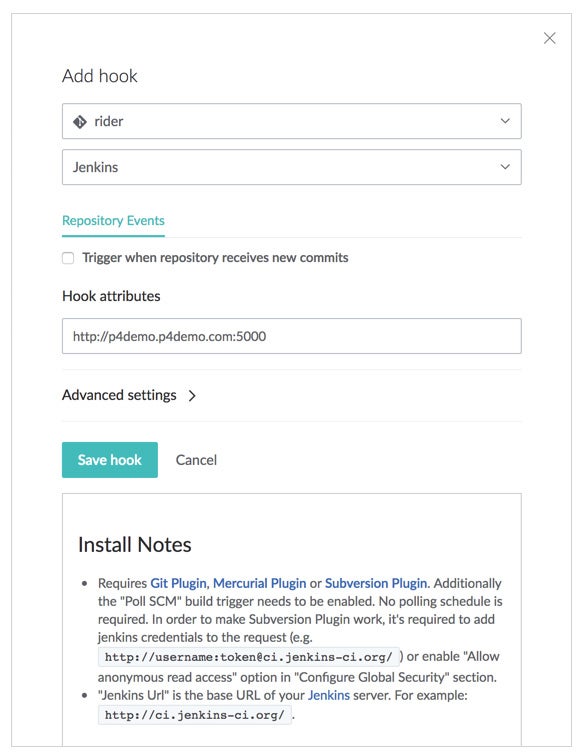
It’s simple to do a P4, P4 Code Review, and Jenkins integration. Once it's set up, there are no additional steps for developers to fire off build and test automation. Your team simply completes their work, submits it, and the integration takes over.
Once Jenkins reports that the build and tests have passed, P4 Code Review notifies the team that changes are waiting to be reviewed and approved. Once approved, the code can be deployed automatically. It’s an integral part of your CI/CD workflow.
P4 Git Connector
What Is P4 Git Connector?
With P4 Git Connector, you can create Jenkins pipelines that easily incorporate P4 and Git assets. This makes it simpler and faster to manage and build. This is because P4 Git Connector leverages the power and scale of the P4 server, and it lets you manage Git repos natively.
Even better, P4 Git Connector is easy to implement without changing your existing toolset. It can be added to any Git environment to improve performance and seamlessly scale. Plus with P4 Git Connector, you can sync multiple Git repositories and P4 depots at the same time using Jenkinsfile syntax. You get 40-80% faster builds compared to open source Git.
How the Jenkins Plugin / Integration Works
After a Jenkins integration, developers can work seamlessly with Git commands and workflows. And they can automate using P4 workspaces and P4 commands. You can map parts of a Git repository into a P4 workspace by choosing specific paths to files using your favorite syntax, including wildcards.
This creates the equivalent of a “narrow clone” of the Git repository. You can also bring multiple Git repositories into the client. And you can even combine assets in P4 depots with Git repositories in a hybrid P4 workspace.
What is Perforce ALM?
Perforce ALM is a modular suite of application lifecycle management tools. Organizations rely on Perforce ALM to manage requirements, tests, and issues – all in one place – for end-to-end traceability.
Perforce ALM Test Case Management is the testing module of Perforce ALM. Create, execute, and track every type of test in Perforce ALM TCM for seamless test coverage, complete visibility of test results, and faster feedback of quality findings.
How the Jenkins Plugin / Integration Works
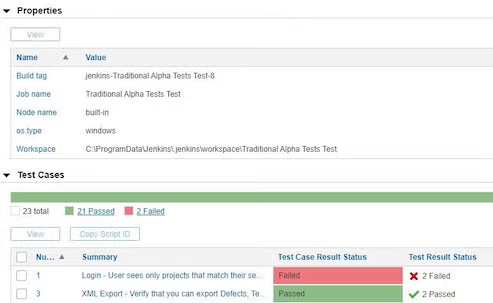
Perforce ALM builds a bridge to your CI/CD pipeline. With our native Jenkins plugin, you can automatically submit automated test results back to Perforce ALM from Jenkins. So you can easily trace test results to requirements, test cases, and related issues for continuous traceability.
Freestyle projects and Pipeline are supported using the JUnit or xUnit XML report format.
You can also run Jenkins projects directly from automation suites in Perforce ALM without switching to Jenkins. This is helpful if you need to rerun a specific test quickly.
What Perforce QAC Does
Perforce QAC is a static code analyzer for C/C++. It analyzes code, checks it against coding rules, and ensures compliance. Developers use Perforce QAC to ensure higher code quality.
How the Jenkins Plugin / Integration Works
Perforce QAC has a Jenkins plugin for both C and C++. With this plugin, you’ll get immediate feedback on compliance to a coding standard.
Here’s how it works…
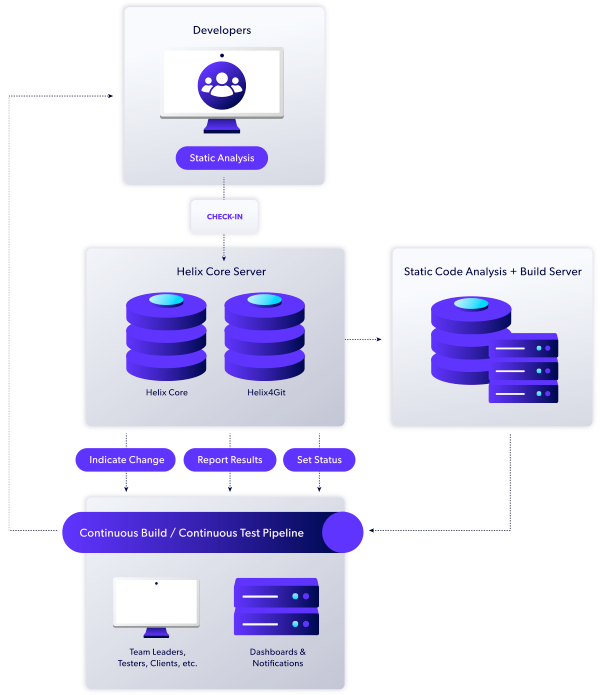
You commit your code as usual. A job then prompts Perforce QAC to run an analysis on the source code. Summary information — such as how compliant the code is to the coding standard — is immediately available on the CI server.
Analyze Your Code With Perforce QAC
The plugin also generates a compliance report. It compares the total number of messages in the project against a threshold. The build status gets set to “unstable” if that threshold is exceeded. This stops subsequent tasks.
The results of this analysis are also automatically uploaded to Perforce QAC’s dashboard. Developers can view the annotated source code via their browser. They can then pinpoint the exact location of non-compliances and fix issues before re-committing the code.

What Klocwork Does
Klocwork is a C/C++/Java/C# static code analysis solution designed for enterprise with CI/CD in mind. It inspects source code for defects, vulnerabilities, and coding rule violations to ensure complex software is safe, secure, compliant and reliable.
How the Jenkins Plugin / Integration Works
Klocwork integrates with build systems and CI environments. Its unique differential analysis technology provides the fastest analysis results for CI pipelines.
Our customized Jenkin plugin helps you to easily setup the automation of Klocwork static code analysis into your CI process.
Klocwork’s Jenkins plugin supports both CI/CD pipelines and freestyle, which provides you with a flexible job configuration.
- Setup build triggers with hooks to your code repository.
- Customize your build steps and leverage Differential Analysis for the fastest static code analysis result times.
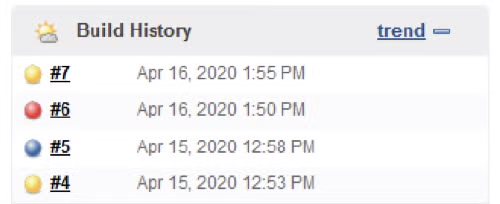
- Set build pass/failure conditions to quality gate commits and visualize your build history (Figure 1).
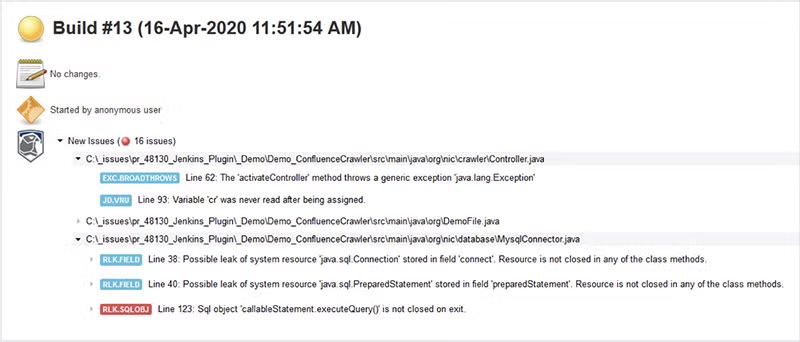
- View analysis results in Klocwork Portal or within Jenkins (Figure 2).
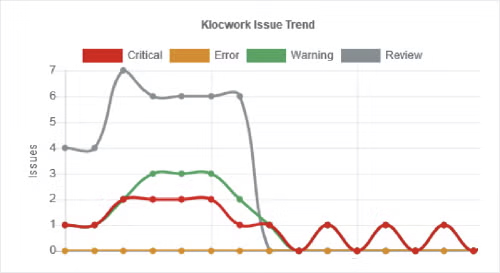
- View your project issue trend over time. (Figure 3).
Have Questions?
Contact us for more details. We can walk you through Perforce and Jenkins integrations to give you better performance, and an easy way to integrate your entire toolchain.