

Streamline Branching and Merging
Better manage your operations with Streams. Within P4, users can design and automate development and release processes with the following capabilities:
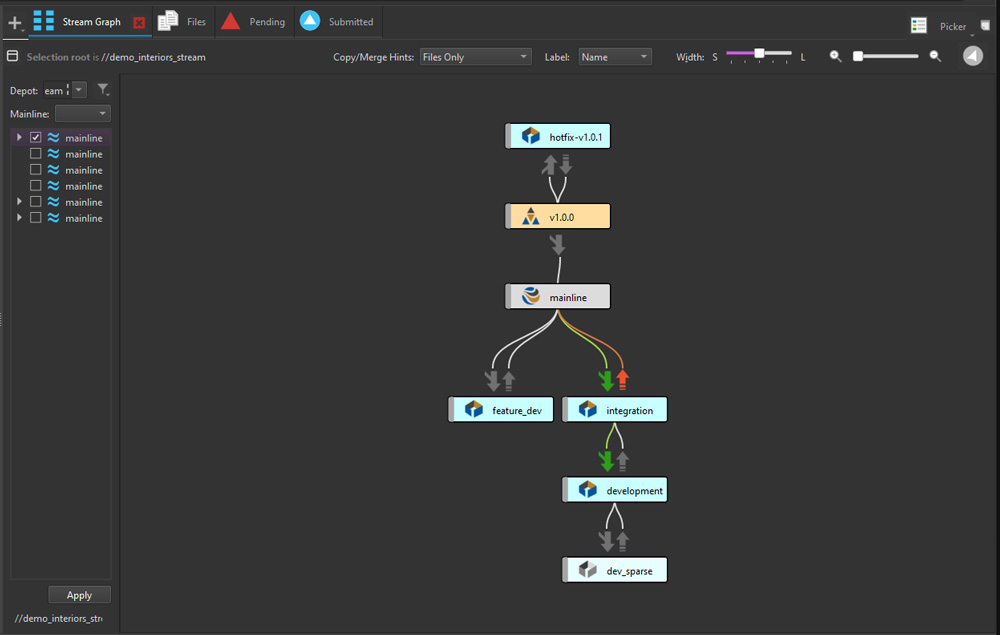
- Support for ‘branch per bug’ and ‘branch per feature’. Implement common branching methodologies and instantaneously create new lightweight branches with Sparse Streams.
- Reuse components across projects. Reduce manual processes, by defining component relationships between branches or streams and testing these relationships in isolation before checking in changes.
- View branches and define dependencies. In P4V, see a graphical representation of the relationships between parent and child branches or streams in a selected depot.
Gain a Unified View of Your Branch and Revision History
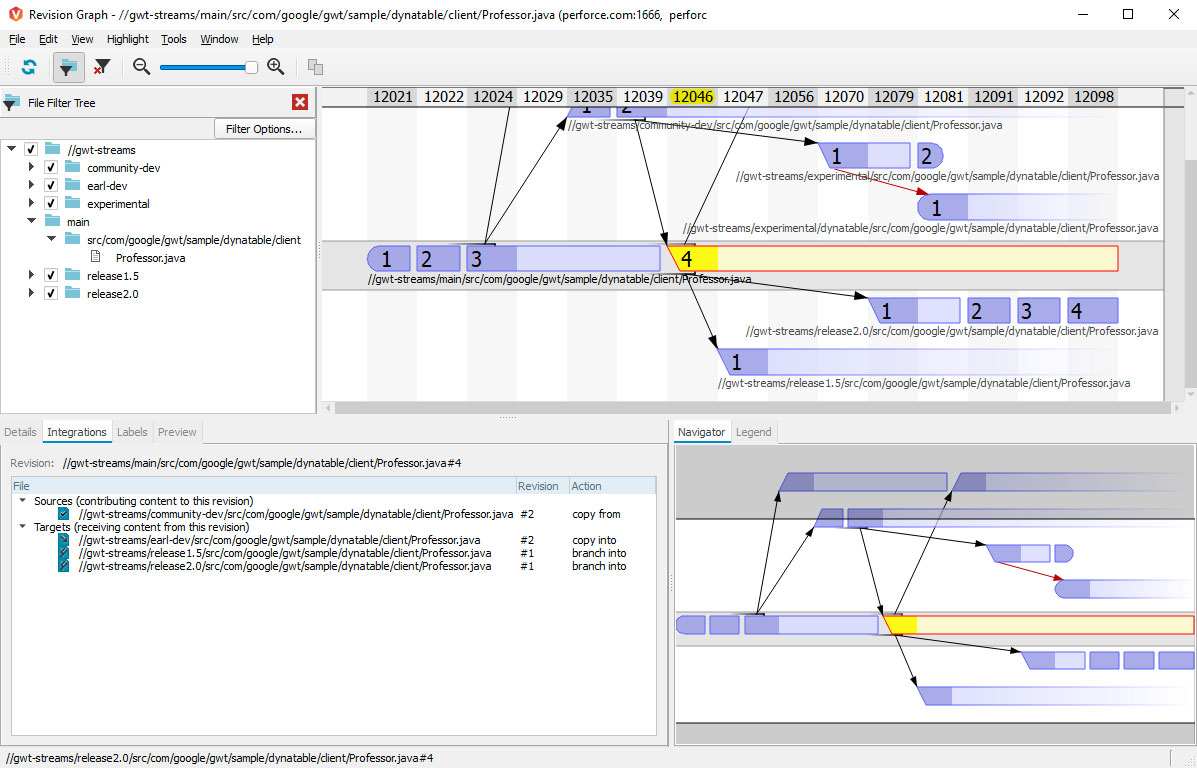
Trace integration points across all your files and branches to understand how your code evolved with Streams. Explore the history of your code with powerful visualization tools in P4V, enabling your team to:
- Visualize branches and integrations with the Revision Graph. View your file integration history displayed as a tree. Learn when a file was added, branched, edited, merged, copied, or deleted, or when a revision of the file was undone.
- See and contrast all versions of a single file in the Time-lapse View. Scroll through a file’s history to identify when lines were added, changed, and deleted, who made the changes, and when the changes were made.
Take Control of Your Team's Development Process
Streams simplifies your team's development workflow by providing full visibility into your codebase. Eliminate the extra work needed to define branches, manage integrations, and maintain wikis and scripts. With Streams, your entire team can easily:
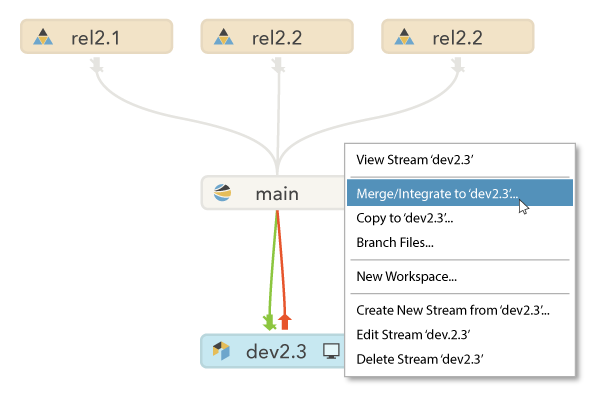
- Understand the relationships between code.
- View how change is propagated between streams.
- Identify any pending integrations that need to be incorporated.
Get Started with Streams
Already using P4 or P4 Cloud? Learn everything you need to know about Streams in this overview video.
Related Resources
Learn more about using Streams with P4 in the resources below.

Getting Started with P4
Reference our Quick Start Guide for guidance on how to create a Stream depot, and your first Stream.

How to Set Up Streams
Use this guide to walk through how to create a Child Stream, make a Stream change, and then copy changes into the Parent Stream.

How to Automate Your Branching Strategy
Learn how to manage concurrent development while eliminating obstacles with these best practices.
Get Started with P4
To start using Streams, first you need P4. Get started free for up to 5 users and 20 workspaces.
Get Started with P4 Cloud
P4 Cloud is Perforce-managed and hosted version control. Get a secure, expertly pre-configured deployment of P4 for teams under 50.